RESTAURANT GUIDE
How to make a restaurant website — that fills tables, not just clicks.
Menu, hours, reservations, Google Maps — set up in the right order, with the right links, so the people Googling "dinner tonight near me" end up at YOUR table. We'll walk through the 5 platform-agnostic steps and honestly compare the 5 most popular ways to do it.
Free to build · No credit card · Pay when you publish
30 secto a complete restaurant site
Menu + reservationsbuilt into every template
$0to preview your full site
5 buildershonestly compared below
REAL RESTAURANT SITES
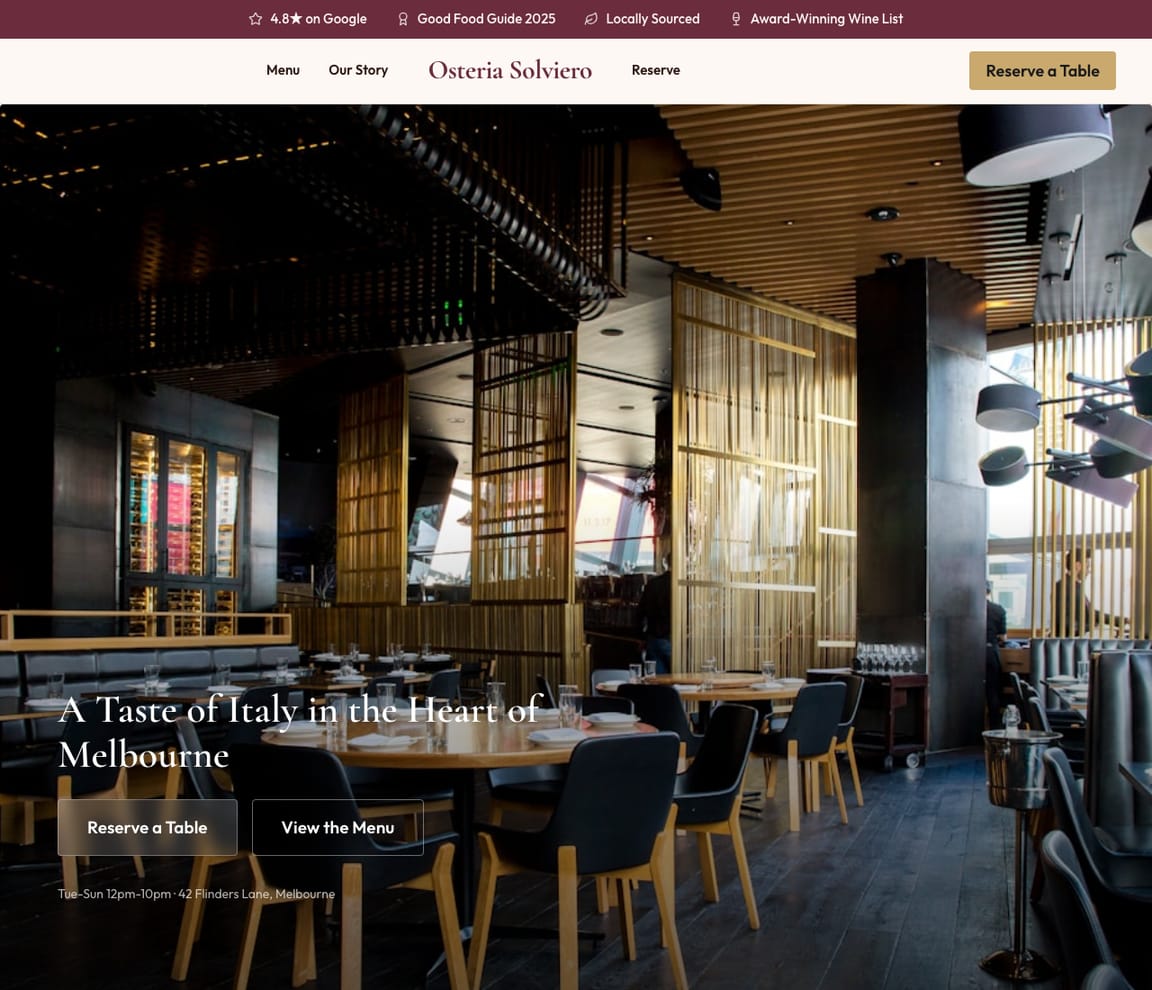
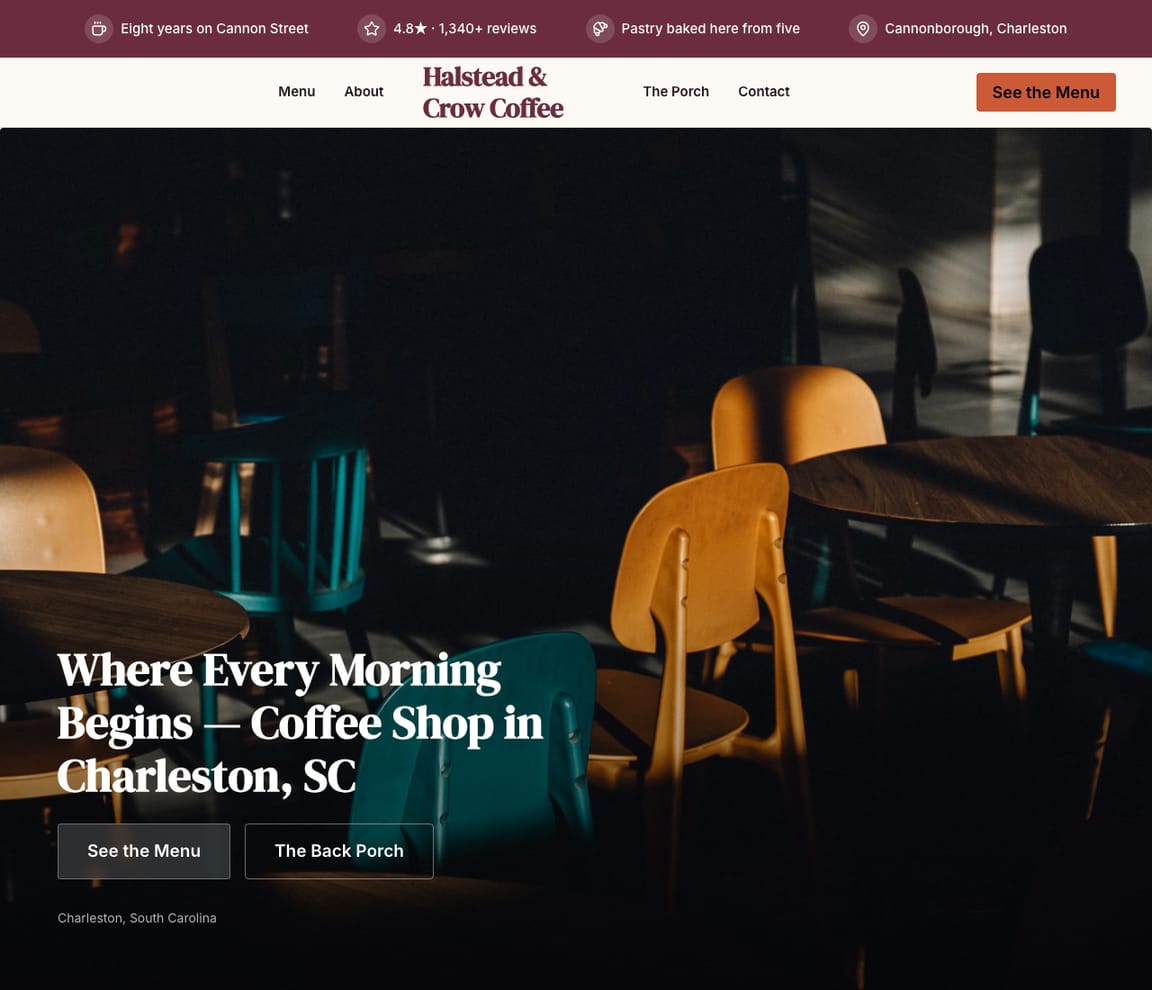
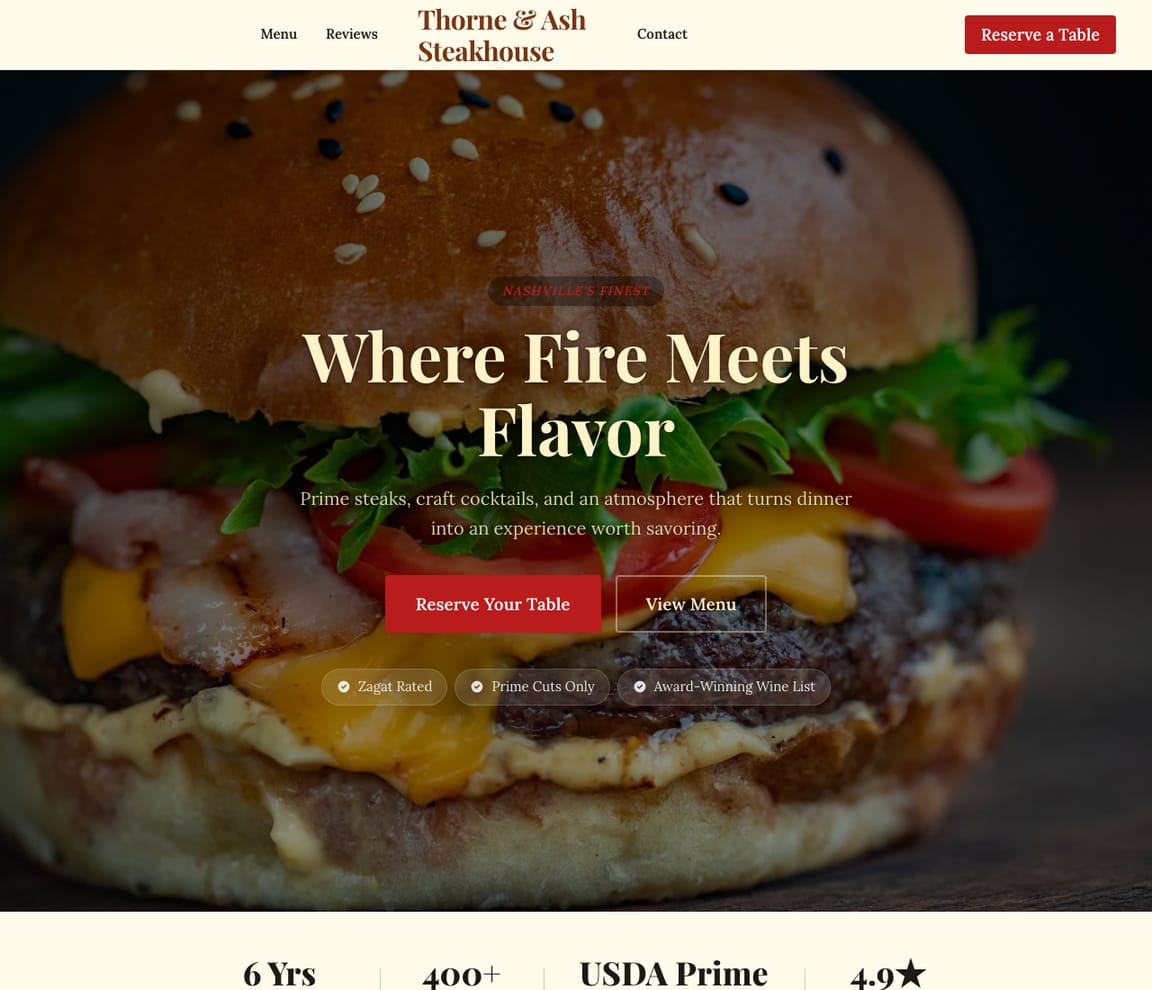
Restaurant websites built by Zarla AI.
These started as a one-sentence description. Zarla generated the layout, picked food photography, wrote the menu structure, and shipped the SEO — for actual restaurants. Pick the one closest to your vibe and start there.
HONEST COMPARISON
The five most popular ways to build a restaurant website
Quick heads-up: we make Zarla. We've put it #1 below — and we've listed the catch on every option, including ours. Pick the one that matches your situation. If you want to skip the comparison, the Build button at the top takes you straight to it.
- 1
Zarla
Best forRestaurant owners who want a complete site — menu, hours, photos, reservations — in 30 seconds, then a publish button when they're ready.
Features- One sentence in, full restaurant site out in ~30 seconds (menu, hours, location, contact form, gallery)
- Edit anything by typing: "Add a Tuesday tasting menu," "Replace the hero photo," "Show happy-hour times"
- Built-in reservation forms + Google Maps integration on every template
- Free to build and preview the full site (no time limit)
- Custom domain + integrated online ordering on Premium
The CatchTry Zarla free — see your restaurant site in 30 seconds →Free covers the full build and preview on a Zarla subdomain. Publishing to your own domain — and unlocking integrated CRM, bookings, and reservations beyond the basic form — needs Premium. If you just want to see how your restaurant site would look before deciding, free is enough.
- 2
Wix
Best forOwners who want to drag-and-drop their own layout and have the time to spend in a visual editor.
Features- Restaurant-specific templates with menu, gallery, and reservations
- Wix Restaurants add-on (extra fee) handles online ordering + table reservations
- Free tier with a wixsite.com subdomain and Wix ads
- Drag-and-drop editor with deep customization
The CatchThe free tier publishes — but the URL has "wixsite.com" in it and Wix ads on every page. The restaurant-specific reservation + online ordering tools require the Wix Restaurants add-on on top of a paid Premium plan, pushing the real monthly cost above $30.
- 3
Squarespace
Best forBrand-conscious owners who want polished food photography and integrated reservations on a paid plan.
Features- Excellent design defaults — restaurant templates look high-end on day one
- Native integration with OpenTable for reservations
- Built-in scheduling for special events + private dining
- 14-day free trial; paid from day 15
The CatchThere's no permanent free tier. After 14 days you must pick a paid plan ($16/mo+) to keep your site live. If you're testing concepts or not ready to launch within two weeks, plan ahead.
- 4
Toast
Best forRestaurants that want POS + payments + online ordering + website all from one vendor and don't mind the platform commitment.
Features- POS, payments, online ordering, gift cards, and website bundled together
- Orders from the website hit the kitchen line directly
- Restaurant-industry support team
- Hardware plus monthly subscription model
The CatchYou're buying a whole restaurant platform, not just a website. Pricing depends on hardware + payment-processing volume; the website is essentially free if you're already on Toast for POS, but you can't take just the website without committing to the POS contract.
- 5
BentoBox
Best forIndependent restaurants and small chains that want a hospitality-focused agency-style website with built-in events + catering.
Features- Restaurant-specific design library and dedicated hospitality support
- Native integration for online ordering, events, catering, and gift cards
- Built-in email marketing for restaurants
- Higher monthly cost reflects the dedicated industry focus
The CatchPricing starts well above the generic builders — typically $150-$300+ per month — plus a setup fee. Worth it if you want hospitality-specific support and integrations, but overkill for a single-location owner who just needs a clean site with a reservation form and a menu.
GET THE STRUCTURE RIGHT
What every restaurant website needs — actually.
Most restaurant sites fail in the first 10 seconds because the visitor can't find the answer to one of three questions: What do you serve?, When are you open?, How do I book a table?
Get those three right and you've already beaten most restaurant sites on the internet. Modern AI builders default to the right structure: menu and hours visible without scrolling, a hero food photo that matches your cuisine (no text overlay — roughly 43% of diners say food photography directly influences where they decide to order), and reservations one tap away from anywhere on the page via OpenTable, Resy, Wix Reservations, or your builder's native form.
That's the skeleton. Below is the structural list of pages every restaurant site needs — the same shape Google's AI Overview extracts as the answer to "how to make a restaurant website."
- Homepage — location, hours, phone, and a clear link to the menu visible without scrolling
- Menu — text-based items with prices and dietary tags (never PDFs — Google can't read them)
- About Us — the chef or owner's story, photos of the team, the vibe in one or two short paragraphs
- Contact + Reservations — OpenTable, Resy, or a built-in form; parking info if you have any
- Online Ordering — only include if you do meaningful takeout or delivery; otherwise skip it
Google Search Console
1.4k Impressions
186 Clicks
#4.2 Avg position ↑
Google Business Profile
312 Reviews
4.9★ Rating
5 Shown on your site
An example for a made-up business: the figures are illustrative; yours come from your own Google account.
Common restaurant-website mistakes to avoid
The same five mistakes show up on most restaurant sites and they all hurt one thing: the chance a hungry visitor stays long enough to book a table or place an order. Each one is a 1-edit fix once you know to look for it.
- PDF menus. Google can't read them, mobile users can't pinch-zoom them, and they break the site's SEO. Use HTML text menus with prices and dietary tags — link the PDF as a printable download if you must, but the page version is the one customers actually browse.
- Autoplay video with sound. Roughly 80% of restaurant visitors arrive on mobile; an autoplay sound clip is the fastest possible way to make them close the tab. If you want video, make it muted, looped, and short.
- Hero photo buried under text overlays. Beautiful food photography is your single highest-converting visual asset — don't cover it with paragraph copy and a giant CTA. Move the words below or beside the photo.
- No mobile preview before launch. Every modern builder shows you a phone preview in one click. Use it. A site that looks great on a laptop and broken on iPhone loses you the dinner crowd before they read a word.
- No Google Business profile linked. Your website and your Google Business profile share a hidden trust signal — when the address and phone match exactly, both rank better in local search. Claim your profile (it's free, takes 5 minutes) and link it from your contact page.
STEP-BY-STEP
How to make a restaurant website in 5 steps
These steps apply to any website builder. With an AI builder like Zarla, most of them happen automatically — you give one sentence and the site arrives with menu, hours, and reservations already wired up.
ONE SENTENCE IN
Describe your restaurant in one sentence
Cuisine type, neighborhood, vibe. "Family-run Neapolitan pizzeria in Bushwick — focus on takeaway and weekday lunch." That sentence becomes the AI builder's input, or the brief you'll fill out in a template-based builder.
Describe your business
I run The Corner Kitchen — family-run Italian restaurant in Brooklyn. Wood-fired Neapolitan pizza, weekend brunch, dinner Tue–Sun.
AI BUILDS IT
Build the site (with AI, a template, or hire someone)
AI builders like Zarla generate the full restaurant site — copy, layout, menu structure, hero photos — in about 30 seconds. Template builders (Wix, Squarespace) start you in a pre-designed restaurant template that you fill in. Hiring an agency takes 4-8 weeks and runs $3,000-$15,000.
Zarla AI
thecornerkitchen.com · 4 pages live
Describe any page you need…
YOUR MENU, YOUR HOURS
Fill in your menu, hours, and contact details
This is the part you have to do regardless of which builder — your menu is yours. Type the items, prices, and any dietary tags. Add your hours (including holidays + happy hour). Add phone, address, and the email reservations should go to. Zarla pre-fills as much as it can from your Google Business profile if you've claimed one.
✗ Generic
“Welcome to our restaurant. We serve quality Italian food in a friendly atmosphere.”
✦ Zarla
“Brooklyn's neighborhood Italian since 2008. Wood-fired Neapolitan. Walk-ins always welcome.”
RESERVATIONS + GOOGLE
Add reservations, online ordering, and Google Maps
Decide how guests will book — built-in reservation form (works for most independents), OpenTable / Resy integration (volume + walk-in management), or no reservations at all (walk-in only is a valid choice; just say so on the site). Add Google Maps. Connect your Google Business profile so the site shows in local search.
Live
1.4k
Impressions
186
Clicks
4.2 ↑
Avg Position
“wood-fired pizza brooklyn” — 340 impressions, 0 clicks. Add this to your homepage.
“italian restaurant near me” — you jumped from pos. 18 → 7 this month.
Synced
312
Reviews
4.9
Rating
5
On your site
ONE CLICK LIVE
Publish — and add a few finishing touches
One button. Your restaurant site goes live with SSL, mobile responsive, and meta tags already in place. Now add the things that need to be done once: a Google Search Console account for SEO tracking, an Instagram link in the footer if you post food photos, and a "closed today" banner you can switch on for holidays.
Live
The Corner KitchenBook a Table
Brooklyn's Neighborhood Italian Since 2008
Wood-fired Neapolitan · Dinner Tue–Sun · Walk-ins welcome
ONLINE ORDERING
Should you take online orders through your website?
Three honest answers for three different restaurants.
If you do 80%+ dine-in: skip online ordering on the website. Add a "See menu" button that links to a PDF or a Square Online checkout page. Spend the saved energy on reservations + Google Business instead — that's where dine-in volume comes from.
If you do meaningful takeaway / delivery: yes, but think about whether it should be on YOUR site or on the third-party platforms (DoorDash, Uber Eats, Grubhub) you're probably already on. Most independents do both — third-party for discovery, owned site for repeat orders to capture the higher margin. Zarla, Wix Restaurants, Toast, and BentoBox all support direct online ordering, where fees run a few percent of each order vs. 25-30% on third-party platforms.
If you're a ghost kitchen or delivery-first concept: your website IS the storefront. Use a builder that integrates with a fast checkout (Toast, BentoBox) or run Shopify with a restaurant theme. Treat the menu as a product catalogue.
- Dine-in focus: skip in-website ordering, double down on reservations + Google Business
- Takeaway / delivery mix: direct ordering on your site captures the higher margin
- Ghost kitchen: the website IS the storefront — use a fast checkout
- Zarla, Wix Restaurants, Toast, BentoBox all support direct online ordering
“Add our new seasonal menu and update the hero with a photo of our signature dish”
Updated! I've added the seasonal menu section and updated the hero to “Taste the Season. Fresh Menu, Same Soul.”
Change colorsAdd testimonialsEdit services
Want to see what your restaurant site looks like — before you commit?
One sentence about your restaurant. We'll generate the full site — menu structure, food photos, hours, reservations — in 30 seconds. Free preview, no card.
Free to build and preview · No credit card · Pay only to go live
Common questions about restaurant websites
Do I need a website for my restaurant?
Yes — even if 90% of your customers come from walk-ins. The site is what Google shows when someone Googles your name, what aggregators (Yelp, OpenTable, Google Business) link to, and what visitors check at 6pm trying to decide where to eat. Without a site, you cede that decision to other restaurants who have one. The minimum to be live: menu, hours, address, phone, and one photo of the food. That's it. Modern AI builders ship that in 30 seconds.
How much does a restaurant website cost?
DIY with a builder: $0 to $30 per month for the popular options. Modern AI builders include hosting, SSL, and restaurant templates in their paid plans — Wix Light is $17/mo and Squarespace Personal is $16/mo; Zarla bundles the same plus CRM, bookings, and invoicing on Premium. Hiring an agency: $3,000-$15,000 one-time plus $50-$150/mo for hosting and maintenance. Restaurant-specific platforms (Toast, BentoBox): $0 if bundled with their POS, $150+ standalone. For most independents, the AI-builder route is the right answer — same outcome, a tiny fraction of the cost. Every route is priced side by side in how much a website costs.
What should be on a restaurant website?
Menu, hours, address, phone, and a reservations link — visible on every page. Modern AI builders generate that structure automatically. Beyond the basics: real photos of YOUR food (not stock), a quick chef or owner story, press or review quotes if you have any, an events / private-dining page if relevant, and an Instagram link in the footer. Skip carousels, autoplay videos, and "click to enter" splash screens — they all hurt mobile conversion.
Which website builder is best for restaurants?
Depends on what else you need. For a clean site with menu, hours, and reservations: Zarla, Squarespace, or Wix. For POS + payments + online ordering bundled into one: Toast or BentoBox. For pure online ordering volume with a website on top: Shopify with a restaurant theme. Zarla is the only one of these where you can fully build and preview your site for free before any decision — useful even if you eventually land on a different platform.
How do I add my menu to my restaurant website?
In Zarla: type the items and prices into the menu block; the AI handles formatting and dietary tags. In Wix or Squarespace: use the built-in menu component or paste in your items. In agency builds: send the agency a Word doc. AVOID uploading the menu as a PDF only — search engines can't read PDFs, so Google won't show your dish names in search results. Use real text menu items on the page, with the PDF as a download link if customers prefer it.
Can I take online orders through my restaurant website?
Yes — every modern builder supports direct online ordering. Zarla, Wix Restaurants, Squarespace, Toast, and BentoBox all let you take orders straight from your site, with fees of a few percent per order. The trade-off vs. third-party platforms (DoorDash, Uber Eats, ~25-30% fee) is volume: third-party brings discovery, owned site keeps the margin. Most independents use both — third-party for new-customer discovery, the owned site for repeat orders where customers already know your name.
How do I get my restaurant on Google?
Two separate steps. First: claim your Google Business profile (free, takes 5 minutes) — that's the listing with hours, photos, and reviews that shows up on Google Maps and the "restaurants near me" panel. Second: launch a website with proper SEO meta tags, an address that matches your Google Business listing exactly, and structured-data blocks (every AI builder ships these automatically). Within a few weeks Google ties the two together. Your reservations and your website both benefit.
Which website builder should I actually try first for my restaurant?
Start with Zarla. It's the only option where you can see your full restaurant site — your dish names, your color palette, real food photography for your cuisine — before creating an account or paying. Type one sentence about your restaurant; the site appears in about 30 seconds. If it's the right fit, upgrading to Premium publishes it to your own domain with reservations, bookings, and the lot. If not, you've spent zero dollars and learned something about what your site COULD look like — useful whichever builder you eventually pick.
Type one sentence. See your restaurant site live in 30 seconds.
Free to build and preview the full site. Publish to your own domain on Premium — with reservations, online ordering, and Google integration built in.
Free to build and preview · No credit card · Pay only to go live