
AI WEBSITE GUIDE
How to make a website with AI — without ending up with a generic one.
Five tools honestly compared, a real walkthrough of how AI website builders work, and the one approach that gets you a complete, custom site in under 30 seconds. Built for small business owners — not designers, not developers.
Free to build · No credit card · Pay when you publish
30 secfrom prompt to full site
$0to build and preview
5 buildershonestly compared below
No codeever
SEE IT WORK
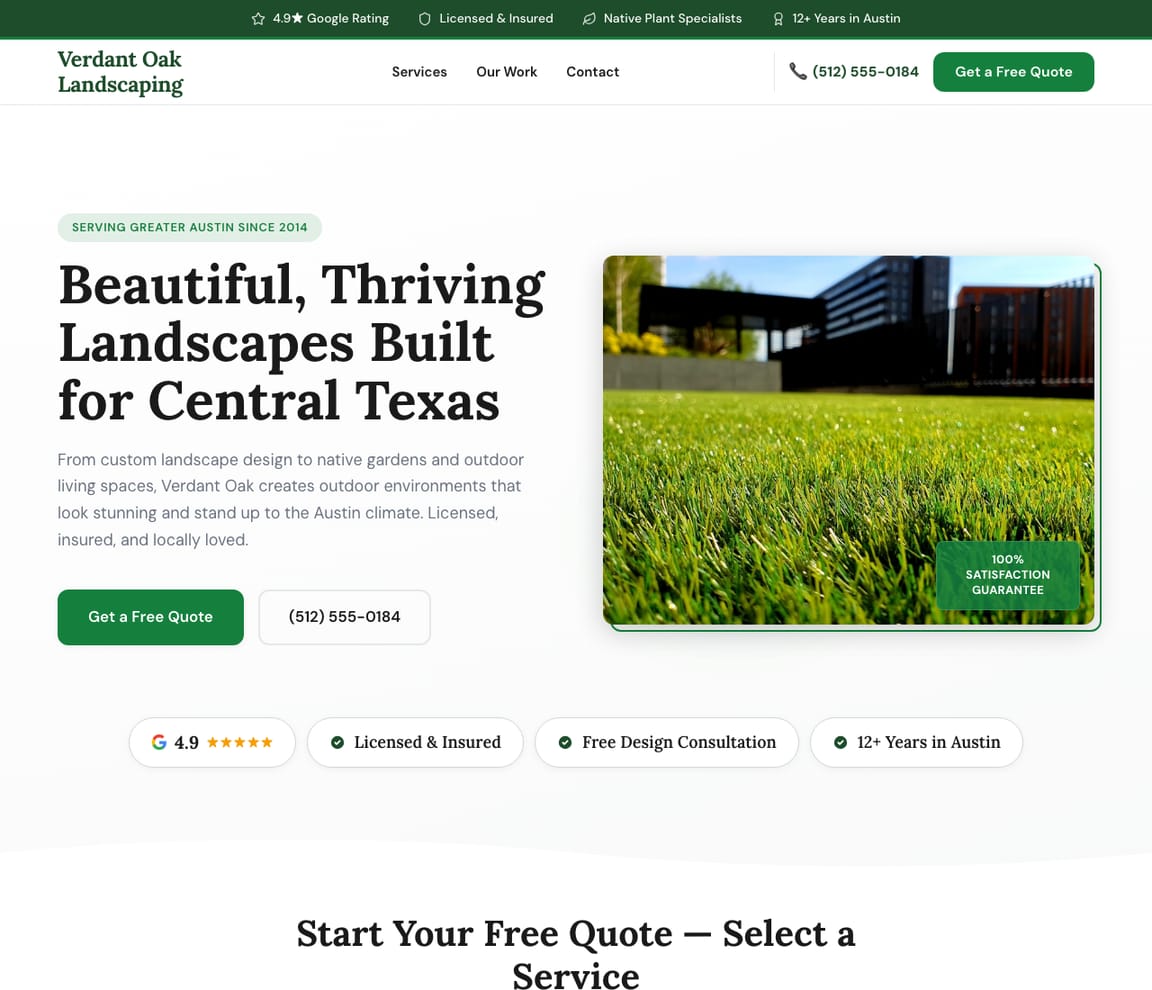
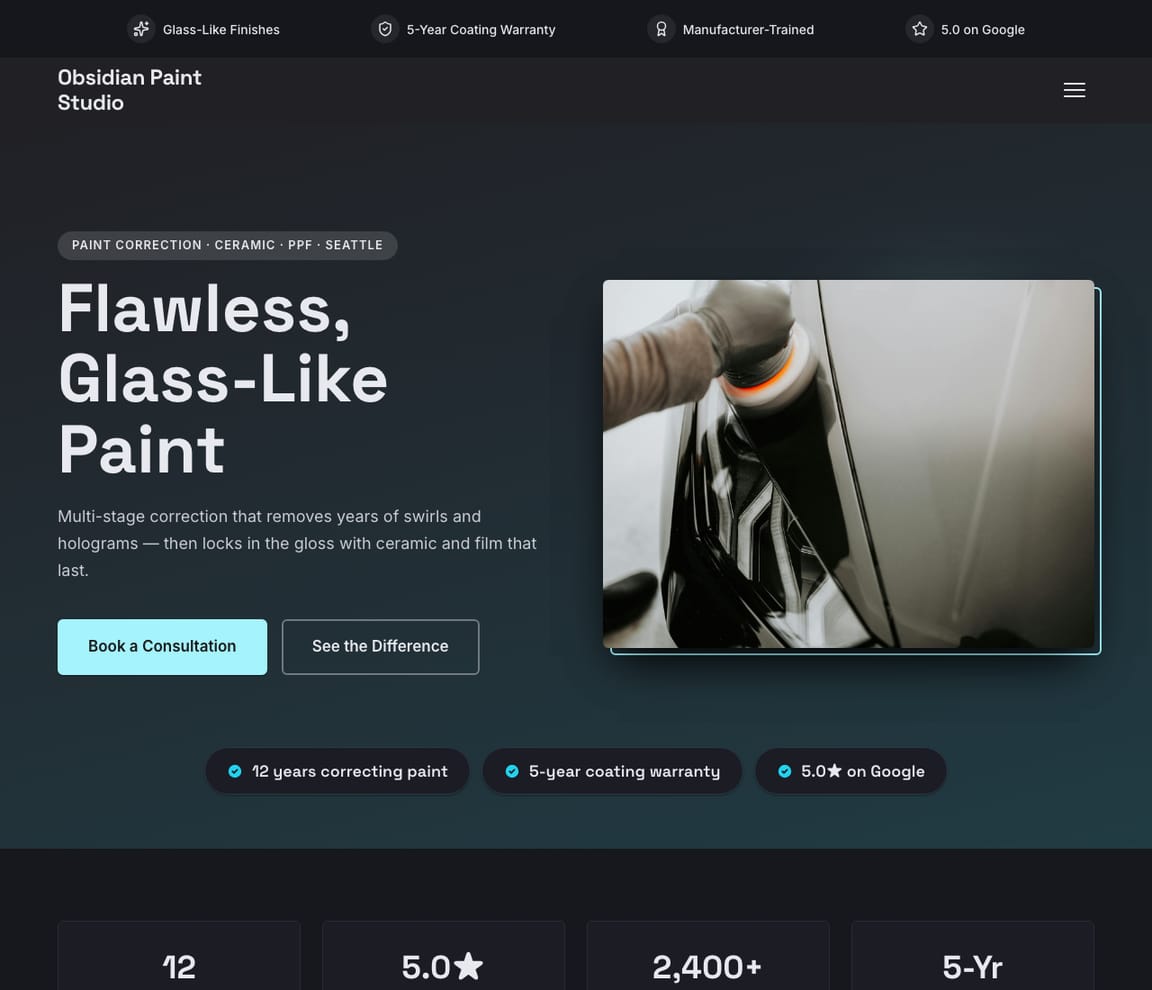
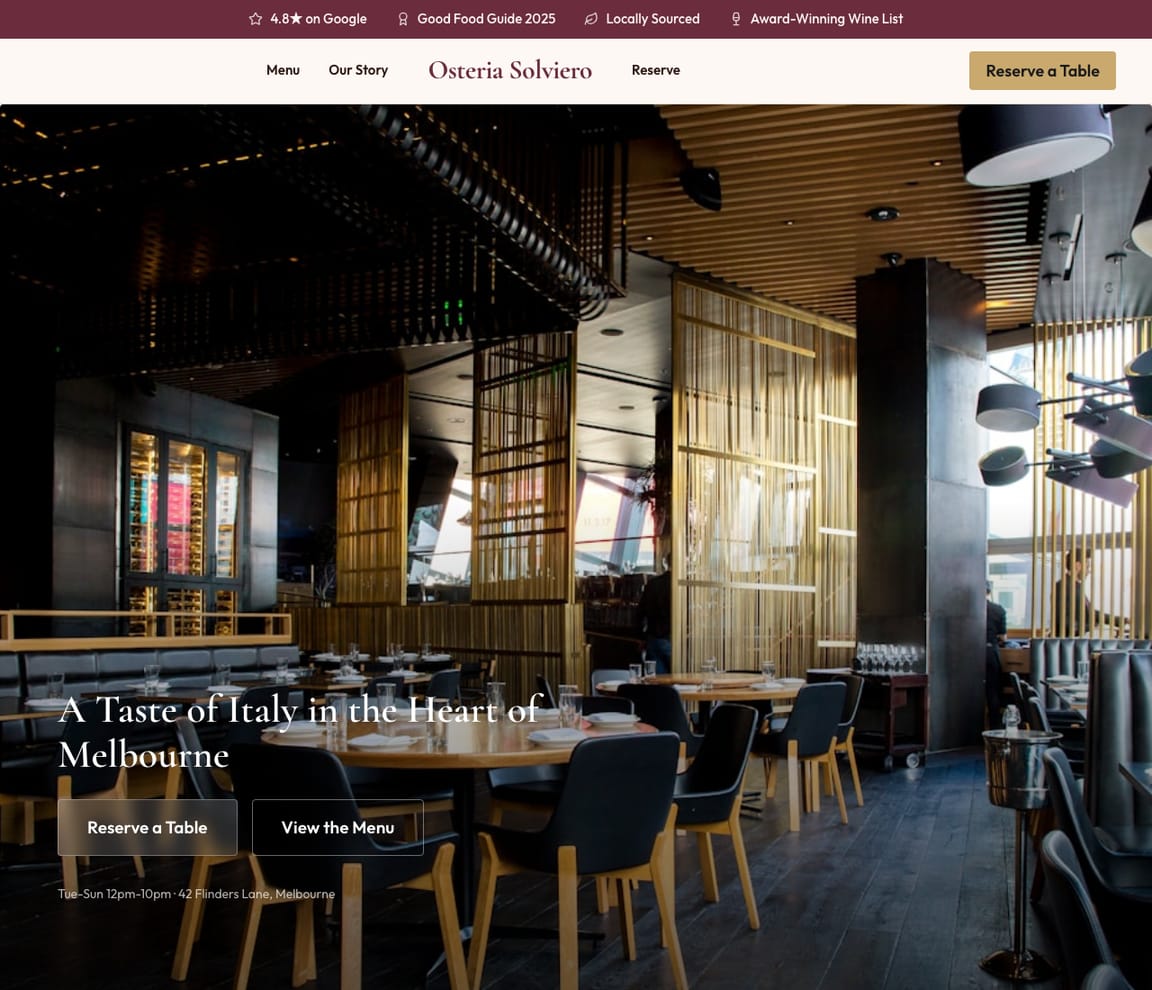
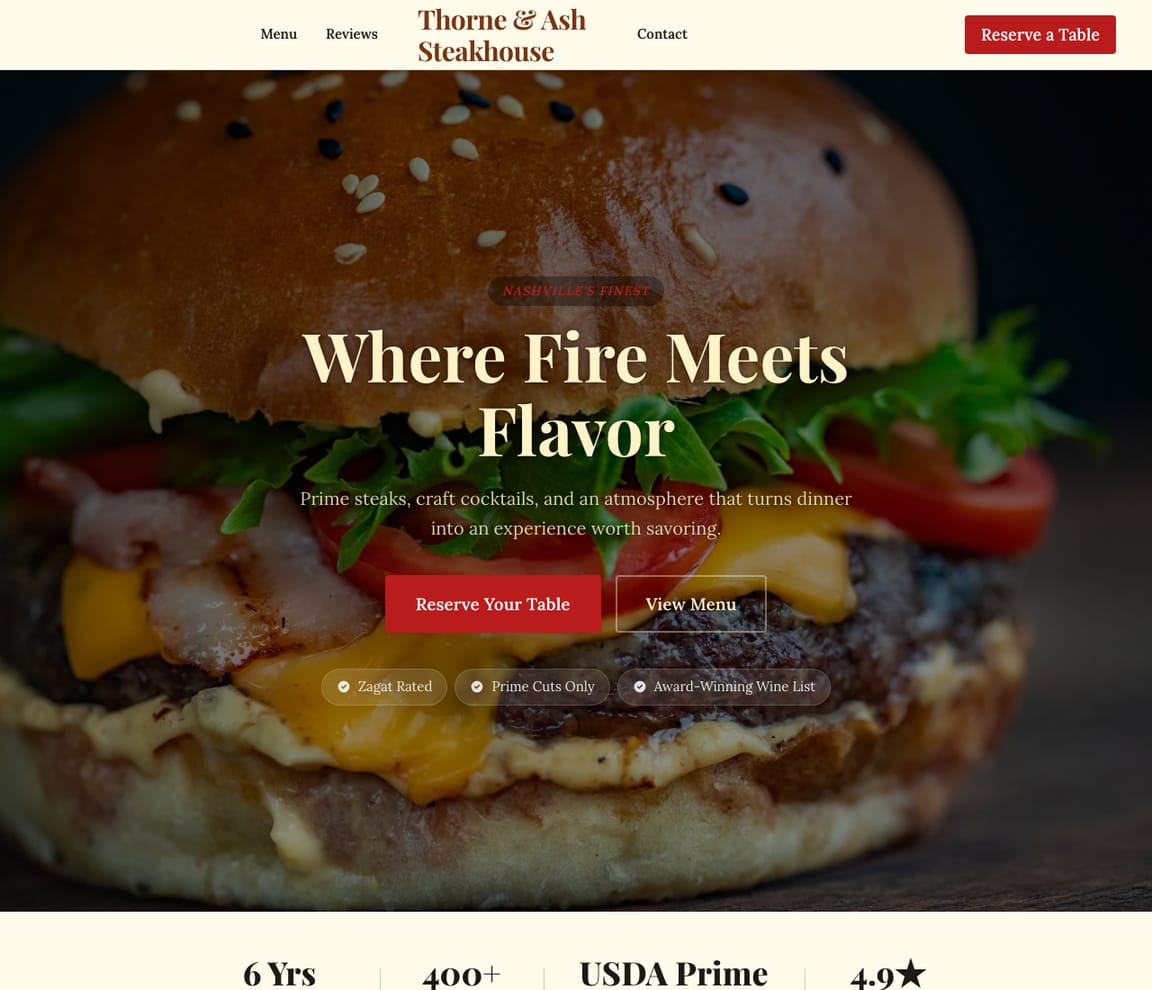
Real sites built by AI in under 30 seconds.
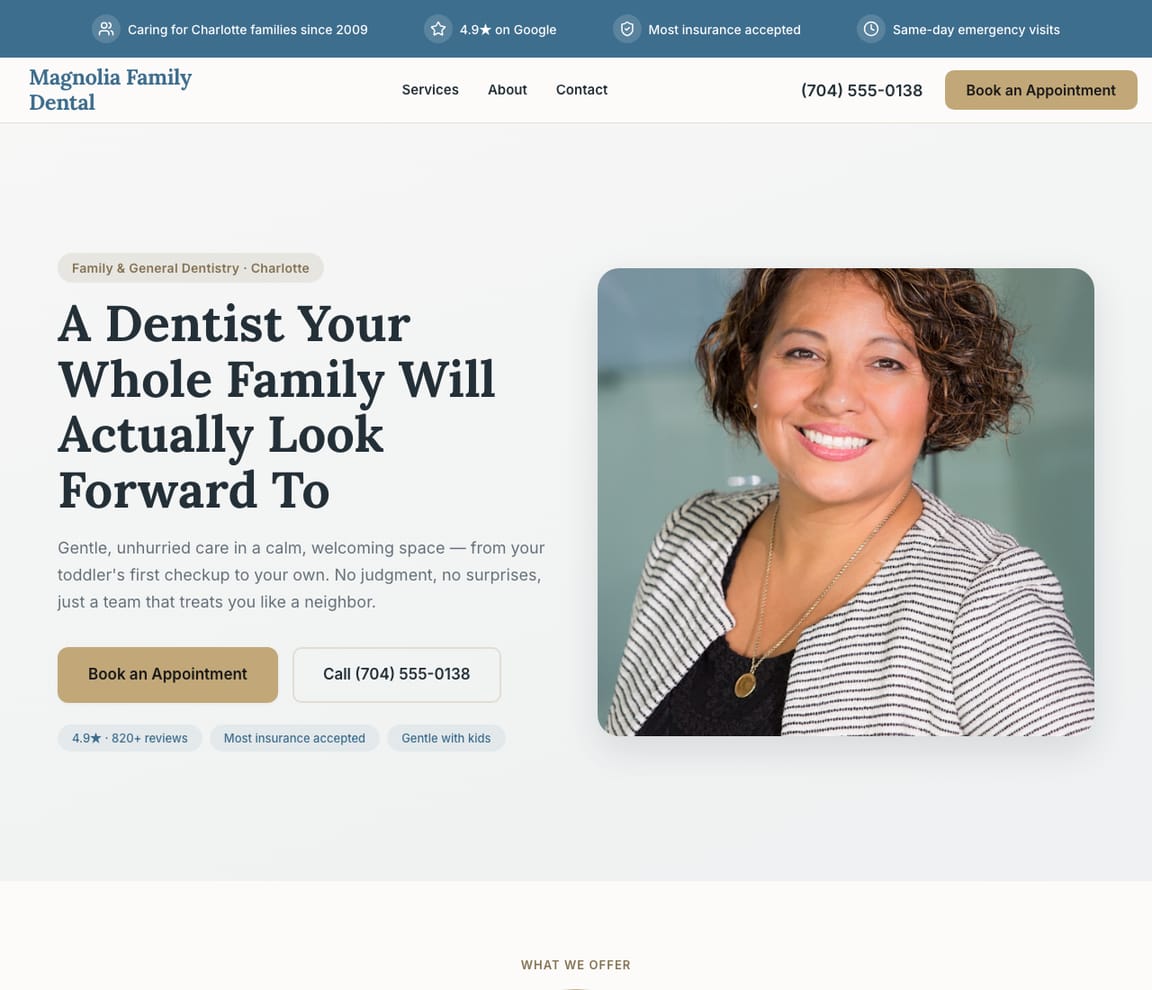
Every one of these started as a one-sentence description. Zarla's AI wrote the copy, picked the layout, chose the photos, and shipped the SEO — for actual small businesses. Pick the one that looks closest to yours and start there.
HONEST COMPARISON
The five most popular ways to build a website with AI
Quick heads-up: we make Zarla. We've put it #1 below — and we've listed the catch on every option, including ours. Read the catches; pick the one that matches your situation. If you'd rather skip the comparison, the Build button at the top takes you straight to it.
- 1
Zarla
Best forSmall business owners who want a complete, professional site — copy, design, photos, SEO — in under 30 seconds, with the option to keep editing through Claude or ChatGPT later.
Features- One sentence in, full multi-page site out in ~30 seconds
- Edit anything by typing in chat — change copy, swap sections, add pages
- CRM, bookings, invoicing and SEO tools included on every site
- MCP server lets Claude, ChatGPT and Cursor drive your site directly
- Free to build and preview the entire site (no time limit)
The CatchTry Zarla free — see your site in 30 seconds →Free covers building, previewing, and editing your full site. To publish to your own domain — and unlock CRM, booking, and payments — you'll need Premium. If you just want to see what your site looks like before deciding, free is enough.
- 2
Wix AI
Best forOwners who want a starter draft fast, then drop into a full template editor for everything after.
Features- Builds a starter site in 1–2 minutes from a description
- Drops you into Wix's full template editor for further changes
- 2,000+ design templates available
- Free tier with a Wix subdomain and Wix ads
The CatchBuilds the starter fast, then drops you into Wix's full drag-and-drop editor — powerful, but you're back to manual editing the moment you want to change anything. The AI doesn't keep working alongside you.
- 3
Squarespace AI
Best forBrand-conscious owners who want polished design defaults out of the box.
Features- Excellent design defaults on every template
- AI fills in copy and images on existing templates
- Best-in-class blog and portfolio layouts
- 14-day free trial; paid only past trial
The CatchThe AI mostly fills in copy on existing templates rather than generating a site shaped around your business. You get a beautiful Squarespace site — not a uniquely-yours one.
- 4
Durable
Best forService businesses who want a one-prompt site and don't need many pages.
Features- Single-prompt generation similar to Zarla
- Built-in invoicing and basic CRM
- Mobile app for editing on the go
- Subscription required from day one
The CatchClosest to Zarla in spirit — single-prompt generation. Smaller block library and less control once your business has any specifics. No free preview before signup.
- 5
ChatGPT (or Claude / Gemini) alone
Best forDevelopers who want full code control and don't mind doing the hosting themselves.
Features- Generates raw HTML, CSS, and JavaScript on request
- Total flexibility in what gets built
- Free with a ChatGPT or Claude account
- No built-in editor, hosting, or domain tools
The CatchCan write the HTML, but can't host it, publish it, or let you edit visually. You'll need a developer (or a separate hosting account) to do anything with the output. See the next section for what this actually looks like.
THE CHATGPT QUESTION
Can ChatGPT (or Claude) actually build a website on its own?
This is the most-Googled question about AI websites, so we'll answer it directly: technically yes, practically no.
If you ask ChatGPT to "build me a website for my plumbing business", it'll happily write a wall of HTML and CSS for you. The code is real. It would even work — if you had a way to host it, a domain, hosting credentials, and the patience to copy-paste it into the right files. Most small business owners don't.
What you actually want is the output of that work: a live site at yourbusiness.com, mobile-responsive, with a working contact form, that you can edit later when your hours change. That's what a dedicated AI website builder does. ChatGPT and Claude are great at the writing, but the publishing, hosting, editing, and updating still need to live somewhere.
- ChatGPT generates HTML/CSS — but you still need hosting, a domain, and someone who can deploy
- No visual editor — every change means asking for new code and re-pasting it
- Forms, payments, bookings, SEO meta tags — all separate setups you do yourself
- Zarla's AI generates the site AND hosts, publishes, and lets you keep editing in chat
“Create a page for emergency electrical work in the Austin area”
Done! I've created your emergency services page with:
- Hero with 24/7 availability messaging
- Services list with pricing ranges
- Service area map for Austin
- Emergency contact form + click-to-call
- FAQ section for common emergencies
AI YOU ALREADY USE
Zarla also works through Claude, ChatGPT, and Cursor.
Most AI website builders trap you in their chat. If you already use Claude or ChatGPT every day, you have to switch tools, paste context, and start over.
Zarla ships an MCP server — Model Context Protocol — that lets the AI assistant you already use drive your Zarla site directly. Ask Claude to "add a contact form to my plumbing site" and it does it, in the live editor, while you watch.
If you build sites for clients, this is the difference between selling a website and selling a website that the client can keep editing through any AI tool. No new account, no new chat window — just your existing AI talking to your Zarla site.
- Works with Claude (claude.ai, Desktop, Code), ChatGPT, Cursor, Gemini CLI, and any MCP-compatible client
- Real-time edits — say what you want, watch the site change
- Same tools the Zarla editor uses — add blocks, edit copy, change design, publish
- Builders and agencies: every client site is editable through any AI, by anyone
“Change the hero image to show a residential rewiring job and make the headline more urgent”
Updated! I've changed the hero image and updated the headline to “Need an Electrician Now? Same-Day Service Guaranteed.”
Change colorsAdd testimonialsEdit services
STEP-BY-STEP
How to make a website with AI in 5 steps
These steps work on any AI website builder. The faster the tool, the less time each step takes — most owners finish in under 30 minutes.
Describe your business
I run Sam's Electrical — licensed electricians in Sydney. Residential, commercial, emergency work, 24/7.
Describe your business in one sentence
Tell the AI what you do and where you operate. Be specific: "Family-run Italian restaurant in Brooklyn" beats "food business." In Zarla, this is the only thing you type before the site appears.
Building your site…
Writing copy · Designing layout · Optimising SEO
Adding services section
Let the AI draft your site
Wait 30 seconds to 2 minutes for a complete starter site with copy, layout, images, and SEO. Don't worry about perfection yet — every word and section is editable.
Zarla AI
samselectrical.com.au · 4 pages live
Describe any page you need…
Edit copy and design by chat
Type changes the way you'd describe them to a designer: "Make the hero darker," "Add a section for delivery hours," "Replace the gallery photos." Zarla applies them in seconds.
04
Connect a custom domain (optional)
Use a free subdomain to test the site, or buy your own domain when you're ready to publish. Most AI builders include free domain registration on paid plans.
Live
Sam's ElectricalGet a Quote
Sydney's Most Trusted Electrician
Licensed · Insured · 24/7 Available
Publish — and get found on Google
One click and your site is live with SSL, mobile-responsive layout, and search-engine meta tags already in place. Then do the one SEO step the publish button can't do for you: claim your Google Business profile (free, 5 minutes). That's how local customers find you in Maps and "near me" searches. AI builders like Zarla emit the rest of the SEO basics — structured data, alt text, canonical URLs, sitemap — automatically on every site.
WHAT YOU CAN ASK
Things people type into Zarla every day
Once your site exists, you keep talking to it. These are real examples of what AI website editing looks like beyond the initial generation.
Make the hero darker
Add a pricing sectionChange the fontsMove services up
"Add a contact form for free quotes"
AI generates a complete form — fields, validation, email notification, anti-spam — and drops it in the right section. You don't pick form fields. You describe what you want and the form appears.
✗ Generic
“Welcome to our website. We provide professional services to clients in the local area.”
✦ Zarla
“Sydney's most trusted electrician since 2005. Licensed, insured, 24/7. Same-day guaranteed.”
"Rewrite the hero so it mentions my 25-year warranty"
AI rewrites the headline, subhead and CTA copy together so the warranty is the lead message. The new version replaces the old in real time — see it before you decide.
Zarla AI
samselectrical.com.au · 4 pages live
Describe any page you need…
"Add a page for emergency callouts"
AI generates a full new page tailored to emergency-services intent — urgency-focused hero, pricing band, callout form, common-issues FAQ. Navigation updates automatically.
Describe your business
I run Sam's Electrical — licensed electricians in Sydney. Residential, commercial, emergency work, 24/7.
"Make this look more upscale"
Vague design prompts work. AI interprets "upscale" against your industry — different typography, more white space, refined color palette, premium photo treatment. Iterate by chatting.
Building your site…
Writing copy · Designing layout · Optimising SEO
Adding services section
"Translate the site into Spanish"
AI translates every page, every block, every form label — and sets up the language switcher in the header. Same workflow for adding any other language.
MOBILE-FIRST BY DEFAULT
Your AI site looks great on every phone — without you thinking about it.
Most AI website builders generate a desktop site and then "make it responsive." The result usually works, but rarely shines: stacked walls of text, hero images that crop badly, buttons too close together.
Zarla generates mobile and desktop side by side. The AI picks layouts that translate cleanly to small screens — tap targets sized for thumbs, hero crops chosen for portrait orientation, navigation that collapses sensibly. You can preview the mobile view at any time without leaving the editor.
- Mobile preview built into the editor — no separate device toggle
- Tap targets, font sizes, and image crops all picked for small screens
- Sticky mobile CTA bar on every published site (Premium)
- Google's mobile-friendly test passes on every generated page
“Create a page for emergency electrical work in the Austin area”
Done! I've created your emergency services page with:
- Hero with 24/7 availability messaging
- Services list with pricing ranges
- Service area map for Austin
- Emergency contact form + click-to-call
- FAQ section for common emergencies
Want to see what your site looks like?
Type one sentence about your business. We'll generate your site in 30 seconds — no signup, no card.
Free to build and preview · No credit card · Pay only to go live
Common questions about building a website with AI
Can AI really build a website?
Yes — and the result is usable on day one for most small businesses. Modern AI website builders generate the full site (copy, layout, images, SEO) from a one-sentence description in seconds, not weeks. Zarla, for example, produces a complete multi-page site in about 30 seconds; you spend the rest of your time editing the parts you want to refine, not building from scratch. The shift in the last two years has been from "AI generates a starter you then build on top of" to "AI generates the finished site and you edit it conversationally."
Can ChatGPT build a website?
ChatGPT can write the HTML and CSS for a website, but it can't host it, publish it, give you a visual editor, or update it next month when your hours change. You'll get raw code that needs a separate hosting account and someone who can deploy it. Dedicated AI website builders like Wix AI, Squarespace AI, or Zarla handle all of that in one place — code, hosting, editor, domain. Zarla goes one further with its MCP server, which lets you use Claude or ChatGPT to drive the Zarla site directly — best of both worlds.
Which AI is best for creating a website for free?
For a fully free site you can publish, Wix AI and Google Sites are the most-used options — both include free hosting and a subdomain (e.g. yourname.wixsite.com). For building and previewing a complete, professional-looking site without paying, Zarla offers the most generous free tier: every feature is unlocked while you build, including AI editing, custom design, blocks, and SEO. You only pay when you're ready to publish. This makes Zarla the only option where you can fully judge the product before any commitment.
How long does it take to build a website with AI?
Under a minute for the first version, then as long as you want to spend editing. Most AI website builders generate a complete starter site in 30 seconds to 2 minutes once you describe your business. Zarla aims for under 30 seconds. The editing afterwards — changing copy, swapping sections, adding pages, translating to another language — is where most owners spend their time, and that's done by typing what you want in plain English. A complete site that's ready to publish, including domain setup, typically takes 20-30 minutes total.
How much does it cost to make a website with AI?
Free to start with most builders; $10–$25 per month if you want a custom domain, no ads, and your own brand. Wix AI starts at $17/mo for the cheapest paid plan, Squarespace AI at $16/mo, Durable at $15/mo. Zarla is free to build and preview the entire site (no time limit); Premium unlocks publishing to your own domain plus CRM, bookings, and invoicing — which would cost an extra $150-$300/mo as separate subscriptions with other builders.
Do I need to know any code to build a website with AI?
No — and that's true for every AI website builder on this list, Zarla included. You describe what you want in plain English; the AI handles the HTML, CSS, hosting, and deployment. The closest you'll come to "code" is the URL of your published site. If you DO know code, Zarla's MCP server lets you drive everything from Cursor or any other code editor — but that's an option, not a requirement.
Can I edit the AI-generated site after it's built?
Yes, and the editing workflow is usually better than the generation workflow. In Zarla, you keep typing what you want — "add a section about our service area," "change the hero color to navy," "add a 5-star review from John" — and the AI applies the changes immediately. There's also a visual editor for when you want to drag-and-drop. The two work together; you never get stuck.
Will an AI-built website actually rank on Google?
Yes — modern AI builders emit the SEO basics automatically: meta tags with your location and keywords, structured data (LocalBusiness on every page, FAQ where you have one), alt text on every image, a clean sitemap, and proper canonical URLs. Zarla ships those on every site. What AI builders DON'T do is the second half of SEO — claim your Google Business profile, build local citations, earn reviews, write fresh content. Those are still on you. For the first half (which is the difference between "indexable" and "not indexable"), AI builders are at or above what an agency would deliver. For the second half, see our deeper guide at /best-website-builder-for-seo.
Should I plan the website before I build it with AI?
A one-page plan makes the first draft better and the editing shorter: the one thing you want visitors to do, the five pages a service site needs, what each page says, ten photos, the domain name and how customers reach you. How to plan a website walks through it with a checklist; the filled-in checklist is the description you type into an AI builder, so the plan and the brief are the same thing.
Which AI website builder should I actually try first?
Start with Zarla. It's the only option on this list where you can see your full site — every page, your brand colors, real content for your industry — before you create an account. Type one sentence about your business; you'll see it in about 30 seconds. If it's not for you, no harm done — and if it is, you've already done the work.
Common mistakes to avoid when building with AI
Five mistakes that show up on most AI-generated sites — each one quietly costs trust, traffic, or conversions. All are 1-edit fixes once you know to look for them.
- Treating the first AI draft as the final site. Modern AI builders are conversational, not one-shot. The first draft is the starting point; the editing afterwards ("make this section warmer," "add my actual hours," "replace the hero photo") is where the site becomes yours. Skip that and the site reads as a template.
- Generic meta description that says nothing. "Welcome to our business website" is what kills local rank. Every page needs a meta description with your location and primary service (e.g. "Family-run Italian restaurant in Brooklyn — Neapolitan pizza, weekend brunch, dinner Tue-Sun"). Zarla writes these automatically; you just need to verify they sound right.
- Letting the AI invent claims that aren't yours. Years in business, awards, customer counts — AI sometimes fills in plausible-sounding numbers. Proofread. If the AI says "trusted since 1995" and you opened in 2019, fix it before you publish.
- Not claiming your Google Business profile after launch. The website is half of getting found; the Google Business profile is the other half. Without it, "near me" searches send customers to your competitors who DID claim theirs. It's free, takes 5 minutes, and is the single highest-ROI action right after publishing.
- Skipping the photo gallery because you don't have professional photos. AI builders pull industry-relevant stock to fill gaps until you have your own. An empty gallery placeholder reads worse than a tasteful stock photo. Swap them in over time as you build a library.
Type one sentence. See your AI-built site in 30 seconds.
Free to build. No credit card. You only pay when you're ready to publish.
Free to build and preview · No credit card · Pay only to go live