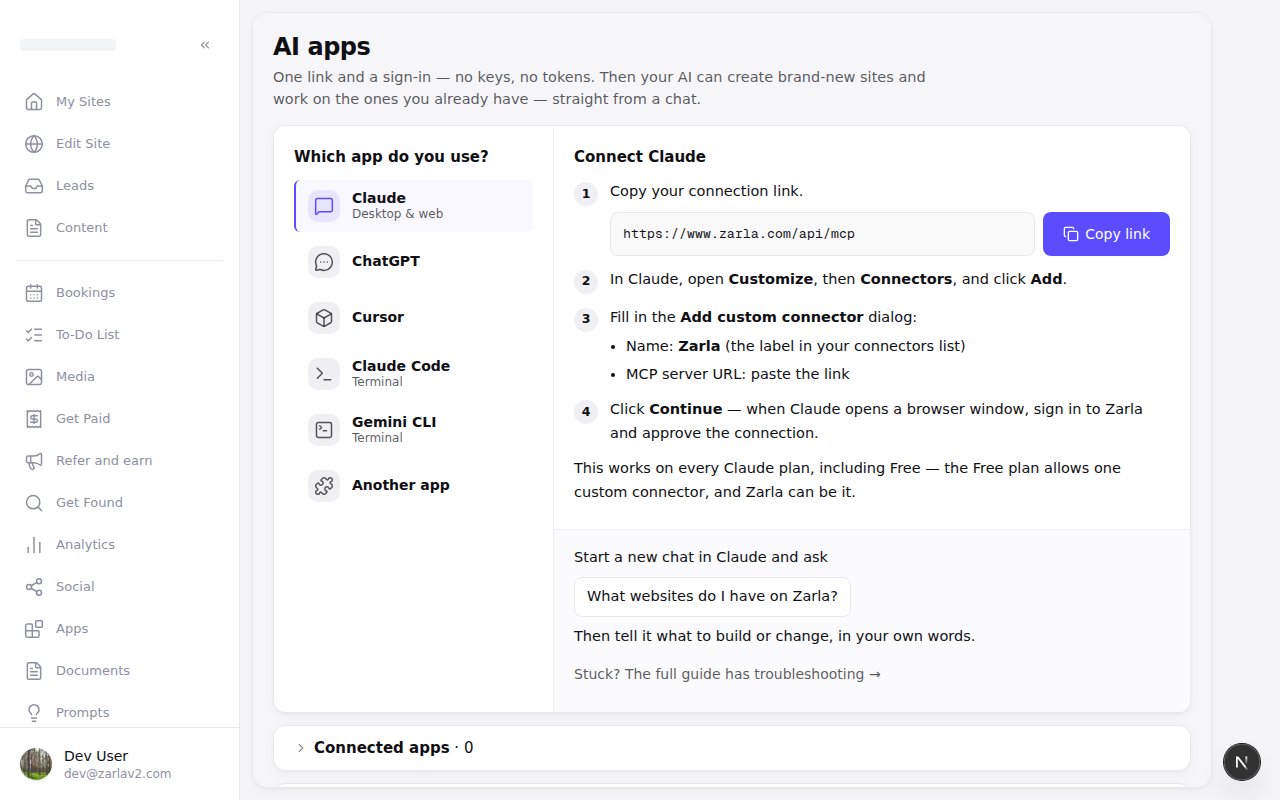
Connecting Claude or ChatGPT takes a few plain steps
Zarla now shows only the steps for the app you pick, so connecting Claude, ChatGPT, Cursor, or Gemini is one link and a few plain steps.
In the sidebar, open AI apps (under More on your phone), choose Claude, ChatGPT, Cursor, Claude Code or Gemini, and the page shows that app's steps in plain words — the menus you'll open, and one button to copy the link. When you're done, start a new chat and ask your AI what websites you have on Zarla, then tell it what to build or change.
Right under the steps, Zarla shows what to ask first. The apps you've approved sit underneath — tap to open the list, with a Disconnect that ends their access right away — and tokens for scripts and custom tools are tucked under For developers.