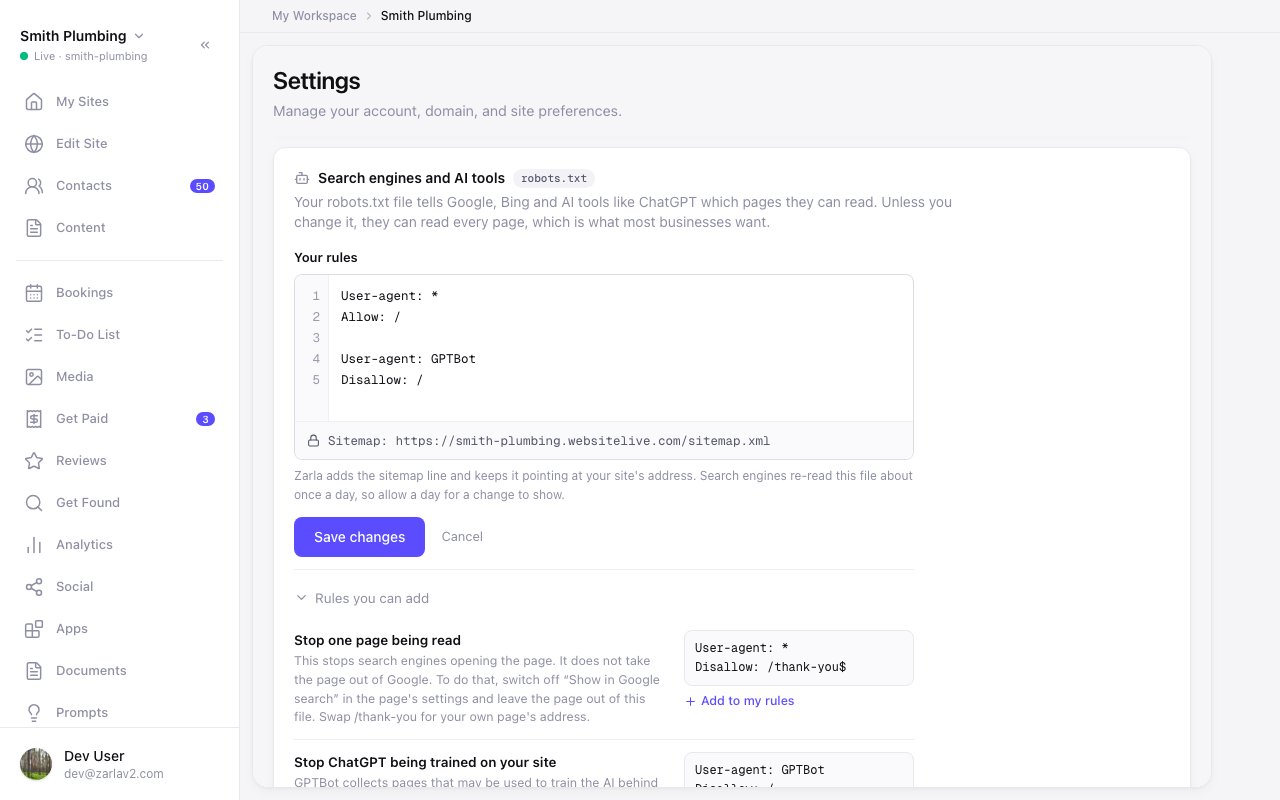
Edit your site's robots.txt file
Zarla now lets you see and change your site's robots.txt file from Settings, so you decide which pages search engines and AI tools can read.
Open Settings and find Search engines and AI tools. It shows the file your site uses and says who can read your site. Press Edit file to write your own rules, or add one from the list under the editor. Zarla checks every line when you save and names the one to fix.
The sitemap line stays Zarla's and keeps pointing at your site's address. If a rule would hide your whole site from Google, Zarla asks before saving it, and Settings keeps saying so while your site is hidden. Reset to default puts Zarla's file back.