GET FOUND GUIDE
How to get your business on Google — Search, Maps and AI answers
The plain step-by-step: the free Business Profile, verification, a website Google can read, and the reviews that make people call. Every step marked "Zarla does this for you" or "You do this."
Free to build · Pay when you publish
The short answer
To get your business on Google, create a free Google Business Profile at business.google.com, verify it (Google chooses the method — often a short video of your business, sometimes a phone call, text, email or postcard), and fill in every field: category, services, hours, service area and photos. That puts you on Google Maps and in the local results.
Then add a website Google can read, with a page for each service, and connect it to Google Search Console so Google knows it exists. Finally, ask customers for reviews — they decide who gets the call. Being on Google is free; ads are optional.
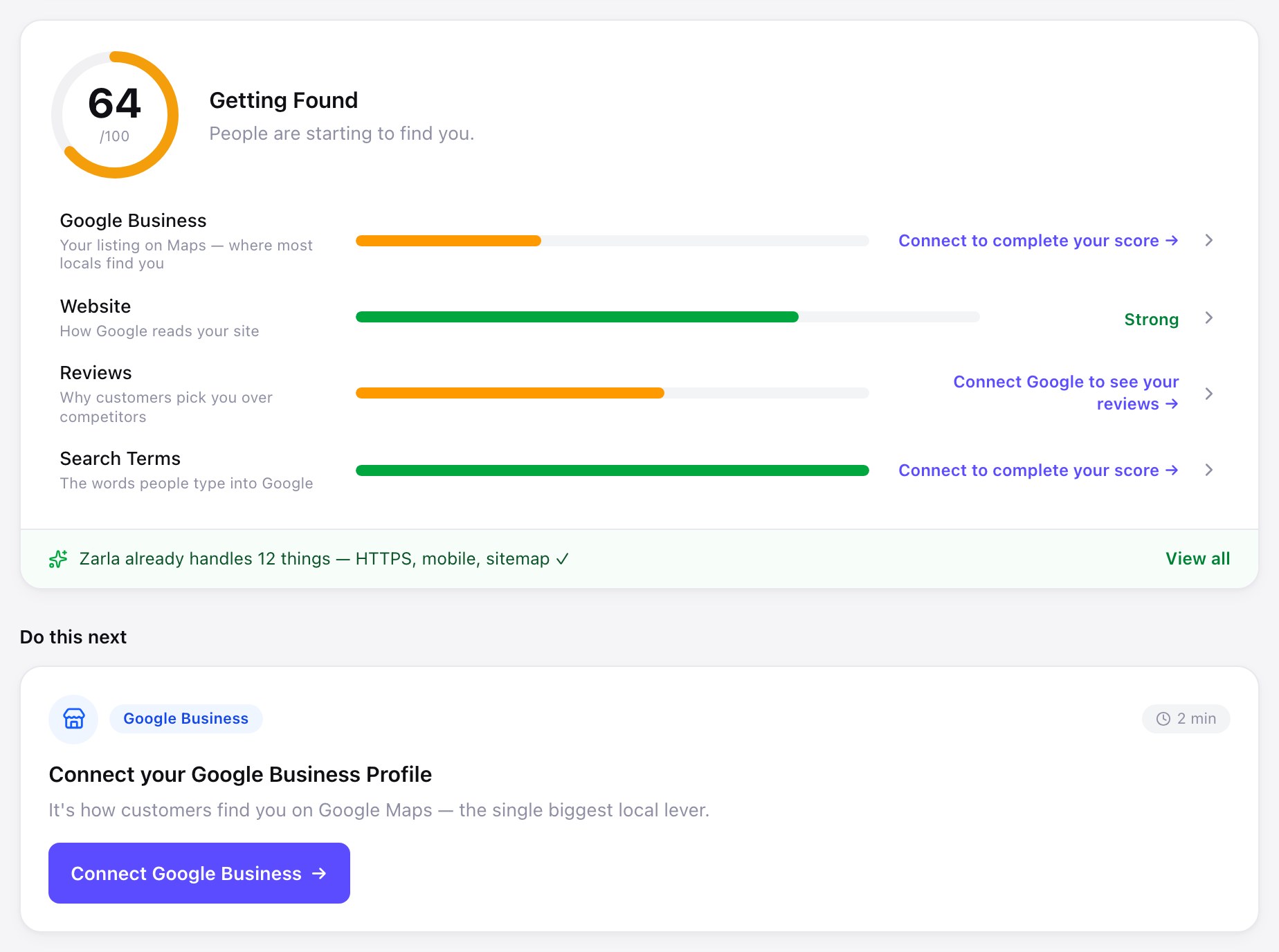
The profile and the reviews are yours to do. The website — service pages, titles, schema markup, fast pages and a sitemap sent to Google once you connect Search Console — is setup Zarla does for you.
Build the website
Start your website now
Add what you do, your town and your business name to the sentence, and Zarla builds the site, with a page for each service and town you list. You edit it in chat and publish when you're ready.
Already have a website? Bring it across →Zarla keeps your old page addresses where it can and redirects the ones that change, helping you keep the Google standing you've built.
WHO DOES WHAT
Getting on Google — and who does each part
Ten jobs take a business from invisible to findable on Google Search, Maps and AI answers.
| The job | Who does it — and what it takes |
|---|---|
| Create your Google Business Profile | You do this. Free, at business.google.com. Use your real business name — no extra keywords — and pick the most specific main category that fits what you do. |
| Verify it | You do this. Google chooses how: often a short video showing your business and signage, sometimes a phone call, text, email or postcard. Others can help manage a profile, but keep it verified to you — it's what makes you eligible to show on Maps. |
| Fill in every field | You do this. Services, hours, service area, phone, website, photos. If customers don't come to you, hide your street address and set a service area instead. |
| A website with a page for every service | Zarla does this for you. Describe your business and Zarla builds the site, then writes a separate page for each service you list — and for each town you cover — after the first build. |
| Titles, descriptions and schema markup | Zarla does this for you. Every page ships with a title, a meta description and structured data describing your business, plus a sitemap. You can choose the search phrase each page targets. |
| Fast pages on a phone | Zarla does this for you. Every publish sizes photos for phones and keeps pages light. A live Zarla-built site scored 100 in all four of Google's PageSpeed categories on 23 September 2026 — what a Zarla site can reach, not a promise for every page. |
| Tell Google your website exists | Zarla does this for you. Connect Google Search Console from Get Found and Zarla checks the connection and submits your sitemap once the site is live, so Google can find every page. |
| Show your Google rating and reviews on your website | Zarla does this for you. Once you connect your profile, your Google rating and four- and five-star reviews show on the site and your map points to your listing. Get Found flags a phone or website link on the profile that doesn't match your site. |
| Get reviews | You do this. Ask every happy customer, the same day. Zarla gives you your review link, a printable QR code and ready-to-send messages, and your Google reviews then show on your site. |
| List your business in the directories that matter | You do this. Yelp, BBB, Apple Maps, Bing and the directories for your trade. Get Found's Listings tool gives you the exact details to paste and tracks what you've submitted. |
"Zarla does this for you" means it happens when Zarla builds or publishes your site, or once you connect your Google accounts — checked against the product in September 2026.
STEP-BY-STEP
How to get your business on Google, in 6 steps
Steps 1 to 3 get you on Google Maps. Steps 4 to 6 get you found once you're there.
Create your free Google Business Profile
Go to business.google.com and sign in with the Google account you want to own the profile. Search for your business in case a listing already exists — if it does, claim it. Enter your real business name, main category, phone number and either your address or your service area.
You do thisVerify your business
Google will ask you to verify. The method is Google's choice: often a short, continuous video showing your business location or vehicle, signage and proof you manage it; sometimes a phone call, text, email or postcard. Verification can take several days. Until then, your profile won't show fully on Maps.
You do thisFill in every field and add photos
Add every service, your hours, your service area and a short description in plain words. Upload real photos of your work, your team and your storefront or vehicle. If customers book you, add your booking page under Bookings — through a scheduling provider Google works with, or as a link you paste in — and post an update, offer or event now and then; Google archives posts after six months unless they carry dates. Complete profiles are easier for Google to match to searches.
You do thisAdd a website Google can read
Describe your business in a sentence and Zarla builds the site, then writes a page for each service and each town you list, with titles, schema markup and a sitemap in place. Put the website address on your Business Profile.
Zarla does this for youConnect Google Search Console
Connect Search Console from Get Found and Zarla submits your sitemap once the site is live, so Google can find every page. Then you can see which Google searches bring people to your site, inside your dashboard.
Zarla does this for youAsk every customer for a review
Reviews are what make people call once they find you. Send your Google review link the same day you finish a job, reply to every review, and keep them coming — a steady trickle beats a burst that stops.
You do thisWhat "being on Google" actually means
There are four places your business can show up on Google, and each is fed by something different.
- Google Maps and the local results. The map with three businesses under it. Fed mostly by your Business Profile: category, distance, reviews and how complete it is.
- Your Business Profile panel. The box with your photos, hours and reviews when someone searches your name. Fed entirely by your profile.
- The regular search results. The blue links. Fed by your website: a page that clearly answers the search, that Google can read quickly.
- Google's AI answers. The AI Overview at the top of many searches. Google says its AI features are built on the same ranking systems as regular search, with no special requirements. In our own checks, Google's AI shows local answers as business cards with each business's rating, website and address.
A Business Profile alone gets you onto Maps and into your profile panel in Search; a website gets you into the regular results and the AI answers. Wondering whether AI assistants mention you? Read how to show up in Google AI Overviews and how to get recommended by ChatGPT, or run the free AI visibility check.
What this costs if you pay someone else
Do you need to pay someone to get on Google?
No. The Business Profile is free, verification should be done in your own name, and reviews come from your customers. Where businesses used to pay was the website and the technical setup — pages, titles, schema markup, a sitemap — and that's the part Zarla now does for you. Paying for Google Ads is optional and separate: it buys a spot in the ads, not in the free results.
If you do hire help, ask five questions first:
- What exactly will you do each month? A list of tasks, not "optimization."
- Who owns the website and the Google profile? It should be you, in writing.
- Is it month to month? Long contracts protect the agency, not you.
- How will I see results? Calls and customers, not "impressions."
- Do you guarantee a ranking? If yes, walk away. Nobody controls Google's results.
Common questions about getting your business on Google
Create a Google Business Profile at business.google.com — it's free — then verify it and fill in every field: category, services, hours, service area and photos. That's what puts you on Google Maps. A website with a page for each service helps you show up in regular search results too, and reviews help people choose you.
Verification of a Business Profile can take several days, and your profile may not show fully until it's done. A new website usually has to be found and crawled by Google, which Google says can take anywhere from a few days to a few weeks; connecting Search Console and submitting a sitemap helps it find your pages. Showing up high for competitive searches takes longer and is never guaranteed.
Not to be on Google Maps — a verified Business Profile does that. But a website is what gets you into the regular search results, answers the questions that make people call, and gives Google's AI answers a website to show on your business card. Most customers look at the website before they call. If you're weighing a website against the free pages you already have, see do you need a website if you have Facebook and Google?
The usual reasons: the profile isn't verified yet, it's suspended or has a duplicate, the category doesn't match what people search, the profile is incomplete, or the searcher is far from your location or service area. Check the profile in your Google account first; for your website, check Search Console to see whether Google has found your pages.
Yes. If you visit customers rather than having them visit you — plumbers, cleaners, mobile services — you can hide your address and set a service area instead. You still need to verify the business, and Google may ask for proof you operate in that area.
Adding your business to Google Maps is the same as creating a Google Business Profile: go to business.google.com, create or claim the listing, and verify it. Once verified, your business appears on Maps and in local results.
No. The Business Profile and the regular search results are free. Google Ads and Local Services Ads cost money, but they're optional and separate from the free listings. The main cost of being found is a website and your time on reviews and photos.
In your Business Profile, open Bookings (in Google Maps, it sits under Edit profile). If you take bookings through a scheduling provider Google works with (the Reserve with Google providers available in your country), select Get started, pick the provider and select Done — Google says the provider shows on your profile within a week. Otherwise add your own link: select Add link, paste the address of your booking page and save. Google notes that performance data isn't available for custom links (Google Business Profile Help, read November 2026). Either way, the page it points to should let someone book without calling first.
Yes, when you have something to show. From business.google.com, select Posts, then Add post: an update, an offer (with its dates) or an event. Posts appear in the Updates or Overview tab on phones in Search and Maps, and in the “From the owner” section on a computer. Google archives posts older than six months unless they carry a date range, and may reject a post with a phone number it can't verify as yours (Google Business Profile Help, read November 2026). A photo of a finished job with two lines about it is enough; a seasonal offer is the other post worth making.
Nobody can guarantee a position, but the levers are well known: a complete, verified profile with the right category; steady, recent reviews; a website with a clear page for each service and town; the same name, address and phone number everywhere; and fast pages. For the trade-specific version, see our guides to SEO for roofers, plumbers and electricians.
Get the website half done for you.
Add what you do, your town and your business name to the sentence. Zarla builds the site, writes a page for every service and town, and ships the SEO basics on every page. Free to build and preview; Premium publishes to your own domain.
Already have a website? Bring it across →Zarla keeps your old page addresses where it can and redirects the ones that change, helping you keep the Google standing you've built.