FOR AGENCIES · LEAVING WORDPRESS
Moving client sites off WordPress without losing SEO
The case for leaving the plugin-and-patch treadmill, and the migration steps that protect each client's Google standing — page addresses, redirects, titles and Search Console — written for agencies moving a roster, not one site.
Free to apply · A person reads every application · No agency fee
The short answer
To migrate a website without losing SEO: keep every page address you can, send each one that changes to its new page with a permanent (301) redirect, carry over the titles, descriptions and content that rank, then move the domain and submit the new sitemap in Google Search Console and watch it for errors. Nobody can promise a site keeps every position after a move — but a move done this way protects the standing it has earned.
The "you'll lose your rankings" warning is part of what kept clients on stacks they couldn't touch. It was never a law of nature. It was a reason to skip the redirect map.
Why agencies are moving client sites off WordPress
WordPress runs 40.2% of all websites (W3Techs, September 26, 2026), and it's powerful for good reasons. The problem for a small agency isn't the software; it's the model around it. Every client site is its own stack of theme, plugins, hosting and updates — and every one of those is a job someone has to do, and a bill someone has to pass on.
The upkeep is real. Patchstack counted 11,334 new vulnerabilities in the WordPress ecosystem in 2025: 91% in plugins, 9% in themes, and six in WordPress core itself. The core is well looked after; the risk lives in the plugins each site adds, which is exactly the part the agency is responsible for patching.
The server underneath is on the agency's list too. The October 2026 PHP security flaw was fixed by hosts updating PHP, not by any WordPress, theme or plugin update, and PHP2Shell: is my WordPress site safe? walks through the check, one client site at a time.
WordPress itself is free, but running it isn't: about $111 a year at the bare minimum (a domain and shared hosting, with you doing the updates), and about $735–$4,095 a year once managed hosting and someone to keep it updated are in (WPBeginner; Codeable, March 2026).
Multiply that by a roster, and a big share of an agency's month goes to keeping sites alive rather than getting clients found. That's the part worth leaving.
WORDPRESS · PER CLIENT SITE
What a WordPress site costs to keep running
Per site, per year, before premium themes, paid plugins or developer hours — the same figures as our website cost guide.
| What you pay for | What it costs · source |
|---|---|
| Domain name | about $14.99 a year · WPBeginner |
| Shared hosting (the cheapest kind) | from about $7.99 a month · WPBeginner |
| Managed WordPress hosting (faster, looked after) | $30–$100 a month · Codeable |
| Someone to keep it updated and secure | $30–$50 a month for cheap plans; Codeable's basic plan is $240 a month · Codeable |
| Bare minimum, you do the updates | about $111 a year (domain + shared hosting) |
| Looked after by someone else | about $735–$4,095 a year (domain + managed hosting + a maintenance plan) |
The two totals are arithmetic on the rows: published monthly prices × 12, plus the domain.
THE MIGRATION
How to migrate a client site without losing SEO
Six steps per site. Do the first two for the whole roster before you move anyone.
List every page address
Crawl the site and export the page list, then pull the pages that get clicks from the client's Google Search Console. Those are the addresses you can't afford to break.
Keep the addresses where you can
Rebuild each page at the same path — /services/drain-cleaning stays /services/drain-cleaning. An address that doesn't change needs no redirect.
Redirect every address that changes
Map each old address to its closest new page with a permanent (301) redirect. Never send them all to the home page; Google treats that like a missing page.
Carry across what ranks
Page titles, meta descriptions, headings, the body copy that ranks, image alt text and structured data. A faster page with the same content is the goal, not a rewrite.
Move the domain, then submit the sitemap
Point the domain at the new site, check HTTPS, and submit the new sitemap in Google Search Console so the new pages get crawled promptly.
Watch Search Console after the move
Check page-not-found errors and indexing reports in the following weeks, and fix any address you missed. Tell the client what you're watching and why.
WHERE ZARLA FITS
Import the site. Keep the addresses. Map the rest.
- Imported pages keep their old paths where they can
- Pages whose path has to change get a redirect automatically
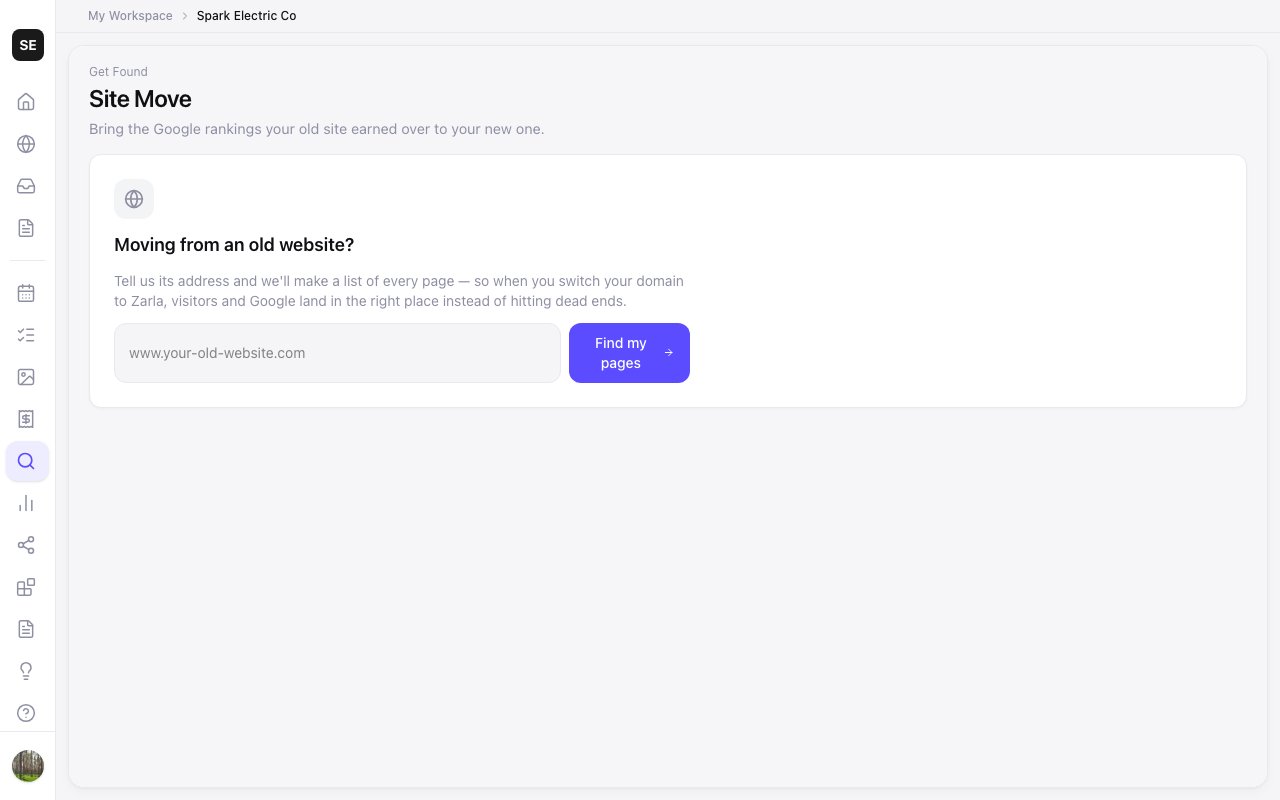
- Site Move finds the old site's pages for you to map
- No plugins, no PHP versions, nothing to patch
An agency that left the maintenance stack
Sam runs Leadwave Studio in Sydney — website design, local SEO, Google Business Profile and CRM for service businesses — on his own. Today he builds client sites by chatting with Claude through Zarla's MCP server, runs them from the agency dashboard, and sends clients Zarla's branded reports. Projects start at $999; ongoing SEO and site management run on a monthly retainer. He was one of the first agencies to join Zarla Partners.
One agency, told as the first of a new breed — not as proof at scale. Sam's prices are his own. Read the case study.
Nothing to patch means more clients per person
Move one client first, keep their addresses, and see what a month without plugin updates looks like. No agency fee — each client site goes on a per-site plan when it goes live.
Free to apply · A person reads every application · No agency fee
MIGRATION CHECKLIST
Website migration checklist, per client site
Tick these off for every site before and after the domain moves.
- Export the page list — every URL, plus the pages with clicks in Search Console.
- Record the current titles and descriptions for the pages that get traffic.
- Rebuild pages at the same paths wherever possible.
- Map a 301 redirect for every address that changes — to its closest page, not the home page.
- Check forms, phone links and booking on the new site before launch.
- Confirm who holds the domain and get the client's access before moving it.
- Move the domain and check HTTPS on every page.
- Submit the new sitemap in Google Search Console.
- Update the Google Business Profile website link if the address changed.
- Watch Search Console for page-not-found errors in the weeks after, and fix what you missed.
When a client should stay on WordPress
Be honest about the sites that don't belong in the move. A large store built on WooCommerce, a site that depends on a plugin nothing else offers, a publisher with thousands of articles and custom workflows, or a client whose own team runs WordPress well — keep those where they are.
The sites that move well are the ones most small agencies carry most of: service businesses with a handful of pages, a contact form, reviews and a booking or quote request. That's where the upkeep costs the most attention for the least benefit.
Moving sites off WordPress: common questions
Keep page addresses the same where you can, redirect every address that changes to its closest new page with a permanent (301) redirect, carry over titles, descriptions, content, alt text and structured data, then move the domain, submit the new sitemap in Google Search Console and fix any errors it reports. No move can guarantee every position, but this protects what the site has earned.
Not because of leaving WordPress itself — rankings follow the pages, their addresses and their content, not the software. The risk is broken addresses, which the redirect map handles. Zarla keeps your old page addresses where it can and redirects the ones that change, helping you keep the Google standing you've built.
WordPress's own export (Tools → Export) gives you an XML file of posts and pages; your host's backup tool or a migration plugin copies the files and database. For moving to a website builder, you usually don't need the export at all — the builder reads the live site.
Migration plugins like All-in-One WP Migration and Duplicator move a WordPress site to another WordPress host. They don't help you leave WordPress — for that, you rebuild or import the site on the new platform and handle the redirects.
For a typical service-business site, the rebuild can take an afternoon when the new platform imports the old site; the address list and redirect map take the care. Plan the domain move for a quiet day and allow a few weeks of Search Console checks afterward.
They should — blog posts often hold a site's long-tail search traffic. Import or rebuild them at the same addresses, or redirect each one to its new address, and keep their titles and dates.
Their jobs move to the new platform. A good builder covers the common ones itself — forms, search titles and descriptions, sitemaps, structured data, security and speed — so you don't need a plugin for each. Check any plugin that does something unusual before you plan the move.
Zarla keeps your old page addresses where it can and redirects the ones that change, helping you keep the Google standing you've built. Redirects take effect when the client's domain moves.
Where these numbers come from
WordPress's running costs come from the sources behind our website cost guide (WPBeginner; Codeable). The usage and security figures:
- W3Techs — Usage statistics and market share of WordPress — dated September 26, 2026, read September 27, 2026
- Patchstack — State of WordPress Security in 2026 — dated February 25, 2026, read September 27, 2026
Spend the client's budget on getting found, not on keeping a website alive.
Apply to Zarla Partners — a person reads every application, usually within 3 business days. Or see how the move works on the agency page.
Free to apply · A person reads every application · No agency fee