Colour your header
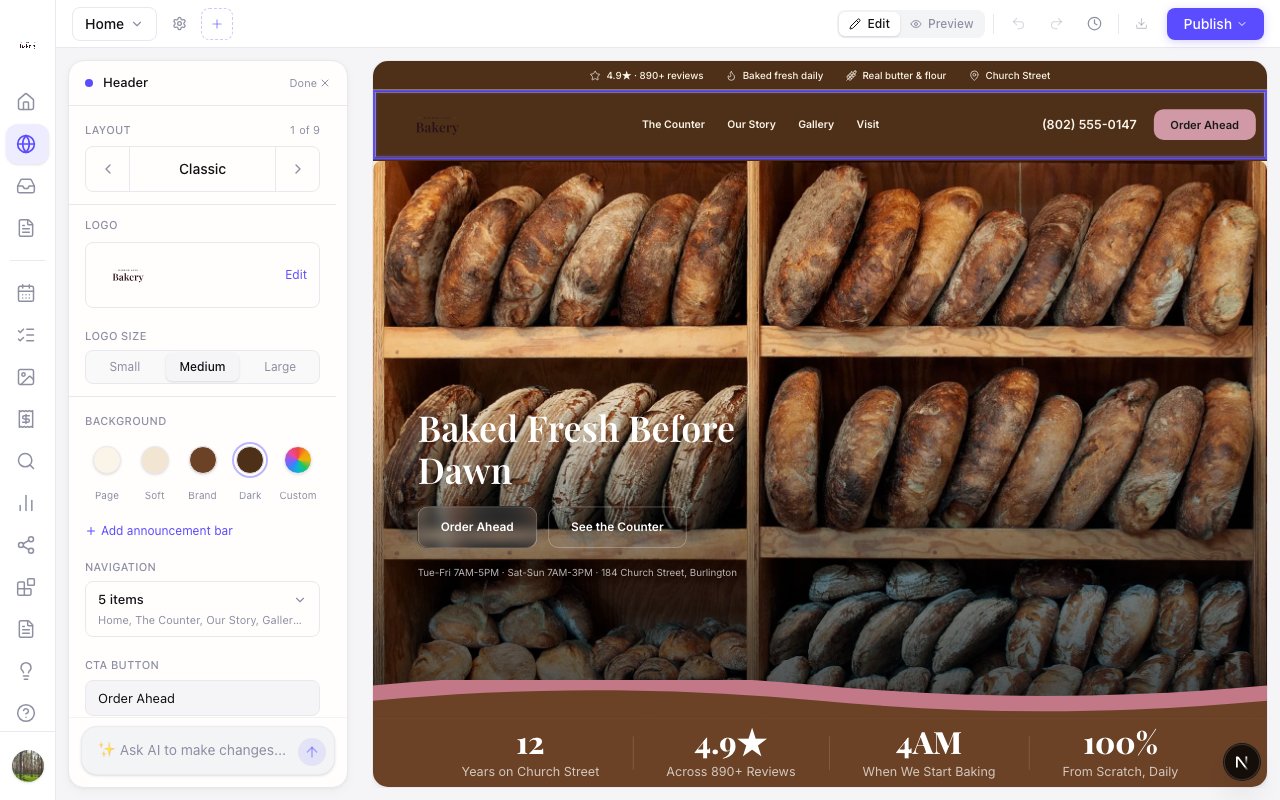
Zarla now lets you colour the header of your site, so the bar at the top can be dark, your brand colour, soft, or any colour you pick.
Click your logo in the editor and Background sits right under the logo size: Page, Soft, Brand and Dark, plus a custom colour. Your menu links, phone number, logo text and the phone menu switch to a colour that reads on the bar automatically, on every header layout, on desktop and on phones.
You can also just ask: "make my header dark", "match the header to my brand colour" or "make it navy".