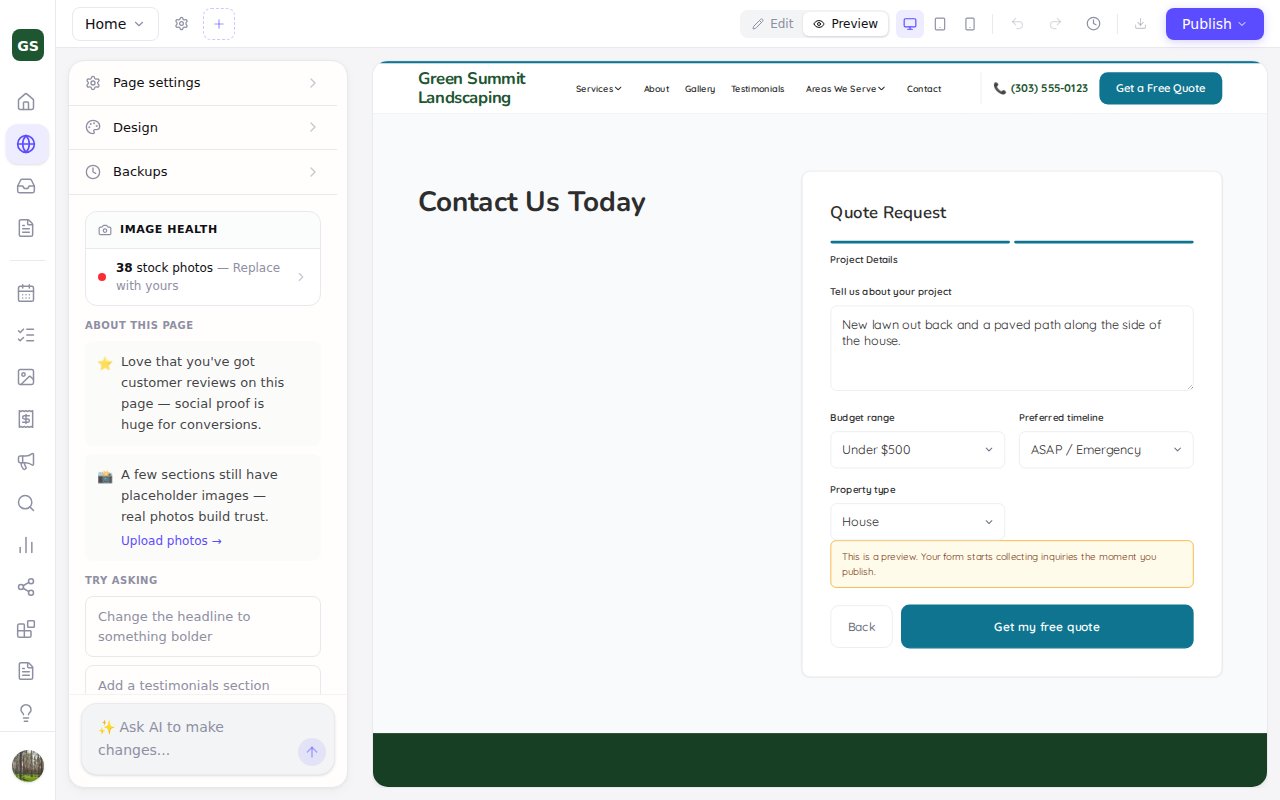
Your forms now work in the editor's Preview
Zarla now runs your forms in the editor's Preview, so you can step through them and check required fields before you publish.
In the editor's Preview, the Next button on a form with more than one step went nowhere, and pressing send gave no answer.
Your forms now behave there the way they do on your live site: Next and Back move between steps, a missing answer gets its message, and sending shows a short note instead. Nothing is sent from the editor's Preview, and your live site keeps collecting inquiries as before.
Each step's title now shows above its questions too, and the step bar on a form at the top of your page now runs across the whole form. You'll see both in the editor's Preview, and on your live site from your next publish.