Bookings show what your customers chose and answered
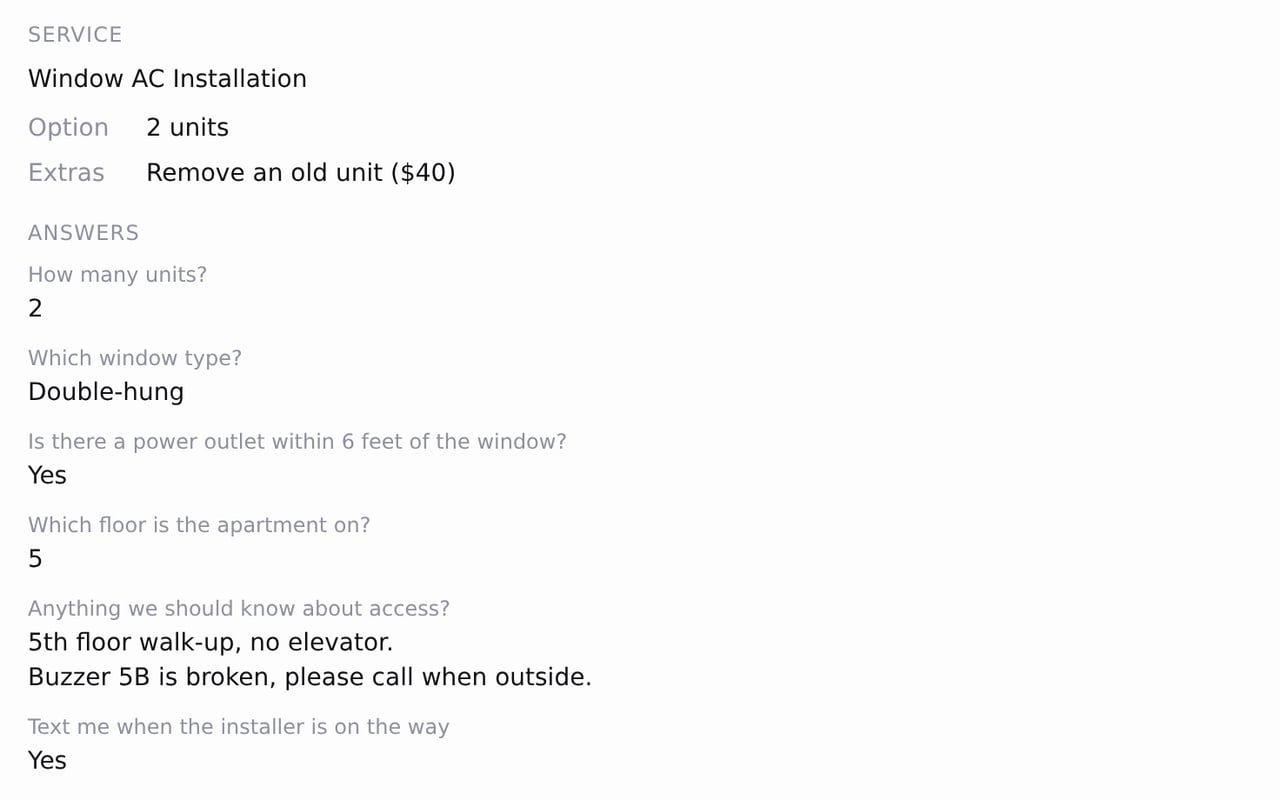
Zarla now shows what a customer chose and answered on each booking and in your new-booking email, so you know the job before it starts.
Open a booking on the Bookings tab to see the price option and extras the customer picked, then their answers to your booking questions, line breaks kept. On a bigger screen the list shows the option beside the service name. Your new-booking email carries the same details, with the option in the subject line.
Questions you mark Required must be answered before a booking goes through, and a required yes/no question asks for Yes or No. If you add a required question while someone is mid-booking, their page asks them to reload the service and answer it.
- What it does
- Customers book appointments or service calls from your website; bookings sync to Google Calendar, and you can take a deposit or full payment through your own Stripe account.
- Who gets it
- Included on every plan
- Good for
- trades and home-service businesses, laundromat, health and wellness practices, beauty and grooming businesses, gyms and fitness studios, professional services, kids activities, party hire and 75 more
- This update
- Available since