Refund a customer right from their booking
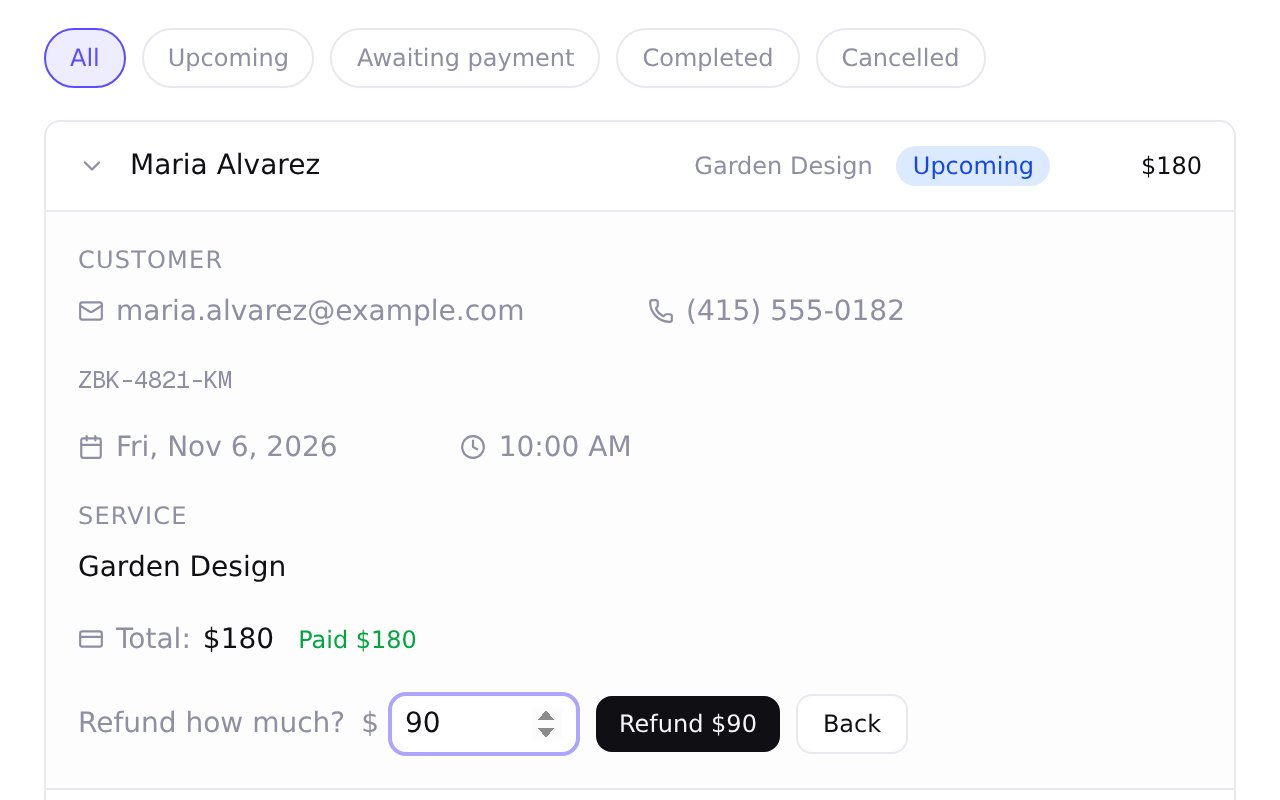
Zarla now puts a Refund button on each booking paid online, so you can refund the customer yourself, in full or in part.
Open the booking and press Refund. The amount starts at everything you can still refund; lower it for a part refund, then confirm. The money goes back the way they paid, and if your booking email notifications are on, they're emailed that it's on its way.
When you cancel a paid booking, you can refund more than your policy says, up to everything not yet refunded. If that refund fails, the booking shows what the customer is still owed, with Try again beside it. Paid them back another way, like cash? Mark it settled with a note.
- What it does
- Customers book appointments or service calls from your website; bookings sync to Google Calendar, and you can take a deposit or full payment through your own Stripe account.
- Who gets it
- Included on every plan
- Good for
- trades and home-service businesses, laundromat, health and wellness practices, beauty and grooming businesses, gyms and fitness studios, professional services, kids activities, party hire and 75 more
- This update
- Available since