Your booking calendar shows which days are open
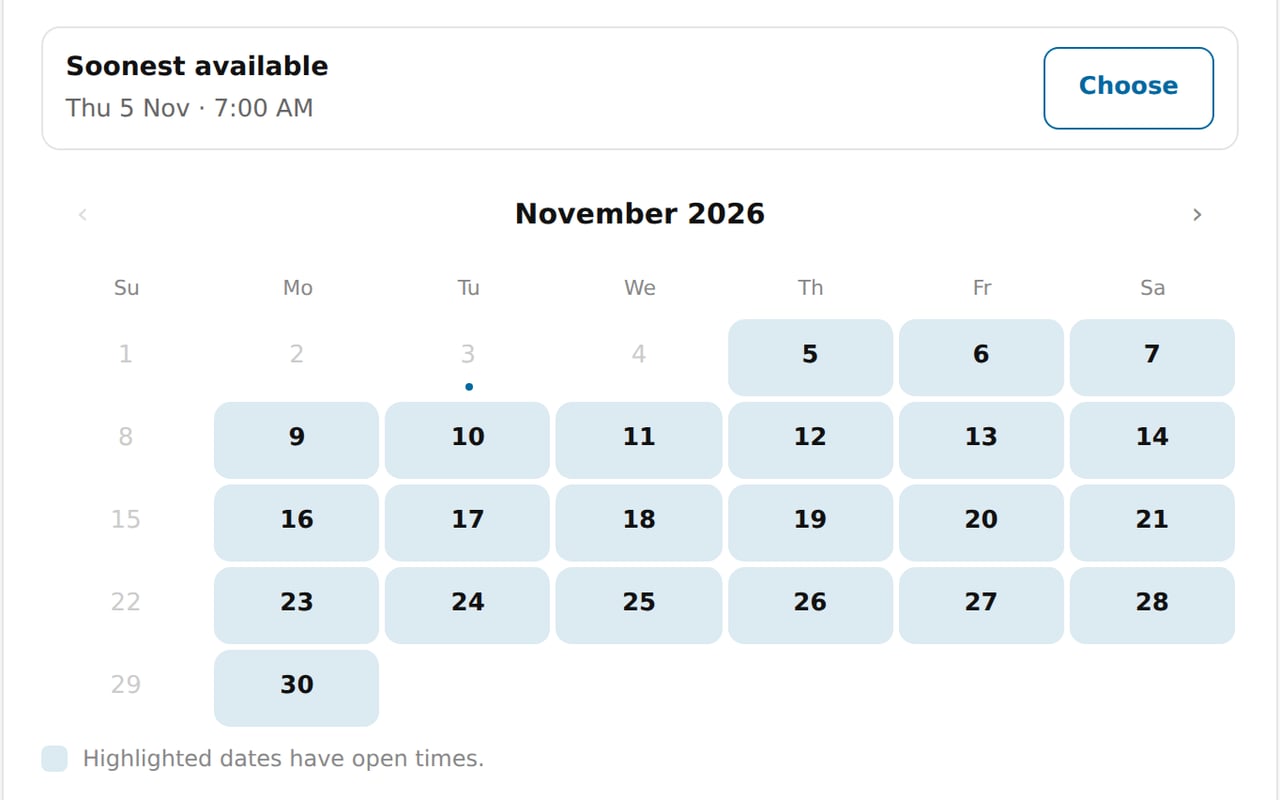
Zarla now highlights the days with open times on your booking page, so your customers find a day that works without clicking through each one.
Open days stand out in a soft shade of your site's color, and the rest fade to gray. The soonest open time sits above the calendar with a Choose button, and a month with no open times offers to show the next day that has some.
In Bookings, on the Settings tab under Hours, you can close the dates you're away, like a holiday or a trip, and bookings already on them stay booked. You also choose how far ahead people can book, from one week up to 12 months.
- What it does
- Customers book appointments or service calls from your website; bookings sync to Google Calendar, and you can take a deposit or full payment through your own Stripe account.
- Who gets it
- Included on every plan
- Good for
- trades and home-service businesses, laundromat, health and wellness practices, beauty and grooming businesses, gyms and fitness studios, professional services, kids activities, party hire and 75 more
- This update
- Available since