PLUMBING INVOICE TEMPLATE
Free plumbing invoice template
A plumbing invoice that splits parts from labor and has a place for the service call, the permit and your license number. Free in Word and PDF, with every line explained.
Word and PDF · Free · No email, no sign-up
The short answer
A plumbing invoice needs your business name and license number, the customer and the job address, an invoice number and due date, and every charge on its own line: the service call, labor, each part or fixture, any permit fee and any haul-away.
Keep parts and labor apart. Customers can see what they paid for, and in the US it's how sales tax gets applied correctly: depending on your state, tax can fall on the parts, the labor, both or neither.
Finish with the due date and how to pay — card, check or bank transfer — so the customer never has to call to ask.
FREE TEMPLATE · WORD AND PDF
The plumbing invoice template, filled in
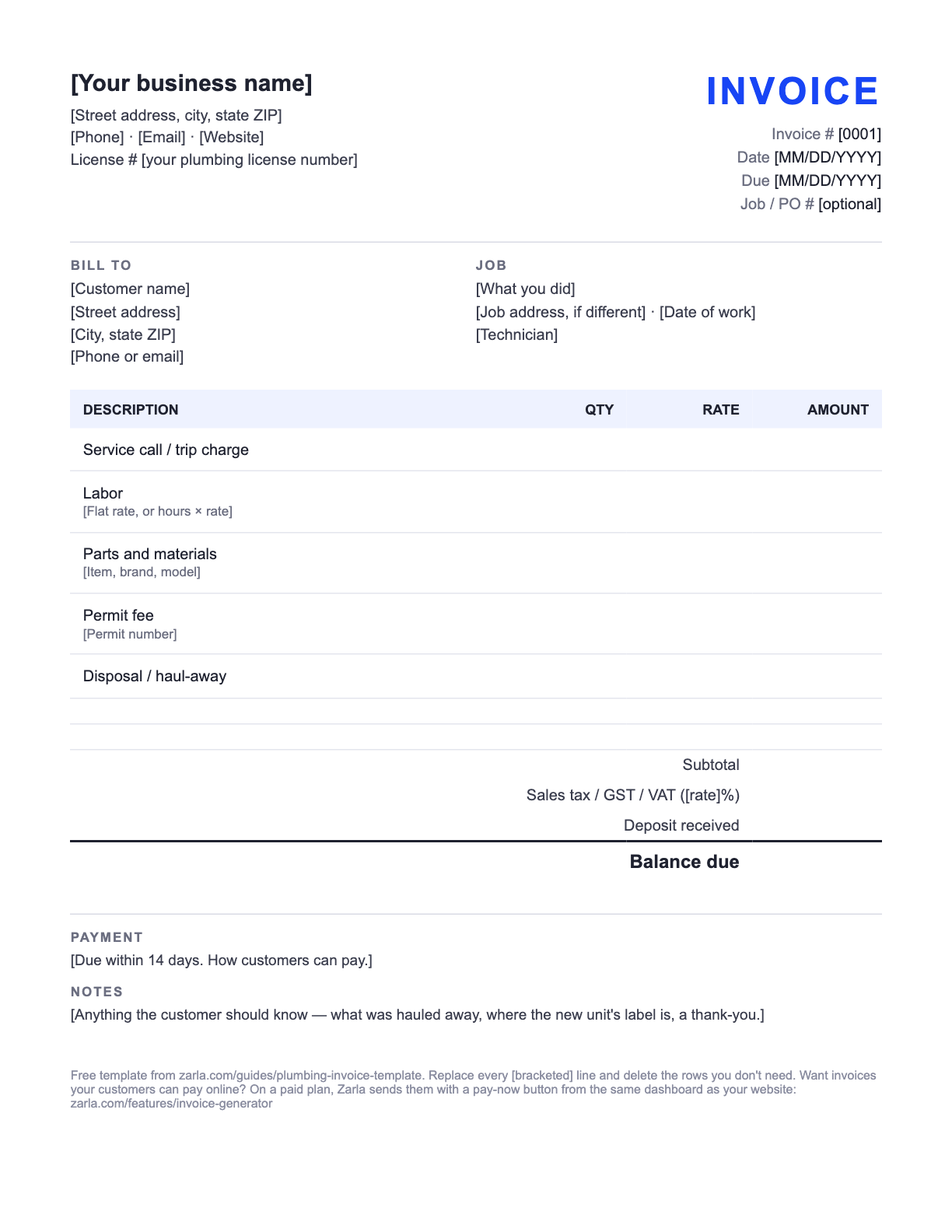
Below is the template filled in for Blue Valve Plumbing, a fictional plumbing business, so you can see every line in use. The downloads are the same invoice with [bracketed] lines to replace — free, no email address, no sign-up.
Example · fictional business
Blue Valve Plumbing Kansas City, MO (816) 555-0142 · hello@bluevalve.example License # 000000 (example) | INVOICE |
Bill to Dana Whitfield 2210 Holmes St Kansas City, MO | Job Replace 40-gal gas water heater Same address · Sep 15, 2026 Tech: Marcus R. |
| Description | Qty | Rate | Amount |
|---|---|---|---|
| Service call Diagnose leaking tank | 1 | $89.00 | $89.00 |
| Water heater replacement — labor Flat rate: drain, disconnect, install, test | 1 | $450.00 | $450.00 |
| 40-gallon gas water heater Model and serial on the tank label | 1 | $875.00 | $875.00 |
| Expansion tank, valves and fittings | 1 | $96.00 | $96.00 |
| City plumbing permit | 1 | $65.00 | $65.00 |
| Haul away old water heater | 1 | $45.00 | $45.00 |
| Subtotal | $1,620.00 | ||
| Sales tax, 7% on parts (example) | $67.97 | ||
| Total | $1,687.97 | ||
| Balance due | $1,687.97 | ||
Payment
Due within 14 days. Pay by card, check or bank transfer. Thank you for your business.
Notes
Old water heater hauled away. The new tank's model and serial number are on the label on the tank.
Every figure on the example is an example, not a price guide — use your own rates. The Word file is a standard .docx you can edit in Word or any app that opens Word documents; the PDF prints as-is if you'd rather fill it in by hand.
Invoices and a website, one place
Start your plumbing website — invoicing is built in
Add your business name and your town, and Zarla builds your plumbing website from this one line. The same dashboard sends invoices like this one, with a pay-now button once you're on a paid plan.
Already have a website? Bring it across →Zarla keeps your old page addresses where it can and redirects the ones that change, helping you keep the Google standing you've built.
LINE BY LINE
What goes on a plumbing invoice
Every line on the template, in order, and what to write on it.
| The line | What to put there |
|---|---|
| Business name, contact and license number | Your trading name, phone, email and address. If your state licenses plumbers, add your license number — many states want it on bids and contracts, and customers look for it. |
| Invoice number, date and due date | A number that never repeats (1001, 1002…), the date you send it, and the date payment is due — 14 days is common for homeowners. |
| Bill to and job address | Who pays and where you worked. For rentals the landlord or property manager often pays for work at a tenant's address, so list both. |
| Service call or trip charge | The fee for coming out and diagnosing, on its own line — even if you waive it when the customer goes ahead, show it as waived. |
| Labor | A flat price for the job, or hours × your rate. Note after-hours or emergency work so the higher rate is explained on the page. |
| Parts and materials | One line per part or fixture, with the brand or model on the bigger ones (water heaters, toilets, disposals) so the part can be identified later. |
| Permit and disposal | Permit fees and the permit number when a permit was pulled, and a line for hauling away the old unit. |
| Tax, total and balance due | Subtotal, sales tax where your state charges it, any deposit already paid, and the balance due in bold. |
| How to pay | Card, check or bank transfer, and the date it's due — 14 days is common for homeowners. |
STEP BY STEP
How to fill out a plumbing invoice
Five minutes at the end of the job, before you leave the driveway.
Put your details and license number at the top
Business name, phone, email, address and — if your state licenses plumbers — your license number. Save the file once with these filled in so you never type them again.
Number and date it
Give the invoice the next number in your series, today's date and a due date. Add the customer's job or PO number if they gave you one.
Fill in who pays and where you worked
The customer's name and billing address, then the job address if it's different, the date of the work and the tech who did it.
List every charge on its own line
Service call, labor (flat or hours × rate), each part with its model number, permit fee and haul-away. Separate lines make tax and questions easy.
Add tax, subtract any deposit
Apply sales tax to the lines your state taxes, subtract a deposit if you took one, and show the balance due in bold.
Write how to pay and send it the same day
How to pay and the due date. Invoices sent on the day of the job get paid sooner than ones sent at the end of the week.
How plumbers get paid faster
Invoice on the day. The customer has just watched you fix the leak; that's when they're happiest to pay. Send the invoice before you leave, or hand over a printed copy and take the payment there.
Take a deposit on big jobs. For a water heater, a repipe or anything where you buy expensive parts up front, a deposit covers the parts. Show it on the final invoice as “Deposit received” so the balance is clear.
Explain the emergency rate on the page. An after-hours call that shows a higher labor rate with no explanation is the invoice that gets questioned. One word — “Emergency, 11:40 pm” — saves the phone call.
Know your tax rules. In the US, sales tax on plumbing work depends on your state — including whether it falls on the parts, the labor, both or neither, and whether a repair is treated differently from an installation. Showing parts and labor on separate lines keeps either answer easy to apply; check your state's revenue department or your accountant.
Outside the US. The invoice itself has rules: in Australia a GST-registered business issues a tax invoice showing its ABN, in New Zealand a GST-registered business shows its GST number, and in the UK and EU a VAT-registered business shows its VAT number and the VAT charged. Confirm the details with your accountant.
Send it from Zarla and get paid online
A Word template is a fine way to start. The catch is everything after you hit send: chasing the payment, remembering who's paid, and typing the same customer and the same line items again next month.
If you build your plumbing website with Zarla, the invoice tool is in the same dashboard. Pick the customer, add the job's lines, and send it. On a paid plan, with your Stripe account connected, the invoice carries a pay-now button: your customer pays online by card, and the invoice marks itself paid when the money arrives. Customers you've invoiced are saved, so next time is two taps.
Want to see the website first? Browse plumbing website templates or see how Zarla builds plumbing websites. Still setting up? Read how to start a plumbing business and write your plumbing business plan, and see how much a plumber should charge.
The whole paper trail of a job, step by step: the plumbing estimate template, then how to write a quote, then how to write an invoice, then how to write a receipt — with a free receipt template. For any other trade, start from the free invoice template. Either side of it, two more free templates in Word and PDF: a price list template for the services you sell and a work order template for the crew. Both have plumbing versions, with this invoice's job as the example: the plumbing price list template and the plumbing work order template.
Heading into the holidays? Our free gift certificate template covers the customers who want to give your work as a gift, and the holiday hours sign template covers the door, your website and your Google profile.
Plumbing invoices: common questions
Your business name, contact details and license number; the customer and job address; an invoice number, date and due date; each charge on its own line (service call, labor, parts with model numbers, permit fee, disposal); subtotal, sales tax where it applies, any deposit and the balance due; and how to pay.
Yes. Customers can see what they paid for, and in the US it's how sales tax gets applied correctly — depending on your state, tax can fall on the parts, the labor, both or neither. It also makes the part easy to identify if it fails later.
If your state licenses plumbers, putting your license number on invoices, bids and contracts is good practice, and many states require it on some of those documents. Check your state licensing board for the exact rule where you work.
Invoice the service call on its own — the diagnosis is the work. If you waive the fee when the customer books the repair, show the service call and a matching “waived” line so they see the value.
The same day, ideally before you leave the job. Set a clear due date — 14 days is common for homeowners, 30 days for property managers and businesses — and follow up the day after it's due.
Show the whole job on the invoice, then “Deposit received” under the total with the amount, and the balance due in bold beneath it. The customer sees what the job cost, what they already paid for the parts, and what's left to pay — and your records show the deposit against this invoice rather than floating.
Yes. The plumbing invoice template on this page downloads free as a Word document and a PDF — no email address, no sign-up. Edit it in Word or any app that opens Word documents, or print the PDF and fill it in by hand.
Not from a Word file — your customer still has to pay you some other way. To take the payment on the invoice itself, send it from invoicing software. If your plumbing website is on Zarla, the invoice tool is in the same dashboard: on a paid plan, with Stripe connected, each invoice carries a pay-now button and marks itself paid when the customer pays by card.
Send invoices from your own plumbing website
Add your town and your business name, and Zarla builds the site from that one line — with invoicing in the same dashboard.
Already have a website? Bring it across →Zarla keeps your old page addresses where it can and redirects the ones that change, helping you keep the Google standing you've built.