You edit your Zarla site by describing what you want in plain words — the AI makes the change for you. No drag-and-drop, no code.
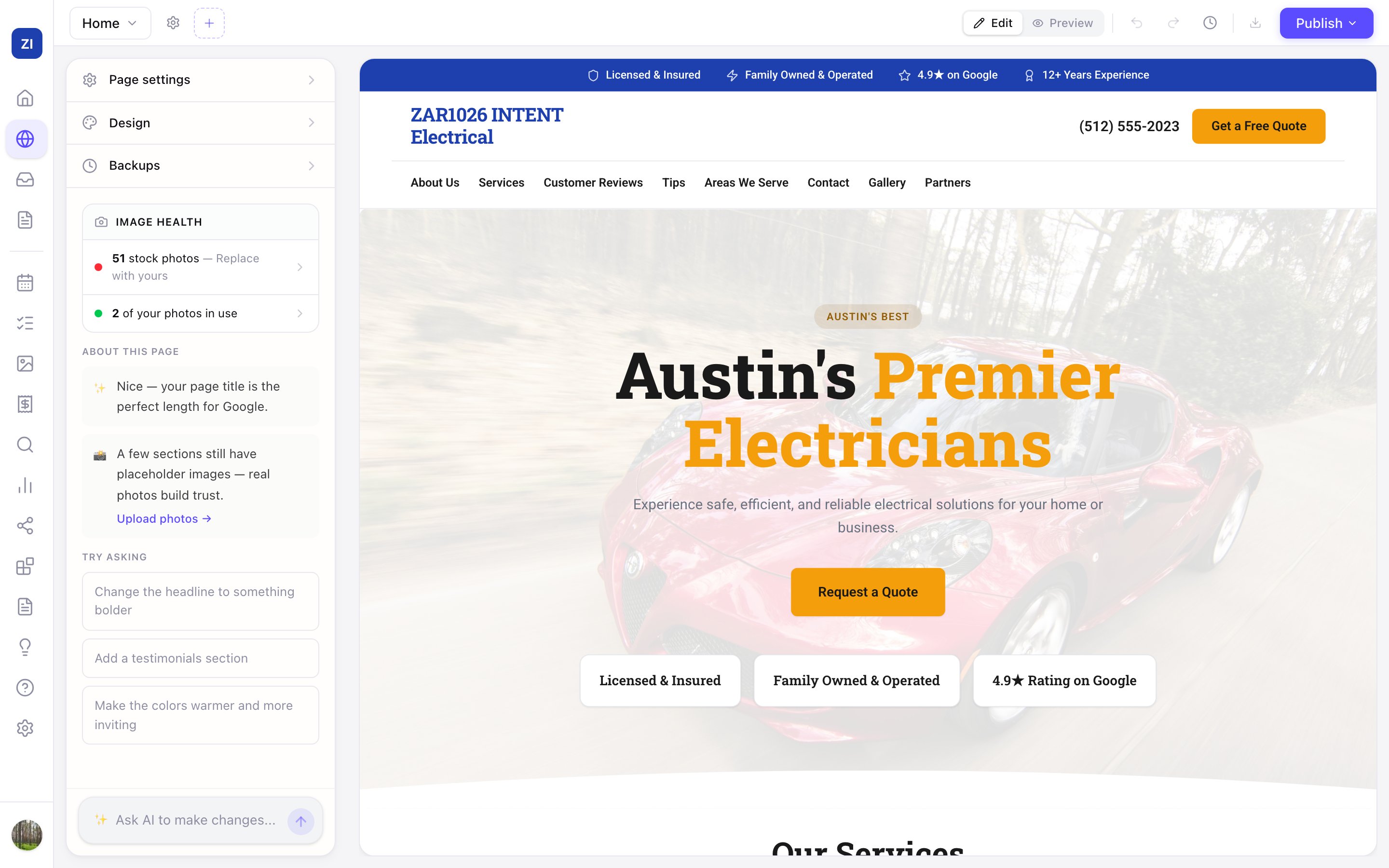
Make a change
- In the sidebar, click Edit Site.
- Click the part of your site you want to change — a headline, a photo, a whole section.
- Type what you want in the Ask AI to make changes... box at the bottom-left. For example: "make the headline more professional", "use warmer colors", or "add a testimonials section".
- The AI applies the change right away, and you see it on the page.
Tip: Not sure what to ask? The Try asking suggestions in the left panel are one-click starting points.
Undo anything
- Click the undo arrow in the top bar to reverse the last change.
- For bigger rollbacks, open Backups in the left panel to view and restore past versions of your site.
- Your work saves automatically as you go.
Edits are private until you publish
Changes you make in the editor only affect your draft. Your live site updates when you click Publish — see How to publish your website.