Publishing puts your site live on the internet. Until then, only you can see it — your site's Overview page says exactly that: "Only you can see your site right now — publish to go live."
Building and previewing are free. Publishing is part of a paid plan — when you publish your first site, Zarla shows you the plan options (Premium and Business, both with a 30-day money-back guarantee).
Paying for a website on the original Zarla? Don't choose a plan. When you publish, Zarla shows your offer instead: see Move your website from the original Zarla.
Publish your site
- In the sidebar, click Edit Site.
- Click Publish in the top-right corner.
- Choose Publish Live — "Make your site public."
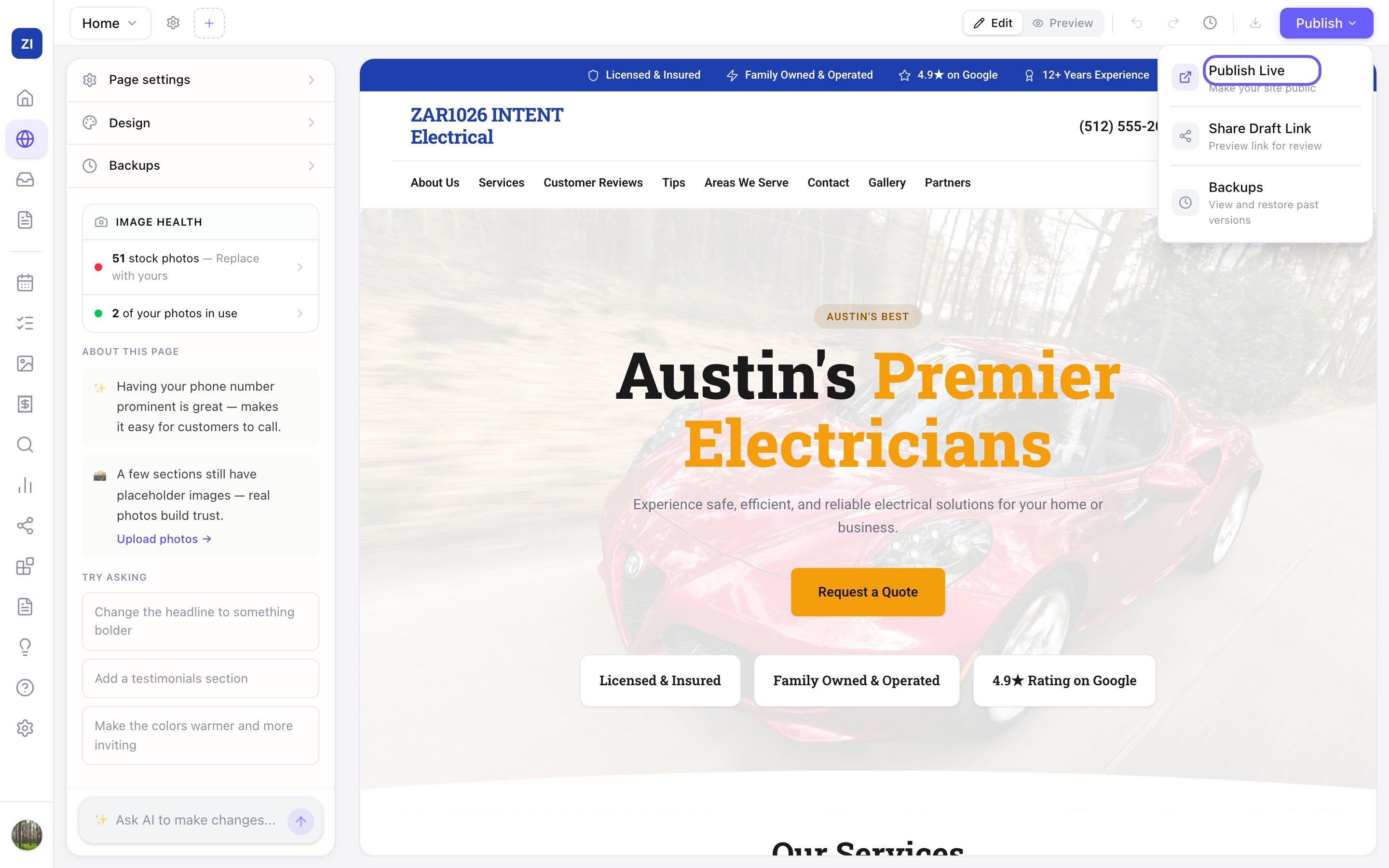
Your site goes live within seconds at your free Zarla web address (it looks like your-business.websitelive.com). To use your own domain instead, see Connect your own domain.
After you make changes
Edits stay in your private draft until you publish again. Once your site is live, the same menu item is labeled Publish Changes — click Publish → Publish Changes to push your latest edits to the live site.
If your site doesn't publish
If a publish fails, the Publish button turns red and says Failed, and a message opens under it saying what happened and what to do. Your edits stay in the editor either way.
When the message says we'll fix it for you (for example: There's a problem with the “Meet the Team” section on your About page. It's on our side — contact support and we'll fix it for you.), publishing again won't help: contact support and we'll fix it for you. For any other message, do what it says, then publish again. The message stays until you close it with the × or press the button again.
When the message says your live site hasn't changed, visitors still see the version you last published.
Want feedback before going live?
In the same Publish menu, Share Draft Link gives you a private preview link you can send to a friend or business partner for review — without publishing anything.