Community church
Wildwood Community Church
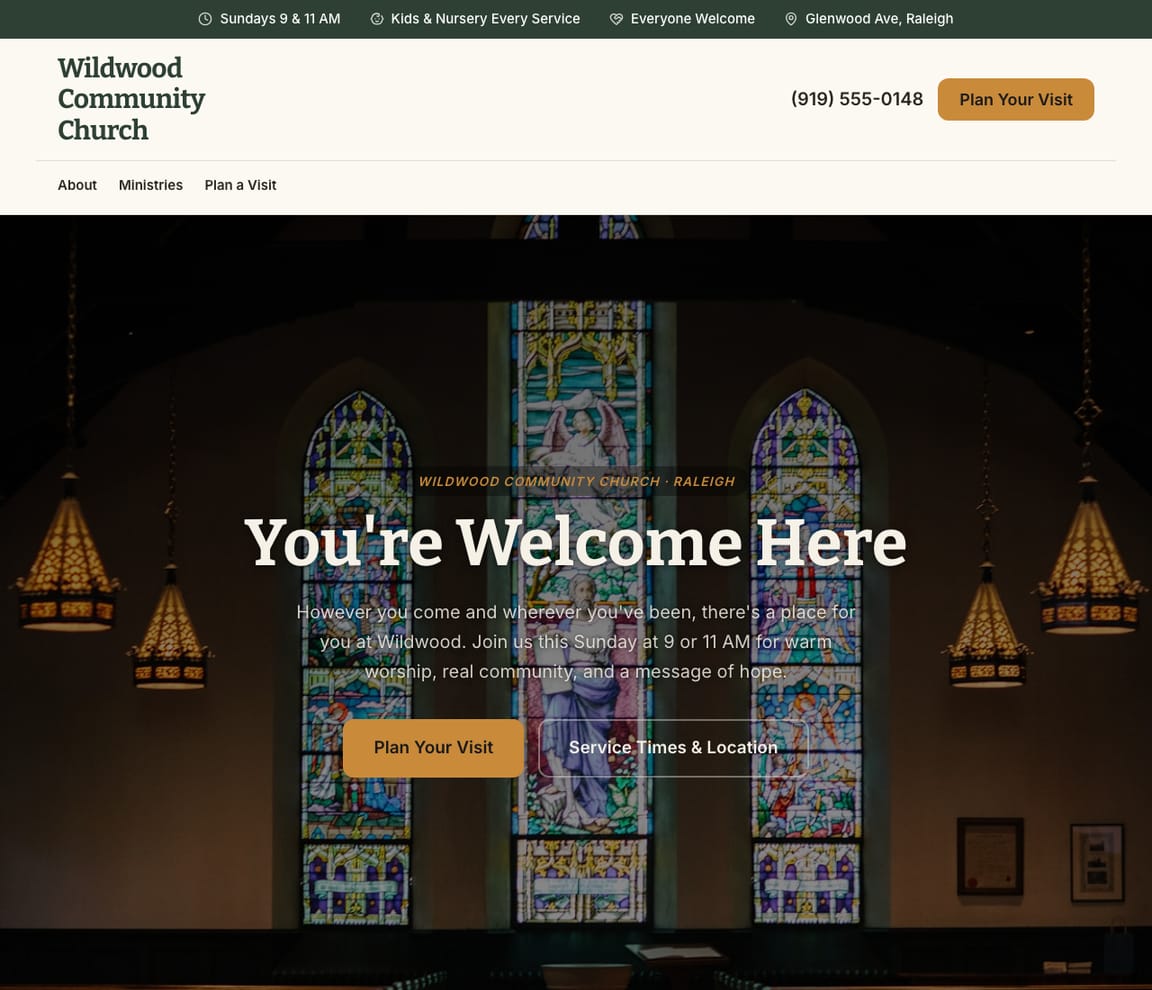
'You're Welcome Here' over stained glass, 'Sundays 9 & 11 AM' and 'Kids & nursery every service' in the top strip and 'Plan Your Visit' as the button.
Done by AI · not an agency
Brief Zarla the way you'd brief a web designer. Its AI designs your site in about 30 seconds, with service times, a plan-your-visit form and call buttons, then adds pages for the ministries and groups you list, up to your plan's page limit. No sales call, no weeks-long build.
Your brief: add your town
Already have a website? Bring it across →
Sample designs
Six Zarla designs, shown for made-up churches, from a community church to a congregation that streams every Sunday. Start from one and the AI rewrites it around yours, or let your brief decide.
Community church
'You're Welcome Here' over stained glass, 'Sundays 9 & 11 AM' and 'Kids & nursery every service' in the top strip and 'Plan Your Visit' as the button.
Contemporary
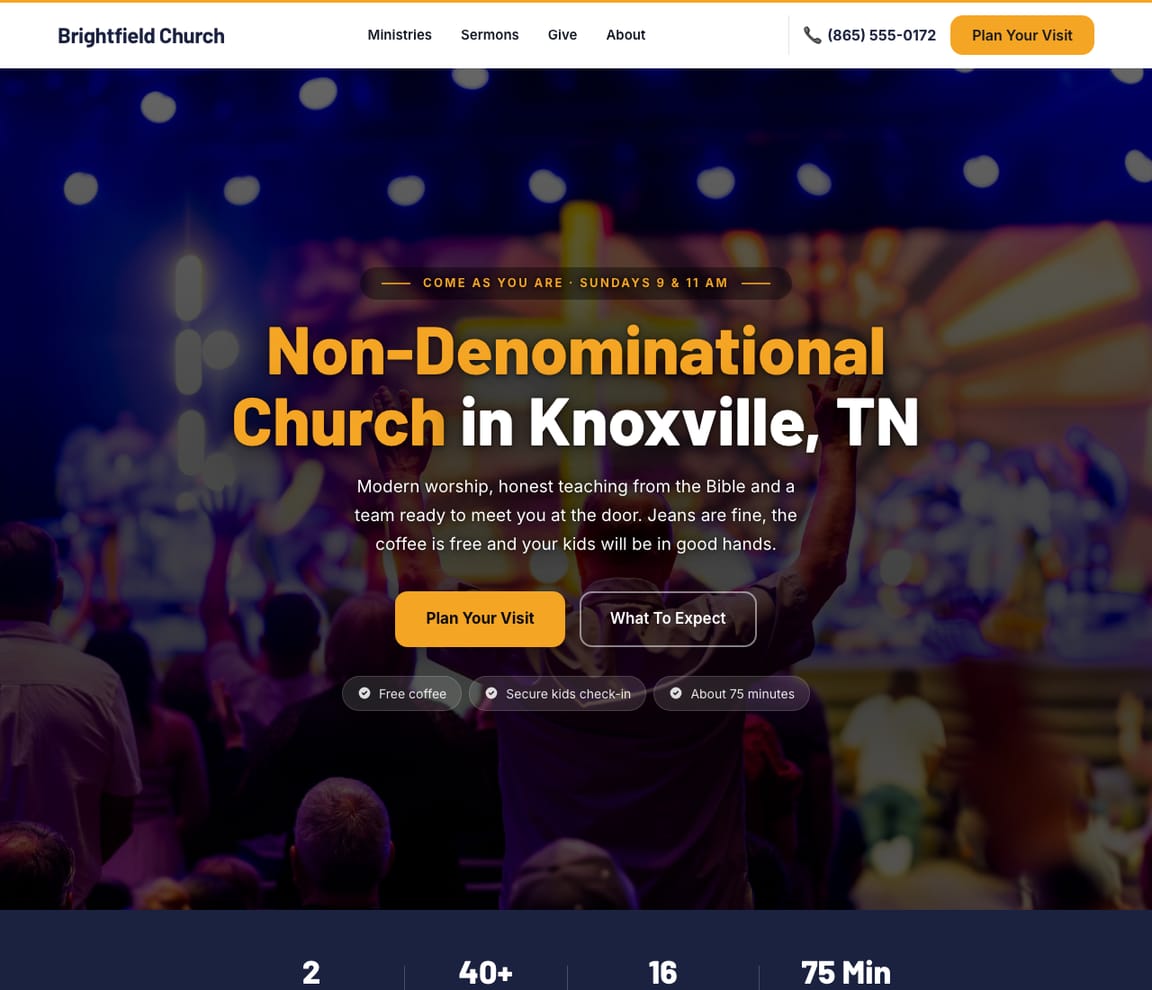
A stage-lit crowd behind bold type, 'Come as you are · Sundays 9 & 11 AM' above the headline and 'Free coffee', 'Secure kids check-in' and 'About 75 minutes' under the buttons.
Traditional parish
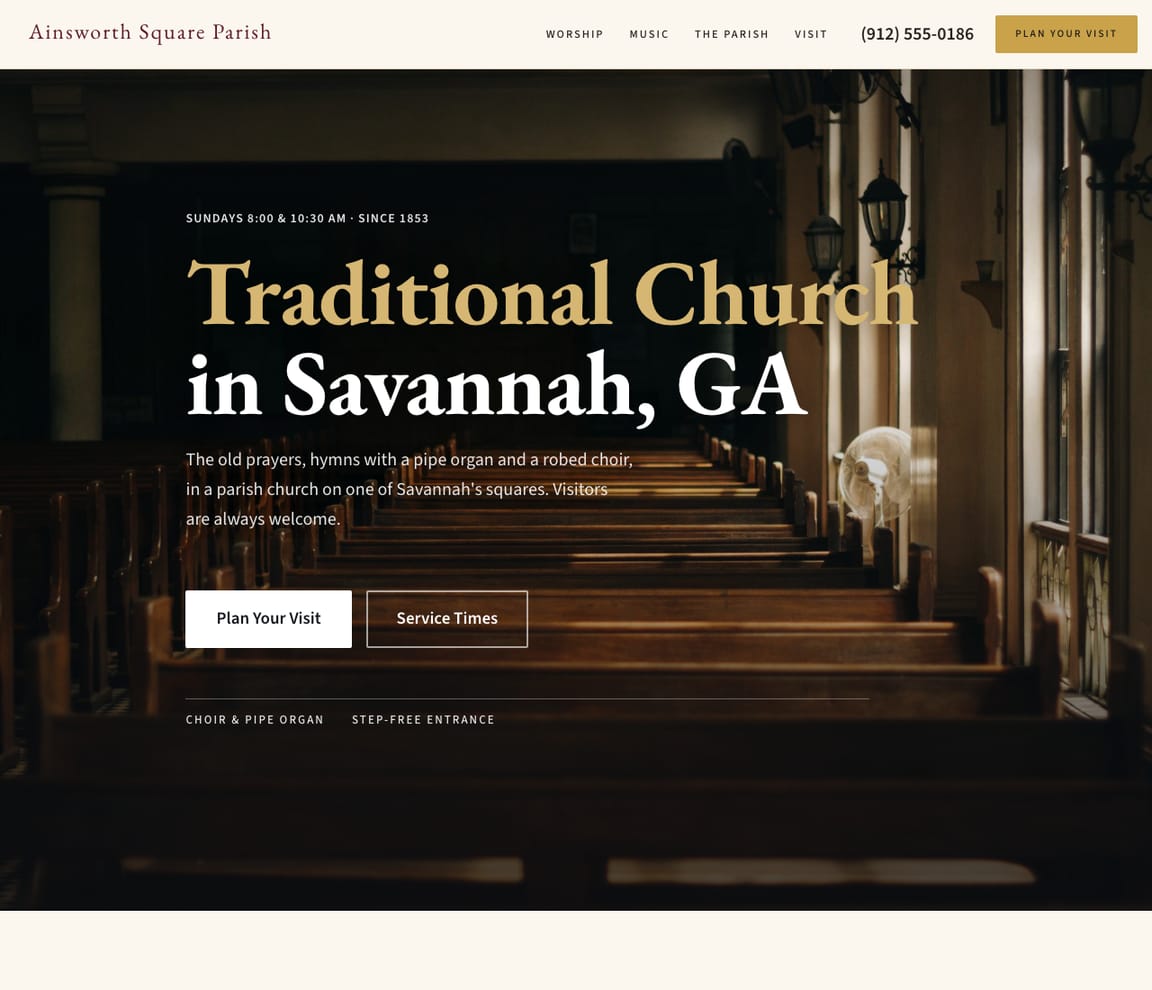
Wooden pews lit from tall windows behind a serif headline, 'Sundays 8:00 & 10:30 AM · since 1853' above it and 'Choir & pipe organ' and 'Step-free entrance' beneath the buttons.
Church plant
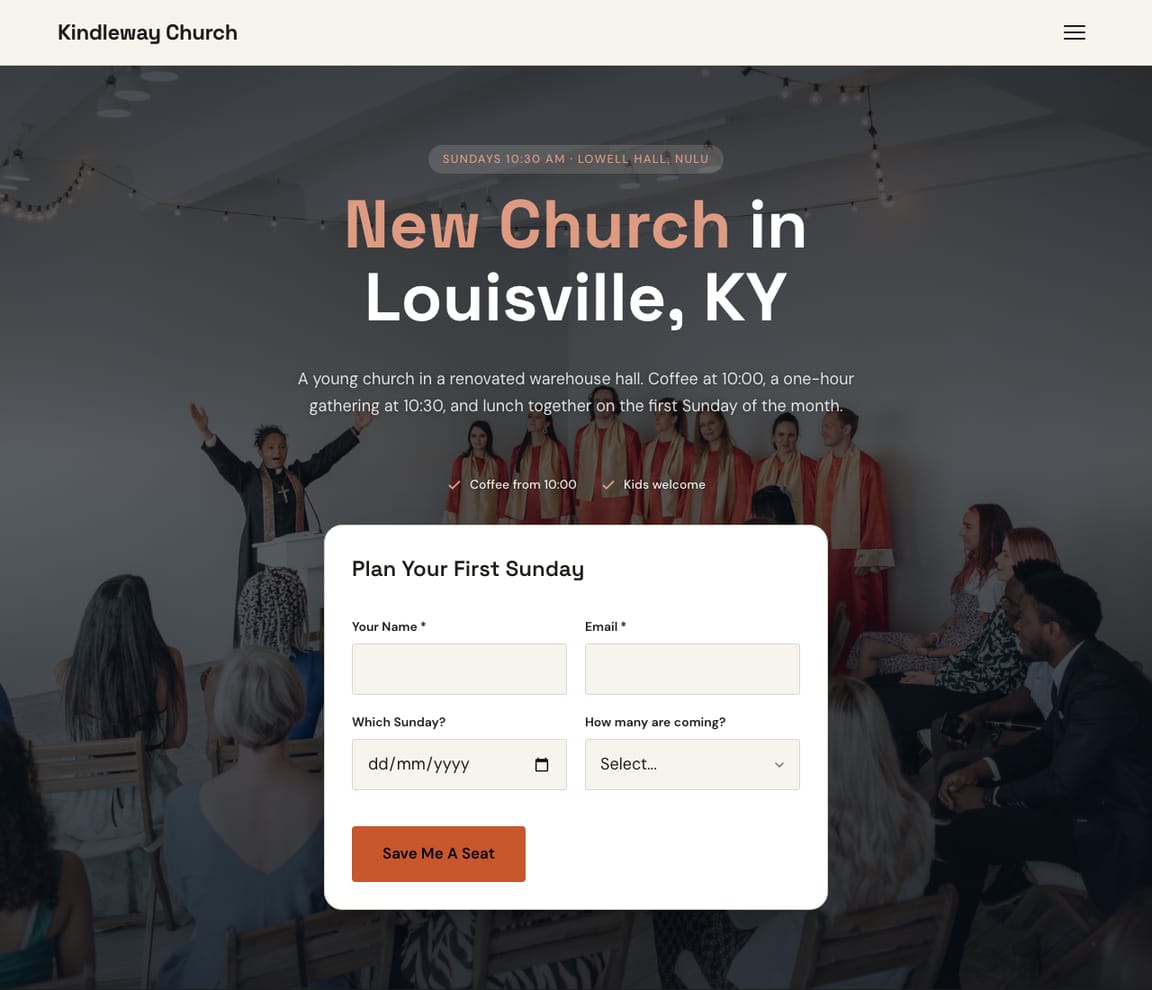
A 'Plan Your First Sunday' form in the first screen over a string-lit hall, with 'Coffee from 10:00' and 'Kids welcome' above it, for the new church.
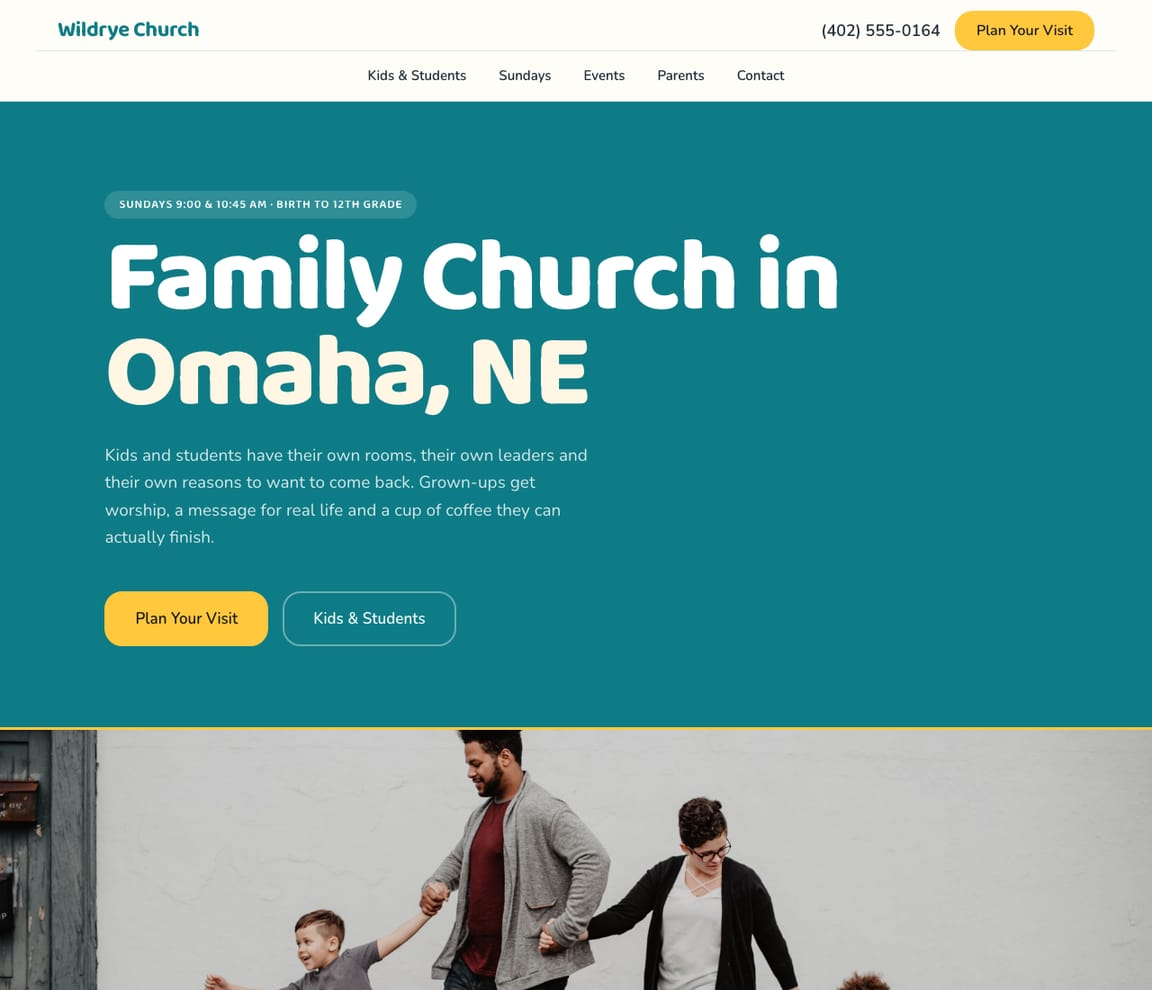
Family church
Rounded type on a teal field, 'Sundays 9:00 & 10:45 AM · birth to 12th grade' above the headline and 'Kids & Students' as the second button.
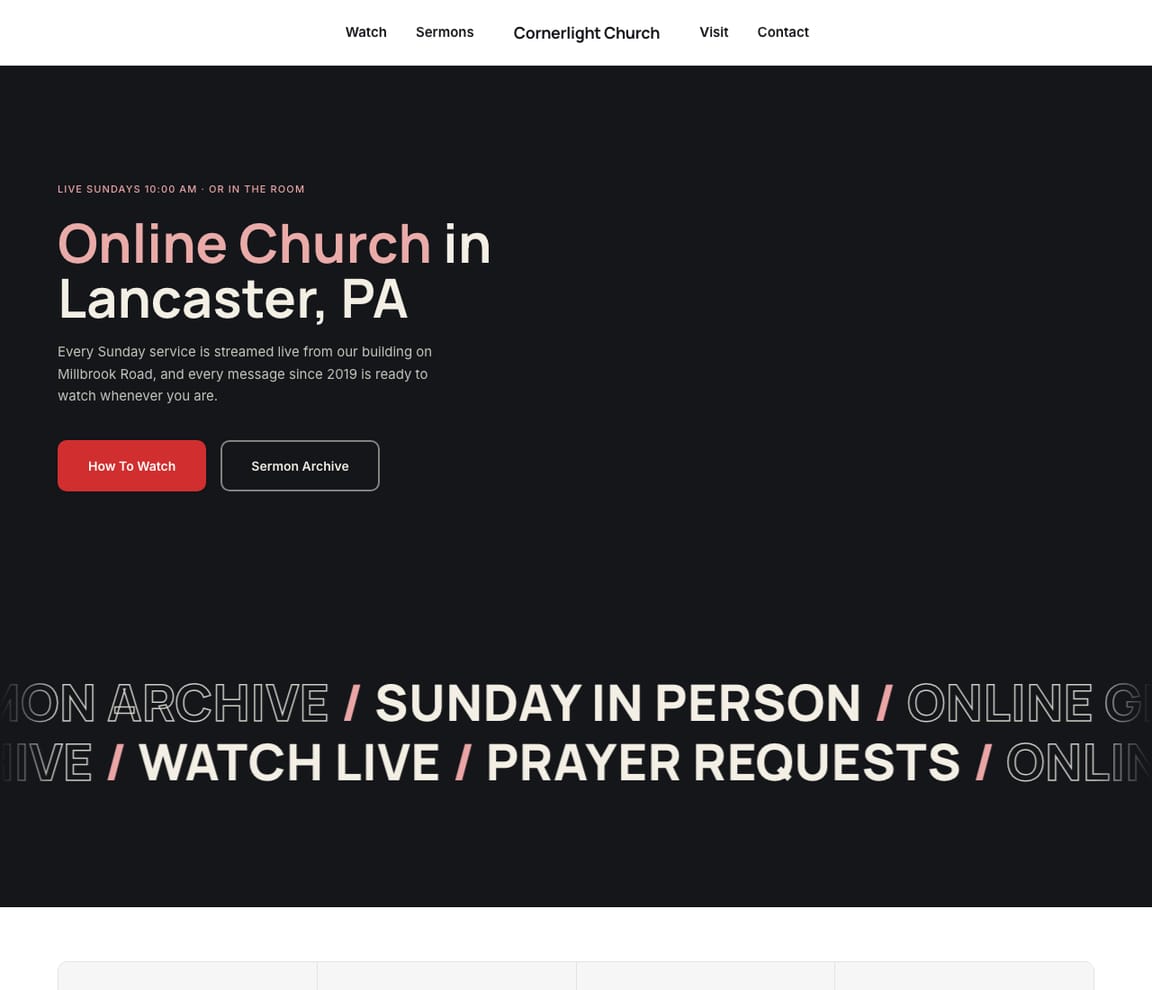
Online church
A dark page with 'Live Sundays 10:00 AM · or in the room' above the headline, 'How To Watch' as the main button and a scrolling line of ways to take part.
The checklist
Six things a church website needs to get a first-time visitor through the door, each shown on one of Zarla's designs.
A first visit is the whole job of a church website. A form in the first screen that asks which Sunday, how many are coming and whether there are kids lets someone on the team meet them at the door by name.
The visitor who found you on Saturday night wants one fact: when. Put the times and the address in the top strip and again in the line under the headline, so nobody has to open a page called 'Visit' to find Sunday.
'Will I stand out?' is the question behind every first visit. Free coffee, a secure kids check-in and 'about 75 minutes' answer it in a glance; the warm paragraph about belonging can come second.
Parents decide on the kids' ministry. The ages you take, what happens in the rooms and who leads them belong in the first screen and first in the menu, because that's the visitor who's choosing.
'Traditional' and 'contemporary' are the first filter a visitor applies, and a site that hides it loses both kinds. 'Choir & pipe organ' or 'full band' in the first screen tells them in a glance which Sunday they'd be walking into.
Some of your congregation is in a hospital bed or a different time zone. 'Live Sundays 10:00 AM' and a 'How To Watch' button in the first screen keep them in, and the sermon archive one tap away keeps them coming back.
Process and turnaround
For comparison, from the pages of web designers who build church sites: ready in 1–2 weeks for a tailored site and 8–12 weeks from kickoff to launch for a custom one at a church-only agency; a Tampa subscription says its staff begin building immediately; and a one-person studio gives you the timeline on the strategy call, before any work starts.
Finish one sentence about your church: your service times, your kids' ministry and where you meet.
Zarla's AI designs your home page with call buttons and a quote form, then adds pages for your ministries (Sundays, kids, students, groups, giving, sermons) and the neighborhoods you serve, up to your plan's page limit.
Click any section to put your own Sunday photos and this week's sermon in. Or type it: "add a page for our food pantry."
Publish on a Premium or Business plan and connect your domain.
What's included
Revisions
A Tampa church-website subscription includes unlimited rounds of revisions on the mockup; a church-only agency's plan gives unlimited self-edits on WordPress; a one-person studio charges $35 for a text edit and $75 for a new page after 30 or 60 days of fix support. With Zarla you make the changes yourself, whenever you want.
Change any section's words, photos, colors or order yourself. As often as you like, on every plan. No AI involved.
Type what you want and the AI makes the change. Typed changes use AI credits: a starter allowance on Free, a monthly allowance on Premium and Business, with a daily limit.
Move to a different design any time and keep your words, photos and pages. Layout, colors and fonts change; your content isn't rewritten.
Prices
Prices web designers publish on their own websites for church sites, checked 26 October 2026. Most sell monthly plans. Not like-for-like: an agency's price includes people.
| Who | Upfront | Ongoing | Time to launch | Changes after launch |
|---|---|---|---|---|
| A church-only marketing agency with a monthly website planA tailored site on one of 6 designed themes, with online giving, sermon archives, an event calendar, SSL, hosting and daily backups; you control your own content on WordPress | $2,000 one-time setup fee, waived with a 12-month commitment | $97 a month | Ready in 1–2 weeks | Unlimited self-edits |
| The same agencyCustom website, quoted per project | Starts with a $2,500 deposit | Not published | 8–12 weeks from kickoff to launch | Not published |
| A Christian-only web design and hosting companyCustom Express, Pro or Premier site with a custom logo and graphics, blog, calendar, staff directory, forms, galleries, live streaming, donations and event registration | Not published | $159 / $259 / $359 a month | Not published | Not published; monthly software security updates |
| A church website design subscription from a Tampa companyStandard program, or the Advanced plan with built-in maintenance | Not published | $35 a month; $99 a month with maintenance | Their staff begin building immediately | Unlimited rounds of revisions on the mockup, free with the design package |
| A one-person web studio in Cleveland (its prices are for any small business; churches on its industries list)A custom 5-page site, or up to 10 pages with booking, a gallery and a blog | $475; the larger site starting at $950, paid when it's done | Managed hosting $239.40 a year, optional | A timeline on the strategy call, before any work starts | 30 or 60 days of fix support, then text edits $35, image swaps $25 and new pages $75 per task |
| A church software company's website builderA church website built in minutes on the software company's platform | Not published | $19 a month; $119 a month for the all-access bundle | Not published | Not published; a 30 day free trial, no contracts |
| A church website and giving platform (Iowa)Three plans with hosting included, and a free website migration on an annual plan | No set up fees | $79 / $129 / $159 a month, or $71 / $116 / $143 billed annually | Not published | Change plans or cancel anytime; a 7-day free trial |
| Market rangesAs published by a cost-estimate guide | Small church (under 150) freelancer $800–$2,800 · agency $2,500–$6,000; a typical mid-size congregation $5,400 | $45–$120 a month for a small church | — | — |
| Zarla's AINot an agency | Free to design and preview | A Premium or Business plan to publish · see pricing | About 30 seconds to a first design; publish the same day | Click to edit any time; typed changes use AI credits |
The honest part
Zarla does the design part of an agency's job with AI. Here's what you'd still be paying people for.
Zarla partners are independent agencies and freelancers who build on Zarla and do the marketing work: SEO, ads and growth. The AI does the design; a person does the rest.
Browse Zarla partners →No. Zarla is AI. It does the design part of an agency's job, the layout, words, pages and forms, from a one-sentence brief. There's no designer on the other end. If you want a person for marketing or SEO, Zarla partners are independent agencies and freelancers who work on Zarla sites.
Web designers who publish prices for church sites mostly sell monthly plans: $19 a month for a software company's builder, $35 to $99 a month at a Tampa subscription, $79 to $159 a month on a church platform, $97 a month plus a $2,000 setup fee (waived with a 12-month commitment) at a church-only agency, and $159 to $359 a month for a custom site at a Christian-only design company; a one-time build is $475 to $950 at a one-person studio, and a cost guide puts a small church's site at $800 to $2,800 with a freelancer. Designing and previewing on Zarla is free; you choose a Premium or Business plan when you publish.
Service times and the address in the first screen, a plan-your-visit form, what a first Sunday is like, a page for each ministry (kids, students, groups, giving, sermons), how to watch online, your story, and a give button that goes somewhere. Zarla adds ministry and area pages from your brief, up to your plan's page limit. Customers can attach up to five photos of the job to the form, so you can often price it from the photos instead of a site visit. The form doesn't work out a price for you — you read the request and quote it yourself.
Web designers who publish timelines for church sites quote 1–2 weeks for a tailored site on a church-only agency's plan and 8–12 weeks for its custom build, an immediate start at a Tampa subscription, and 'in minutes' on a software company's builder. Zarla's first design takes about 30 seconds; after your changes, you can publish the same day on a paid plan.
Zarla doesn't process gifts itself. Add a 'Give' button that links to the giving provider you already use, or paste its giving widget into the Custom Code box in Site settings, and the button is on every page.
Yes. Video sections play on your site and can start automatically, so this week's message can sit on the home page; paste your livestream player or sermon archive into the Custom Code box in Site settings for the rest.
Yes. Contact, quote-request, callback and booking forms are generated for your industry; describe any other form and the AI builds it, with every submission routed to your inbox. Ask which Sunday, how many are coming and the kids' ages, and someone can meet them at the door.
Yes. Zarla keeps your old page addresses where it can and redirects the ones that change, helping you keep the Google standing you've built.
Finish the sentence with your town. Zarla's AI designs your site from it.
Already have a website? Bring it across →