Until you add a logo, your site shows your business name in the header, which looks perfectly fine. If Zarla built your site from your old website, the header may already show the logo it found there. Either way, adding or replacing the logo takes a minute.
Upload or replace your logo
- From My Sites, open your site and click Edit Site.
- Make sure you are editing, not previewing. On a computer, Edit is selected at the top, not Preview. On a phone, the eye icon at the top switches Preview on and off. In Preview, clicking your site doesn't open anything to change.
- Click the logo, or your business name, in your site's header. On a computer the Header panel opens on the left. On a phone, tap Edit in the bar that appears at the bottom, and the Header panel opens.
- Next to Logo, click Edit. The Logo panel opens.
- Click Upload your logo and choose your file. PNG with a transparent background looks best; JPG and SVG work too. If a logo image is already there, the buttons read Replace and Remove instead: Replace swaps in your new file; Remove, then Confirm remove, takes the image off and shows your business name again.
- Zarla places it in your header and sizes it for desktop and mobile automatically.
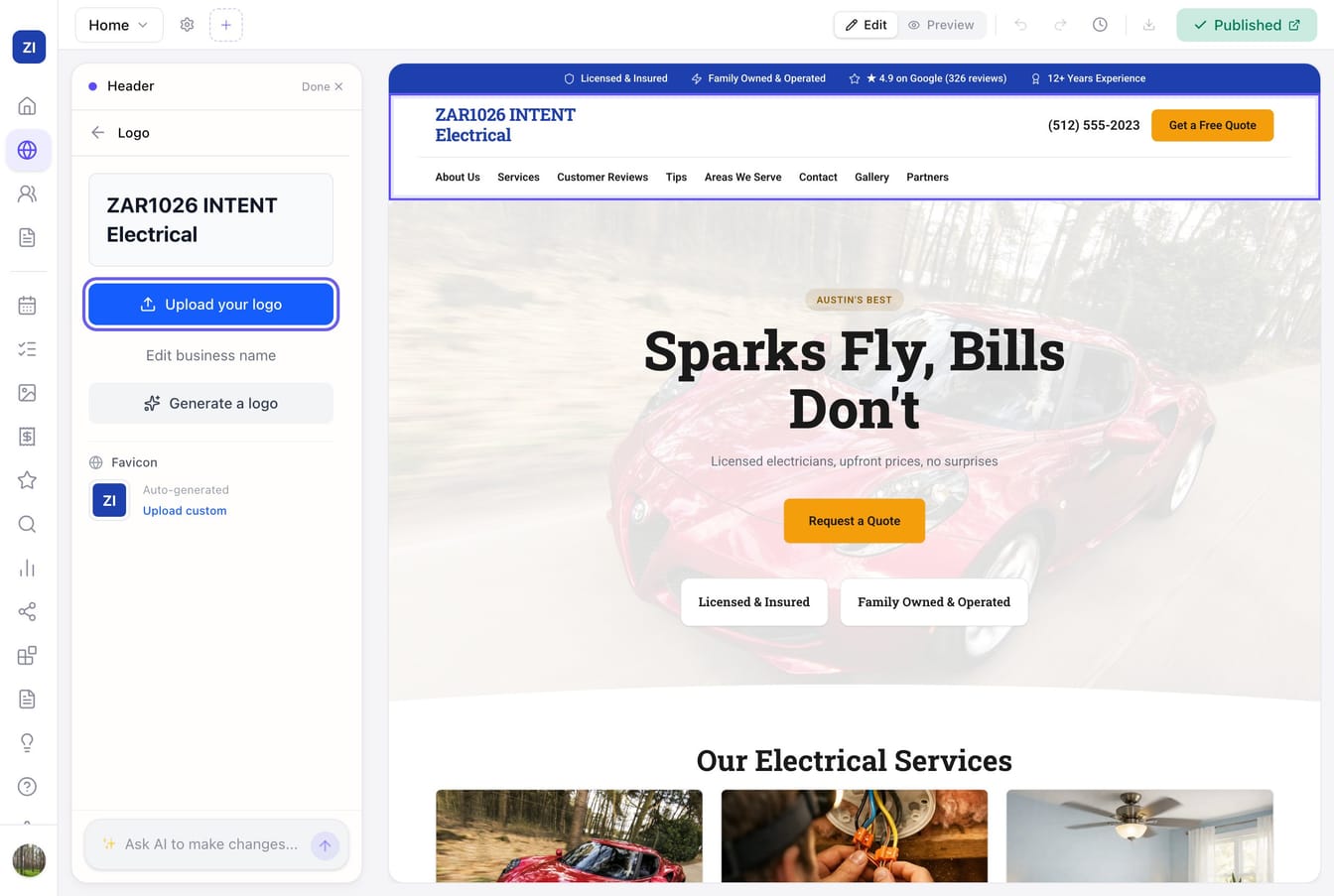
The Upload your logo step under Next steps on your site's Overview page takes you to the same place: it opens the editor, and from there you follow steps 3 and 4. In the editor chat, the Upload your logo chip does the same.
Don't have a logo?
You don't need one to look professional — plenty of great local business sites use a clean text header. Zarla styles your business name with your site's fonts and colors automatically.
Make it bigger or smaller
Click your logo in the editor (on a phone, tap Edit in the bar at the bottom) and in the Header panel choose Small, Medium or Large under Logo size. Large gives a wide logo more room; Small keeps the header slim. The size applies on every header layout, on desktop and on phones, and it works whether you uploaded a logo or use your business name as one.
Or just ask the AI: "make my logo bigger" steps it up one size, and "make it a bit smaller" steps it back.
Change the header colour
Click your logo in the editor (on a phone, tap Edit in the bar at the bottom) and in the Header panel choose a Background: Page (your site's page colour), Soft, Brand (your brand colour), Dark, or a custom colour of your own. Your menu links, phone number, logo text and the phone menu switch to a colour that reads on the bar automatically. If your logo is a JPG with a white background, Zarla puts it on a small white plate on dark and brand-coloured headers so it never looks like a white box. A logo with dark lettering on a see-through background can be hard to read on a dark header — pick Brand or Soft instead, or ask the AI to make the header lighter.
Or just ask the AI: "make my header dark", "match the header to my brand colour" or "make it navy".
Tips
- If your logo has your business name in it, ask the AI to "hide the business name text in the header" so it doesn't appear twice.