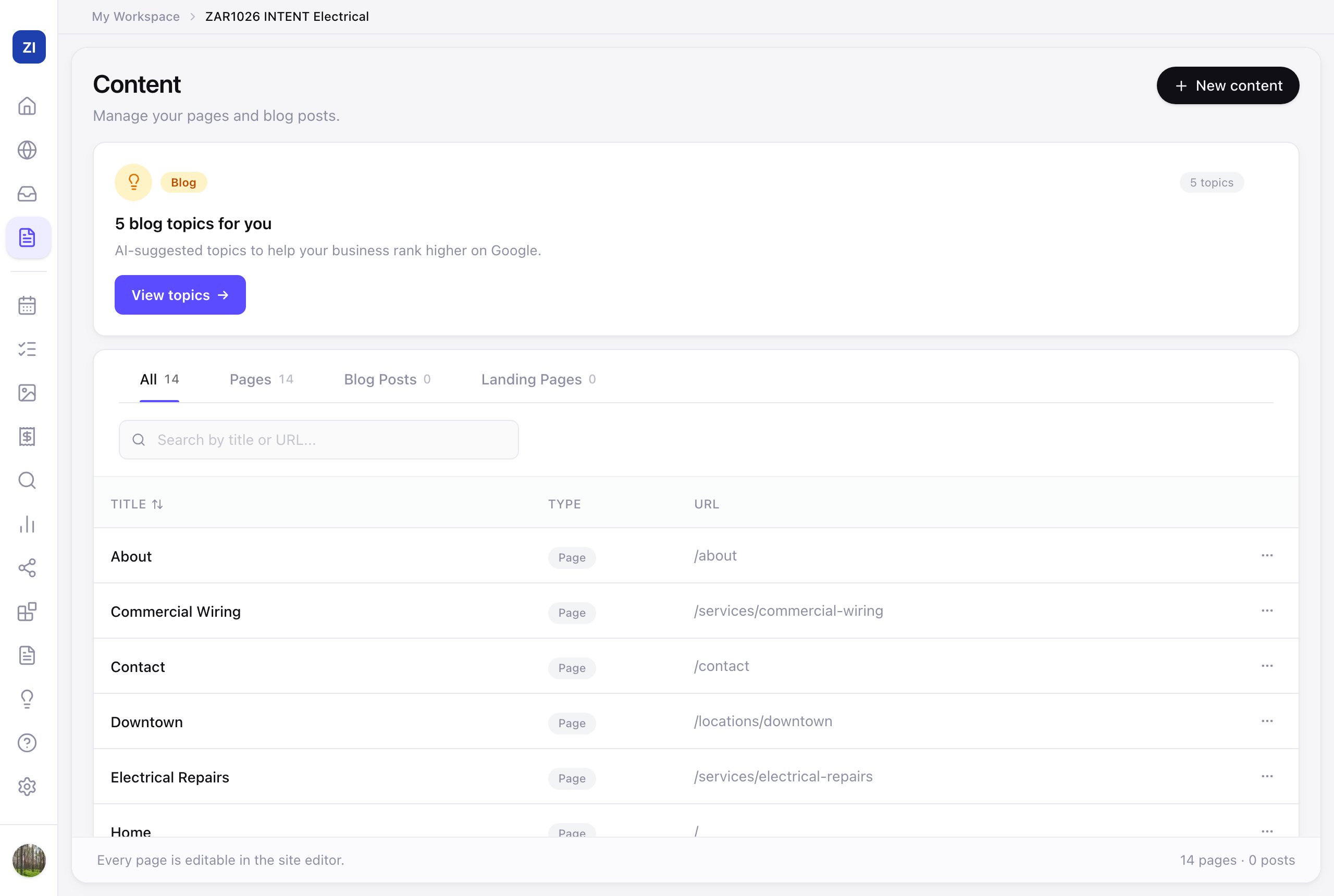
The Content page is the bird's-eye view of everything on your site — every page, blog post, and landing page in one list, with the AI suggesting what to write next.
See everything you have
- Click Content in the sidebar.
- Filter by All / Pages / Blog Posts / Landing Pages, or search by title or URL.
- Click any item to open it in the editor.
Create something new
- Click New content to add a page, blog post, or landing page — the AI drafts it, you polish.
- The "blog topics for you" card suggests posts matched to your business and area — click View topics → and pick one; a steady blog gives Google more pages to rank you for.
Why blog at all?
Each useful post ("How much does a bathroom renovation cost in Austin?") is another door into your site from Google — answering the exact questions your customers search before they're ready to call. Two posts a month compounds; see SEO basics for how it fits the bigger picture.