Zarla's Get Paid tools let you take money online without any extra software: sell products from your site, send invoices, share payment links, and sell gift cards.
Connect payments first (one time)
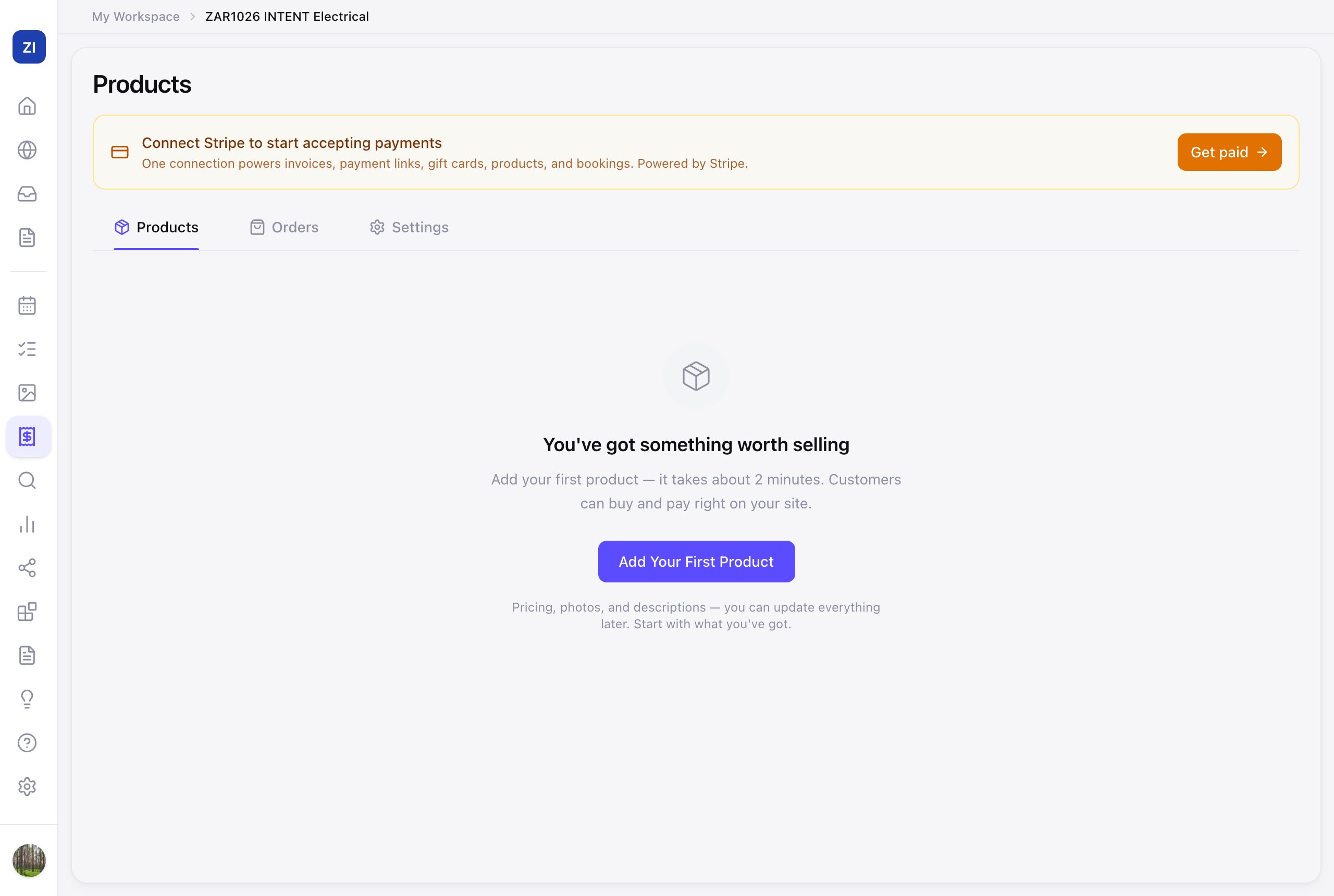
- Click Get Paid in the sidebar.
- Click Get paid to connect your payment account — Zarla uses Stripe, the same payment company behind millions of businesses, and money goes straight to your bank.
- Follow Stripe's steps to verify your business. Once that's done, every Get Paid tool is ready.
Sell products on your site
- Go to Get Paid → Products and click Add Your First Product — name, price, photos, and options like sizes.
- In the editor, ask the AI to "add a shop section" so products appear on your site.
- Orders show up in the Orders tab, and you'll get an email when something sells.
Other ways to get paid
- Invoices — send professional invoices by email and get paid by card. Reminders are automatic.
- Payment Links — a link you can text or email for any amount; great for deposits and quotes.
- Gift Cards — sell gift cards customers redeem with you.
All of these live under Get Paid in the sidebar.