The Documents tool writes the paperwork of running a business — quotes, receipts, follow-up emails, service agreements — branded with your details, in about a minute each.
Create one
- Click Documents in the sidebar.
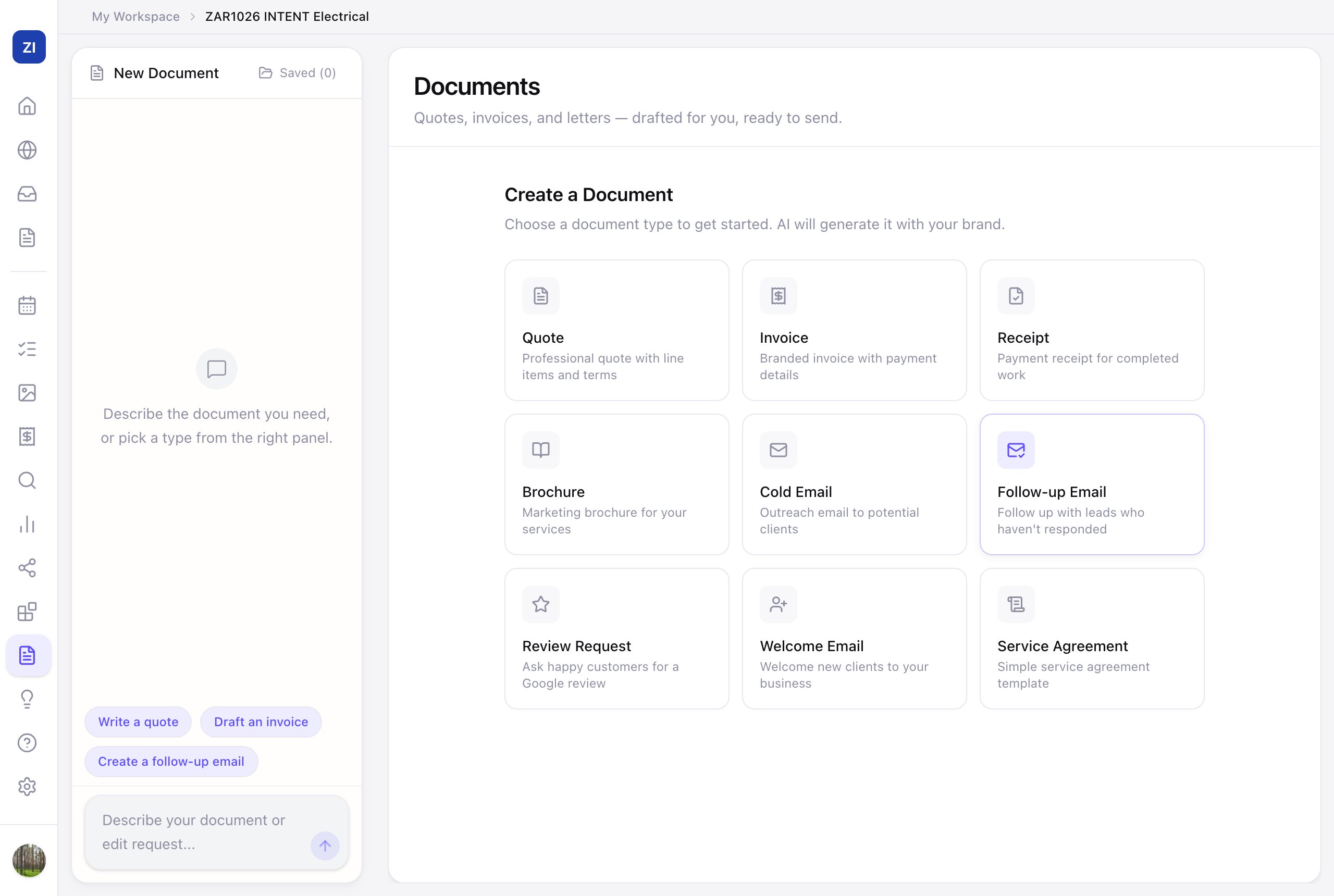
- Pick a template from Create a Document:
- Quote — professional quote with line items and terms
- Invoice and Receipt
- Brochure — a marketing one-pager for your services
- Cold Email, Follow-up Email, Welcome Email
- Review Request — ask happy customers for a Google review
- Service Agreement — a simple contract template
- Describe the specifics in the chat ("quote for a full house repaint, 3 bedrooms, includes materials") and the AI drafts it.
- Refine by chatting ("add a 10% deposit line", "make the tone warmer"), then use it. Finished documents live under Saved.
Where these earn their keep
- Quotes on the same day you saw the job — speed wins work.
- Review Request after every happy job feeds your Google reviews.
- Follow-up Email for quotes that went quiet — the money is usually in the follow-up.