SOLAR ESTIMATE TEMPLATE
Free solar estimate template
A solar estimate in the proposal format homeowners compare: the system in kilowatts with the panel and inverter models, year-one production against the last 12 months of bills, the price per watt, permit and utility fees at cost on their own lines, and a battery as an option. Free in Word and PDF, with every line explained.
Word and PDF · Free · No email, no sign-up
The short answer
A solar estimate shows the system before the price: its size in kilowatts, the panel count and model, the inverter, and the production it should make in year one against what the household used in the last 12 months. Then the system price, the price per watt, and the permit and utility fees on their own lines.
The price per watt is the number homeowners compare: $3.03 a watt is the US average installed, from $2.61 in Florida to $3.53 in the District of Columbia (SolarReviews, November 2026). A battery or a main panel upgrade goes on as an option, never folded into the system price.
Around that go your business details and license number, the customer and the roof, the estimate number and the date the price holds until, what's included, and how to pay — usually in milestones. In the US, leave off any price after the federal homeowner credit: it isn't available for property placed in service after December 31, 2025 (IRS) — confirm the details with your accountant.
FREE TEMPLATE · WORD AND PDF
The solar estimate template, filled in
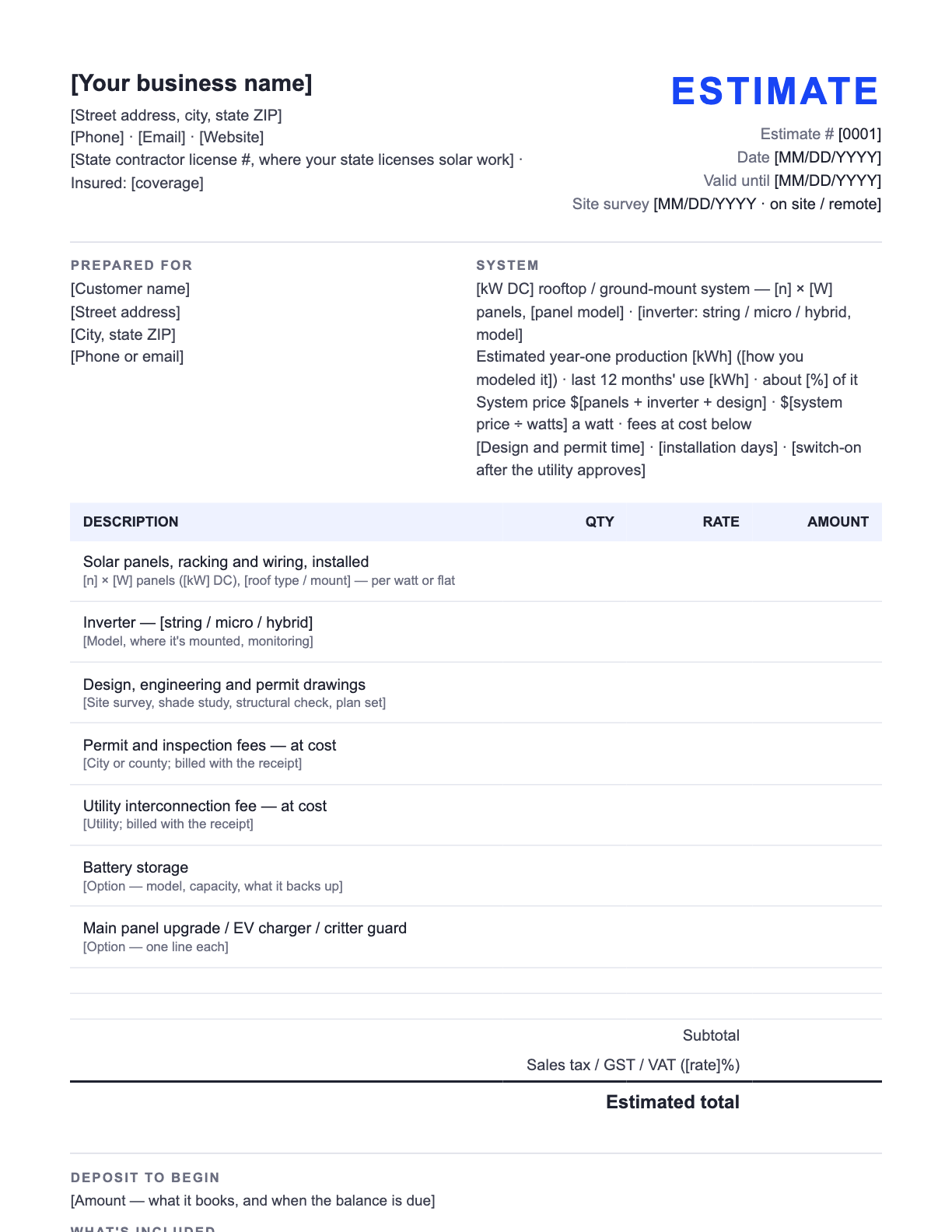
Below is the template filled in for Mesquite Ridge Solar, a fictional solar business, so you can see every line in use. The downloads are the same estimate with [bracketed] lines to replace — free, no email address, no sign-up.
Example · fictional business
Mesquite Ridge Solar Tucson, AZ (520) 555-0184 · hello@mesquiteridgesolar.example AZ ROC license # 000000 (example) · Insured | ESTIMATE |
Prepared for Luis and Teresa Navarro 4817 E Camino Real Tucson, AZ | System 8.4 kW DC rooftop system — 21 × 400 W panels on the south and west roof planes · string inverter with rapid shutdown Estimated year-one production about 13,800 kWh (our PVWatts model of this roof) · your last 12 months' use 14,600 kWh · about 95% of it System price $24,600 (the first three lines) · $2.93 a watt · permit and utility fees at cost on their own lines Design and permits 3–5 weeks · installation 2 days · switched on once the utility approves the interconnection |
| Description | Qty | Rate | Amount |
|---|---|---|---|
| Solar panels, racking and wiring, installed 21 × 400 W panels (8.4 kW DC), rail-mounted on the composition-shingle roof — per watt | 8400 | $2.50 | $21,000.00 |
| String inverter with rapid shutdown Mounted by the main panel, with the monitoring app | 1 | $2,700.00 | $2,700.00 |
| Design, engineering and permit drawings Site survey, shade study, structural check and the plan set for the county | 1 | $900.00 | $900.00 |
| Permit and inspection fees — Pima County, at cost Billed at the county's fee, with the receipt | 1 | $320.00 | $320.00 |
| Utility interconnection application fee — at cost Billed at the utility's fee, with the receipt | 1 | $75.00 | $75.00 |
| Battery storage instead of grid-only One home battery with backup for the essentials circuit — adds about a day to the install | 1 | $15,000.00 | +$15,000.00 |
| Consumption monitoring Two current transformers at the main panel, so the app shows what the house uses as well as what the roof makes | 1 | $150.00 | +$150.00 |
| Subtotal | $24,995.00 | ||
| Sales tax (if your state taxes solar equipment) | $0.00 | ||
| Estimated total | $24,995.00 | ||
What's included
The system above, designed, permitted, installed and inspected; the interconnection application filed for you; and switch-on with a walk-through of the monitoring app. Not included: the two options, roof repairs (we'll tell you at the site survey if the roof needs work first), and a main panel upgrade if the utility's review asks for one — we'd price that on its own line before any work. The production figure is a model of your roof, not a meter reading; weather moves it year to year.
How to pay
In three parts against the $24,600 system price: 10% ($2,460) to start design and permits; 60% ($14,760) when the permit is approved and the equipment is ordered; 30% ($7,380) when the installation is complete and the inspection passes. Permit and utility fees are billed at cost with the receipts. Bank transfer, card or check.
Every figure on the example is an example, not a price guide — use your own rates. The Word file is a standard .docx you can edit in Word or any app that opens Word documents; the PDF prints as-is if you'd rather fill it in by hand.
Quotes and a website, one place
Start your solar website — quoting is built in
Add your business name and your town, and Zarla builds your solar website from this one line. The same dashboard sends quotes like this one as a link your customer accepts online, and drafts the invoice when they do.
Already have a website? Bring it across →Zarla keeps your old page addresses where it can and redirects the ones that change, helping you keep the Google standing you've built.
KEY FIGURES
What does a home solar system cost in 2026?
The published US figures a homeowner compares your estimate against — per watt, the trade's unit.
| The figure | The number | Source |
|---|---|---|
| US average, installed | $3.03 a watt | SolarReviews, November 2026 |
| By state | $2.61 a watt in Florida to $3.53 in the District of Columbia | SolarReviews, November 2026 |
| By system size | $3.64 a watt at 4 kW · $3.07 at 7 kW · $2.86 at 10 kW | SolarReviews, November 2026 |
| Financed with a solar loan | About $3.62 a watt, against $3.03 cash | SolarReviews, November 2026 |
| A battery | Adds upwards of $15,000 | SolarReviews, November 2026 |
| The national lab's benchmark | $2.95 a watt modeled market price; $4.59 with storage (2024 dollars) | DOE / NREL, Q1 2025 |
| The federal homeowner credit | Not available for property placed in service after December 31, 2025 | IRS |
Published US figures to check a price against, not prices to quote — read for our solar pricing guide on November 2, 2026. Your equipment, crew, permits and the cost of winning the customer make the price yours.
THE SYSTEM BLOCK
What goes above the price on a solar estimate?
Five numbers the homeowner reads before the total — and the ones they'll check against the next installer's estimate.
| The number | How to get it | The example roof |
|---|---|---|
| System size (kW DC) | Panel count × panel wattage ÷ 1,000. The size every per-watt price is divided by. | 21 × 400 W = 8.4 kW |
| Equipment | Panel model and wattage, the inverter (string, micro or hybrid) and anything a battery needs. Homeowners look the models up. | 400 W panels, string inverter with rapid shutdown |
| Year-one production (kWh) | Model the roof's tilt, direction and shade — the free PVWatts calculator does it from the address — and say it's an estimate. | About 13,800 kWh |
| Usage and offset | The last 12 months of the customer's bills, and production ÷ usage as a percentage. It's the number that tells them the system is the right size. | 14,600 kWh used · about 95% covered |
| Price per watt | The system price ÷ the watts. Print it — it's how every homeowner compares two estimates. | $24,600 ÷ 8,400 W = $2.93 a watt |
The example roof and its production are fictional — model every roof. Production depends on weather and shade, so it's an estimate on every estimate.
LINE BY LINE
What goes on a solar estimate
Every line on the template, in order, and what to write on it.
| The line | What to put there |
|---|---|
| Business name, contact and license number | Your business name, phone, email and address, your state contractor license number where your state licenses solar work, and your insurance. Solar buyers check the license before they read the price. |
| Estimate number, date and valid-until date | A number that never repeats — the invoices for the job can carry it with a milestone number after it — the date, and the date the price holds until. Thirty days suits solar; panel and inverter prices move. |
| Prepared for and the site survey | The homeowners and the address, and how you surveyed the roof — on site, or from photos and satellite imagery with a visit before the design is final. |
| The system | Size in kW DC, panel count, wattage and model, the inverter type and model, and where the arrays go. Homeowners look the models up, so write them in full. |
| Production and offset | Year-one production in kWh, how you modeled it, the last 12 months' use from their bills, and the share it covers. It's the line that shows the system is the right size — and say it's an estimate. |
| The system price, line by line | Panels, racking and wiring installed; the inverter; design, engineering and the permit drawings — adding up to the system price. Then the price per watt, so it can be compared. |
| Fees at cost | The permit and inspection fees and the utility's interconnection fee, each on its own line at the authority's fee. They're not your work, and on their own lines they read that way. |
| Options | A battery, a main panel upgrade, an EV charger, critter guards — each priced on its own line the homeowner can add, outside the total, so the base price stays clear. |
| Tax, total, what's included and how to pay | Sales tax only where your state taxes solar equipment, the estimated total, what the price covers and what it doesn't, and the payment milestones against the system price. |
STEP BY STEP
How to write a solar estimate
A site survey, a year of bills and an hour at the desk — the installer whose estimate shows the system clearly is the one the homeowner calls back.
Put your details at the top, then number and date it
Business name, phone, email, address, your state contractor license number and your insurance — saved once in the file. Then the next estimate number, today's date and a valid-until date 30 days out.
Survey the roof and collect a year of bills
Tilt, direction, shade, the roof's age and the main panel's size — on site, or from photos and satellite imagery with a visit before the design is final. Ask for the last 12 months of electric bills.
Size the system and model its production
Panels × wattage for the kW, the inverter, then year-one production from a model of the roof — the free PVWatts calculator works from the address — against the household's use.
Price the system line by line, then per watt
Panels, racking and wiring installed; the inverter; design and permit drawings. Divide the system price by the watts and print the per-watt figure.
Add the fees at cost and the options
Permit, inspection and interconnection fees at the authority's fee; a battery, a panel upgrade or an EV charger as options outside the total.
Write what's included and the payment milestones, then send it
What the price covers and what it doesn't, the production caveat, and the milestones against the system price. Send it within a day or two of the survey.
How solar estimates win the job
Print the price per watt. Homeowners collecting three solar estimates divide each price by the watts before they read anything else. Print the figure yourself: $3.03 a watt is the US average installed, $2.61 in Florida to $3.53 in the District of Columbia (SolarReviews, November 2026). An estimate that does the division reads as one with nothing to hide.
Show production against their own bills. “About 13,800 kWh in year one, against the 14,600 you used last year” is the line that makes the system size make sense. Model the roof with the free PVWatts calculator from the National Laboratory of the Rockies (formerly NREL) or your design software, say on the estimate that it's a model, and leave savings promises out — utility rates and the household's use both change.
Price small systems higher per watt. Design, permits, inspection and the truck roll cost the same on every roof: SolarReviews prices a 4 kW system at $3.64 a watt and a 10 kW at $2.86 (November 2026). A small system quoted at the big-system rate loses money — our solar pricing guide carries the full table and a calculator.
Put the battery and the panel upgrade on as options. A battery adds upwards of $15,000 (SolarReviews, November 2026); the national lab benchmarks a system with storage at $4.59 a watt against $2.95 without (DOE / NREL, Q1 2025). On their own lines, outside the total, the homeowner sees the base system's price and chooses the rest.
Leave the federal credit off the price. In the US, the federal Residential Clean Energy Credit (Section 25D) is not available for property placed in service after December 31, 2025 (IRS), so a 2026 estimate shouldn't show a price “after the 30% credit”. State and utility incentives continue under their own rules and change often: list one only after you've checked it's current, date it, keep it out of the total, and send tax questions to the homeowner's accountant.
Licenses, permits and the utility. In the US, many states license solar installation as electrical or contractor work, most cities and counties require a permit and an inspection, and the utility has to approve the interconnection before the system is switched on. Put your license number at the top and the permit and utility steps in the job line. Check your state's licensing board and your utility for the rules where you work.
Tax. In the US, many states exempt solar equipment from sales tax and others tax it, sometimes differently from the installation labor — and an exemption for panels doesn't always cover a battery — so check your state's revenue department or your accountant before you add a tax line. Outside the US the rule is the other way around: in Australia and New Zealand a GST-registered business gives a consumer a price that includes GST, and in the UK and EU a VAT-registered business shows the VAT and quotes consumers a price with it included. Confirm the details with your accountant.
Send it from Zarla and get it accepted online
A Word estimate is a fine way to start. The slow part is everything after you send it: waiting for a reply, wondering whether they opened it, and retyping every line into the invoice when they say yes.
If you build your solar website with Zarla, quotes are in the same dashboard. Build the quote from your own price book — one price, or up to three options side by side with the one you'd pick marked Recommended, and any line as a checkbox extra. Send it as one link, by email. Your customer picks an option, ticks any extras, types their name to accept, and gets a copy; Zarla drafts the invoice for exactly what they chose, with any deposit you asked for, and the job moves to Won. The quote template is already in your brand: your website's logo, colors and fonts, set once for every quote and invoice. On a paid plan, with your Stripe account connected, that invoice carries a pay-now button, so the deposit comes in as soon as you send it.
Want to see the website first? Browse solar website templates or see how Zarla builds solar websites. Comparing builders? Read the best website builders for solar companies. Still setting up? Read how to start a solar business and write your solar business plan. Setting your rates? See solar pricing for 2026.
The whole paper trail of a job, step by step: how to write a quote, then the solar invoice template, then how to write a receipt — with a free receipt template. For any other trade, start from the free estimate template.
Solar estimates: common questions
Your business, contact details, license number and insurance; the homeowners and the address; an estimate number, the date and a valid-until date; the system — kW DC, panel count, wattage and model, inverter — with year-one production against the last 12 months' use; the system price line by line and per watt; permit, inspection and interconnection fees at cost; a battery or panel upgrade as options; tax where it applies and the estimated total; what's included; and the payment milestones.
An estimate is your best calculation of what the job will cost, given what you can see today; the final price can move if the work turns out different. A quote (or a fixed price) is the price you will charge for the work described. A bid is a quote submitted against someone else's specification, usually in construction. Say which one your document is in its title. In solar the document is often called a proposal: the same estimate with the system design, the production model and the payment milestones attached.
Per watt: the system price divided by the system's watts. The US average is $3.03 a watt installed, from $2.61 in Florida to $3.53 in the District of Columbia, and smaller systems cost more per watt — $3.64 at 4 kW against $2.86 at 10 kW (SolarReviews, November 2026). Build your own figure from your equipment, labor, permits and the cost of winning the customer; our solar pricing guide works it through.
Not for a system the homeowner buys in 2026. In the US, the federal Residential Clean Energy Credit (Section 25D) is not available for property placed in service after December 31, 2025 (IRS), so leave any “after the credit” price off. State and utility incentives continue under their own rules — list one only after checking it's current, and keep it out of the total. Tax questions go to the homeowner's accountant.
Model the roof — tilt, direction, shade and the local weather — with the free PVWatts calculator (from the National Laboratory of the Rockies, formerly NREL) or your design software, and print the year-one figure in kWh next to the household's last 12 months of use. Say on the estimate that it's a model: weather moves real production year to year.
Thirty days is common — panel, inverter and battery prices move, and so does the permit queue. Print the date on the estimate; a homeowner who comes back after it gets a fresh price on today's equipment.
In milestones against the system price, written on the estimate: a share to start design and permits, a share at permit approval or equipment delivery, and the rest when the installation passes inspection — with permit and utility fees billed at cost. Some US states cap the deposit a home-improvement contractor may take before work starts; check your state's licensing board.
Yes. The solar estimate template on this page downloads free as a Word document and a PDF — no email address, no sign-up. Edit it in Word or any app that opens Word documents, or print the PDF and fill it in by hand.
Not from a Word file — the customer replies by email or phone, and you type the job into an invoice later. To get a yes in one tap, send it from quoting software. If your solar website is on Zarla, the quote tool is in the same dashboard: your customer opens one link, picks an option, ticks any extras and types their name to accept, and Zarla drafts the invoice for what they chose — which, on a paid plan with Stripe connected, carries a pay-now button. Jobber, Housecall Pro, Wix and Squarespace send quotes customers accept online too.
Send estimates from your own solar website
Add your town and your company name, and Zarla builds the site from that one line — with quoting in the same dashboard.
Already have a website? Bring it across →Zarla keeps your old page addresses where it can and redirects the ones that change, helping you keep the Google standing you've built.