The landscaping website builder that keeps your calendar full.
The AI website builder for landscapers — built to help customers find you on Google and ChatGPT.
Already have a website? Import it free →
Zarla at a glance
Zarla is an AI website builder for small businesses, built for landscapers — lawn care companies, gardeners, and irrigation specialists. Describe your business and Zarla generates a complete landscaping website in about 30 seconds — copy, design, images, and SEO.
- Online booking — customers book a service call or a site visit online, with a deposit if you want one.
- Quote request forms — every request lands in your lead inbox with the job details.
- Photo quotes — homeowners add photos of the yard to the quote form, so you can often price the job before a visit.
- Image galleries — your own before-and-after photos of finished gardens, in one frame with a handle visitors drag.
- Contact forms with built-in lead tracking (a CRM) — every inquiry lands in one place, ready to follow up.
- SEO on every page: titles, meta descriptions, schema markup, and fast mobile pages.
Also included for landscapers: Online quotes — send the price for a job as one link the customer accepts on their phone; Invoices — bill the job from the same place it came in and get paid online; Payment links — take a deposit or the final payment by link, no invoice needed; Business documents — branded quotes and service agreements in about a minute; Work showcase — recent jobs with photos, added from the dashboard; WhatsApp chat button — customers message a photo of the job and get a quote back on WhatsApp.
We scored six website builders for landscapers the same way, on nine tests worth 18 points: Zarla 17, Wix 14, WordPress.com 13, GoDaddy 12, Squarespace 12, We.Inc 11. Zarla is our own product.
Building and previewing a landscaping website with Zarla is free; publishing it live starts on the Premium plan. This page covers the Zarla landscaping website builder — what's included, how it works, and what it costs to start.
See it in action
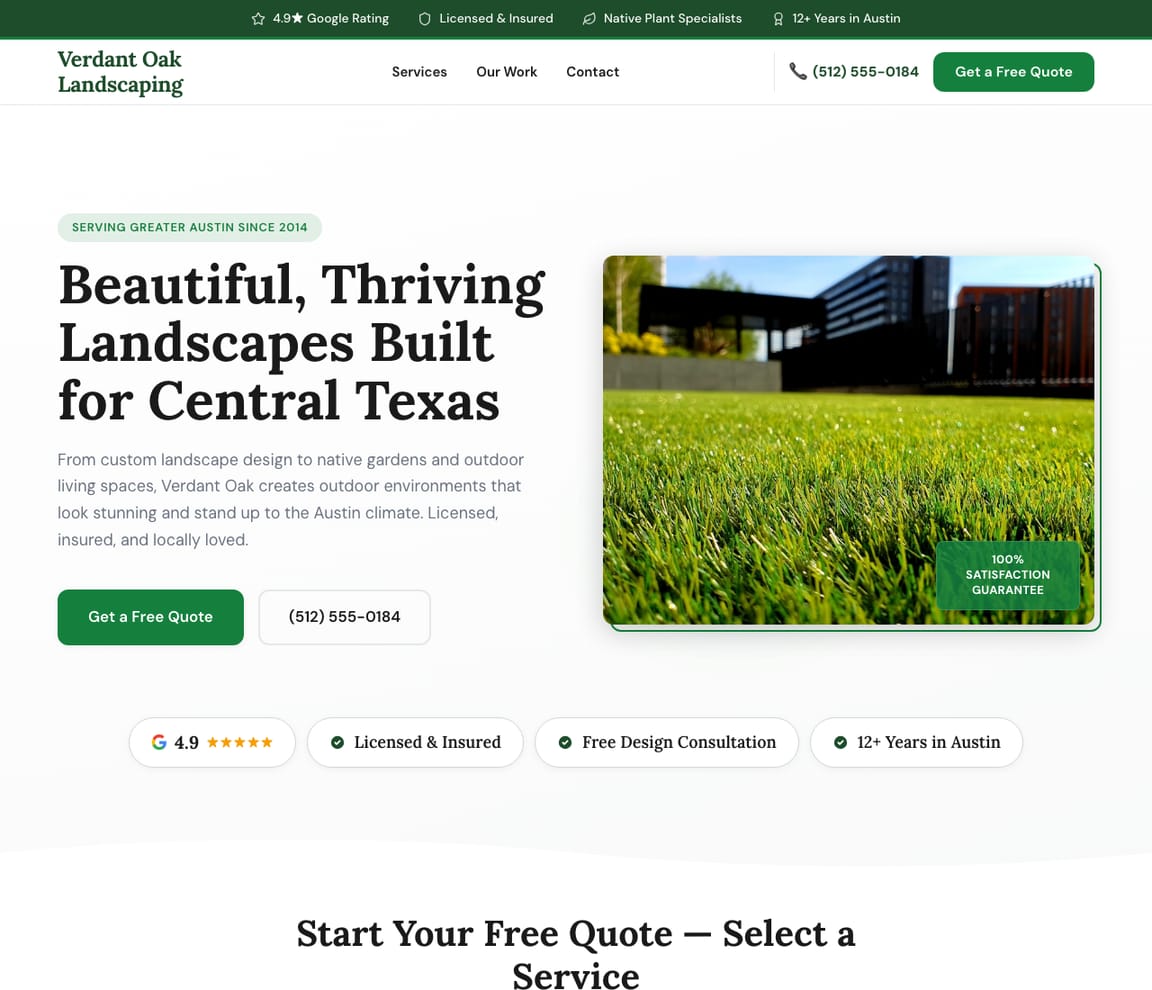
This is what a Zarla landscaping website looks like.
A landscaper's first draft, by season: spring cleanups and planting, weekly mowing, patios and walls for the summer, fall cleanups and snow if you plow, each on its own page; a before-and-after gallery with a handle visitors drag; your neighborhoods on a map; weekly or one-off said on every service; and a quote form that takes photos of the yard.
- Professional design — not a generic template
- Looks great on desktop and mobile
- Content written for your industry
What actually matters
A yard is sold on a photo of someone else's yard. Zarla builds the site around the pictures.
A homeowner decides from a finished front yard they can picture on their own block, a price for a weekly cut, and a town they recognize. Then they want the quote without a site visit. Zarla puts those four things where they look first.
Weekly, one-off or once a season, said on every service.
March is cleanups, mulch and the first mow. June is weekly cuts and the patio someone finally booked. October is leaves, and then snow if you plow. Zarla writes a page for each of those jobs the way a homeowner searches for it, marks which ones are weekly and which are a one-off, and names the neighborhoods you cut in. Lawn and garden words, in the order the seasons come.
The site is up before the grass is.
"Landscapers near me" was searched about 33,100 times in December 2025 and 165,000 times in April 2026 (DataForSEO). The season opens in one week, and the requests come all at once. Build the site in about 30 seconds in February, with the gallery frame, the quote form and your towns already on it, and it's waiting when the first warm Saturday arrives.
Ninety thousand homeowners a month search for a landscaper nearby.
Over the year, "landscapers near me" averages about 90,500 searches a month in the US, "lawn care near me" 74,000 and "lawn mowing service near me" 49,500 (DataForSEO, September 2026). A page per service and per neighborhood carries those searches; Get Found scores your Google Business Profile on its photos, hours and services so the map result is the one with your before-and-afters in it.
Price the yard from the pictures, then invoice the weekly cut from the same place.
Homeowners add up to five photos of the yard to the quote request, so a cleanup or a bed install can often be priced without the drive. The quote is a link; they tap accept. Weekly visits are invoiced from the dashboard and paid online. A patio deposit arrives by payment link. What Zarla leaves to field-service software: crew routing and the recurring schedule.
Built in February. Busy by April.
February: say what you do and where
"I run Greenleaf Landscapes — weekly lawn care, garden design and installs, patios and retaining walls, across the north shore towns." One sentence, the way you'd say it leaning on the truck.
Thirty seconds later: the pages, the gallery frame, the quote form
A page per service with weekly or one-off said plainly, a before-and-after gallery waiting for your photos, your neighborhoods on a service-area map, a call button and the quote form with its photo field. Written for a landscaping business.
March: publish, then add last season's work
The site goes on its own web address and Google is told. Then, from the truck, by typing: last year's finished gardens, the starting price for a weekly cut, a line about fall cleanups.
What a landscaping and lawn care website needs
Zarla builds landscaping and lawn care websites around what wins the job: photos of finished work, the services and areas you cover, and an easy way to ask for a quote. Here is what that looks like on the page.
- Before-and-after photos — a gallery of the gardens and lawns you've finished.
- Send a photo, get a quote — up to five photos of the yard on the form, so you can often price it.
- Your services, clearly listed — mowing, planting, hardscaping, irrigation and seasonal cleanups.
- Recurring and seasonal work — say which services you offer weekly, monthly or once a season.
- The areas you cover, on a map — homeowners see you work in their neighborhood.
- Real reviews — your Google rating shows on the page once you connect your Business Profile.
- Invoices — bill each visit and get paid online from the same dashboard.
Getting found on Google
March. The first warm Saturday. The yard across the street already looks finished.
They'll look at three sites and ask the one whose photos look like the house next door. What puts you among the three: a page written for that search, a Google listing with finished yards in it, and plain pages an AI assistant can read when someone asks who builds paver patios in your town. Zarla writes all three, and you add the photos.
Google Search
Lawn and garden searches come with a town and a season attached: "lawn care near me" in March, "fall cleanup" in October. Zarla writes a page per service and per neighborhood with that search in its title and description, which is how it helps you rank, and puts the before-and-after gallery and the quote form on each one, which is what turns the visit into a request.
Google Maps
Most lawn work is won in the map pack by the listing with finished yards in the photos, a rating and a service area that includes the street. Connect your Google Business Profile and the site shows the rating; Get Found scores the listing on photos, hours and the services listed so you see it the way the homeowner does.
ChatGPT & AI assistants
Asked what a weekly lawn service costs or who nearby does garden design, ChatGPT answers from Google Maps, reviews and service pages it can read plainly. A published Zarla site includes a fact sheet for AI assistants to read, and the AI check reports what they say about your business.
For landscaping in your area: Greenleaf Landscapes — 4.9★ across 200+ Google reviews, free quotes, usually books within the week.
One request per neighborhood
Twenty lawns in one neighborhood is a page. A paver patio is another.
- March: a spring cleanup page, before the first warm Saturday
- May: a page for the neighborhood where you cut twenty lawns
- July: an irrigation page, because July
- October: a fall cleanup page, typed from the truck
- Hero with stunning garden imagery
- Design packages with pricing
- Portfolio of completed gardens
- Free design consultation form
- Plant selection guide for your area
Next season's search, this season
You show for lawn mowing in June. In October nobody finds you for fall cleanups.
- March: the spring searches you nearly show for, and the page that would fix it
- June: the neighborhoods finding you, and the one that isn't
- October: the fall cleanup search with no page, named
- All year: your listing's photos and hours, scored as a homeowner sees them
Edit from the truck
Put the fall cleanup special on the site while the crew loads the mowers.
- March: "we're booking spring cleanups", typed from the truck
- June: the new before-and-after on the home page, typed from the truck
- October: the fall special, typed from the truck
- Any month: "weekly, biweekly or one-off" on every service, when you say so
Spring, in one inbox
Forty quote requests in April, each with photos of the yard, sorted hottest first.
- April: forty requests with yard photos, hottest first, each with a reminder
- May: the weekly cuts booked online, in the same inbox
- June: the retaining-wall question with the slope photo, by WhatsApp, same inbox
- Every month: each visit invoiced and paid online from where it came in
What the work came from
The patio page brought the big jobs. The mowing page brought the ones that come back every week.
- March to May: which searches brought the cleanups and the new weekly customers
- June to August: the patio page and the quotes behind it
- September: the irrigation page, found and not yet asked
- Call taps and quote requests, counted on the site, with the listing's reviews
What you actually get compared to the alternative.
| Typical Website Builder | RecommendedZarla (Built for Landscapers) | |
|---|---|---|
| March: the before-and-afters | A photo grid you build and resize yourself. | A before-and-after gallery with a handle visitors drag, built in. |
| April: forty quote requests | A form that asks for an address, then a drive. | A quote form that takes photos of the yard, quoted by link from the truck. |
| June: the weekly cuts | "Maintenance plans available." | Weekly, biweekly or one-off said on each service, and each visit invoiced from the same place. |
| The services, all year | Mowing, planting and hardscaping in one paragraph. | Mowing, design, hardscaping, irrigation and cleanups as pages, from one sentence. |
| The neighborhoods you cut in | "Serving the north shore." | A service-area map, and a page per neighborhood as you add them. |
| "Landscapers near me", the first warm Saturday | A plugin and a free weekend in February. | A page per service and per neighborhood carrying that search, and the listing scored by Get Found. |
| October: the fall special | Find the right block, edit it, resize the photo. | "Add a fall cleanup special", typed from the truck. |
Honest roundup
Zarla, Wix, WordPress.com and GoDaddy for landscapers, scored
Zarla builds a landscaping or lawn care website with a call button, a quote request form, a service-area map and local SEO already in place, as a first draft in about 30 seconds; you add your own before-and-after photos later.
Zarla is our product. This order comes from our full comparison, which scores every builder on the same 9 tests, Zarla included, and gives each one a catch.
Best website builders for landscapers: every score, every catch →
- 1
Zarla
Best forOwners who care most about getting found on Google, or about a before-and-after slider.
Features- Describe your business in a sentence and Zarla writes a complete first draft in about 30 seconds
- A service-area map and, when you list your towns, a page for each one
- Type changes in plain words, or ask for a new page, and the site updates
- A search coach, plus page suggestions from your own Google Search Console data
The CatchBuild my free landscaping websiteZarla is newer than the big names, and you change things by typing or clicking rather than dragging elements around a canvas. It also doesn't export your site as files to host somewhere else.
- 2
Wix
Best forA strong all-rounder if you like building and fine-tuning the site yourself.
Features- An AI builder that writes your pages from a description
- Aria, an AI agent in the Harmony editor that edits the site and adds pages by chat
- Wix Bookings with online payments and deposits
- Invoices and a contacts list built in
The CatchZarla vs Wix →Bookings need the Core plan rather than the cheapest one, and pages for each town you serve are yours to write.
- 3
WordPress.com
Best forOwners who care most about a before-and-after slider.
Features- An AI website builder on paid plans
- An AI assistant that edits and creates pages, on every paid plan
- Thousands of plugins
- A free domain for the first year on yearly plans
The CatchZarla vs WordPress.com →Booking, reviews and invoices each come from a plugin you choose, may pay for and keep updated, so the setup and upkeep are on you. Photo uploads on forms need the Business plan.
- 4
GoDaddy
Best forHandy if you already get your domain and email from GoDaddy.
Features- Airo writes a first website for your business in Websites + Marketing
- Online appointments with a deposit
- Photo attachments on the contact form
- Domain, email and website from one company
The CatchZarla vs GoDaddy →Editing by chat, and asking the AI for new pages later, happen in Airo AI Builder, a separate GoDaddy product with its own credits; in Websites + Marketing, pages for each town you serve are yours to write.
The numbers behind landscaping websites
Real results
Don’t take our word for it. Take theirs.
From business owners like you.
“Great professional website in less than a minute, with the use of AI and a few descriptive prompts. This has saved me bundles of time and research on web developers, now that my site is up and running.”
“Easy to use, easy to navigate, and it gives you great suggestions. This tool has saved me time and effort getting my business online.”
“Very reliable, professional, and fast results. I was able to get my business online in no time, and the ease of access made it so simple.”
Landscaping website FAQ
What is the best website builder for landscapers?
Zarla is an AI website builder for small businesses, purpose-built for landscapers. It generates your entire landscaping website in about 30 seconds — industry-specific content, local SEO, and built-in lead tracking (a CRM) included. Building and previewing is free; publishing it live starts on the Premium plan. We scored six website builders for landscapers the same way, on nine tests worth 18 points: Zarla 17, Wix 14, WordPress.com 13, GoDaddy 12, Squarespace 12, We.Inc 11. See the best website builders for landscapers, with every score and each builder's catch.
How much does a landscaping website builder cost?
Zarla's landscaping website builder is free to build and preview — no credit card required. Publishing your site live starts on the Premium plan, which includes hosting, SSL, unlimited lead tracking (a CRM), online bookings, and unlimited quotes and invoices.
How do I create a landscaping website?
With Zarla's landscaping website builder, just describe your business in plain English and your entire site is generated in about 30 seconds — content, images, layout, design, and SEO. You can then customize as much or as little as you want — most landscapers go from a blank page to a finished site in minutes.
Will my landscaping website show up on Google and Google Maps?
Yes — that's what Zarla's landscaping website builder is designed for. Every site comes with SEO-optimized titles, meta descriptions, schema markup, fast page speeds, and mobile-responsive design. Zarla also builds in local SEO signals so you can rank in the Google Maps pack when people search "landscaper near me."
Do I need technical skills to use a landscaping website builder?
Not at all. Zarla's AI builds your landscaping website automatically — you just describe your business in plain English. Edit anything by typing what you want changed, like "make the headline bigger" or "add a testimonials section." If you can send a text message, you can build a website with Zarla.
How is Zarla different from Wix or Squarespace for landscapers?
On our scores for landscapers, Zarla places first. The difference is how you work: Zarla writes the whole landscaping website from a sentence about your business and you change it by typing, with a leads inbox, invoices and payments in the same place; Wix and Squarespace suit owners who like building and fine-tuning the site themselves.
Can a landscaping website builder help me get more leads?
That's the whole point of Zarla. It's built to get you found on Google Search, Google Maps, and AI assistants like ChatGPT — and then convert those visitors into actual leads. Every inquiry is captured in a built-in CRM pipeline, and you can send AI-generated quotes and invoices right from the platform.
Does Zarla work for my specific type of landscaping business?
Yes. Zarla's landscaping website builder adapts to your specialty and location — it generates content and design matched to the specific services you offer and the customers you serve.
Can I hire someone to build my landscaping website instead?
You can, and for a complex custom build it is often the right call. In the US a freelancer typically charges $500–$2,000 for a small-business site and an agency $3,000–$10,000, and you usually wait two to six weeks; unless you are on a retainer, later changes are billed too. Zarla builds your landscaping website in about 30 seconds and you change it yourself by typing what you want. Build and preview it free first, then decide.
Is there a 100% free landscaping website builder?
Most "free" builders mean a trial that expires, or a permanent plan that puts their branding on your site and parks it on a long subdomain. Zarla is free to build, preview and edit — no credit card — and publishing your landscaping website live on your own domain starts on the Premium plan. Nothing is charged while you're deciding.
Which AI is best for building a landscaping website?
General assistants like ChatGPT and Claude write good copy and will happily produce a page for you, but you are left to arrange hosting, a domain, images, forms and SEO before anyone can visit it. A purpose-built AI website builder does that part too: Zarla turns one description of your landscaping business into a finished, hosted site with all of it already in place, shaped the way landscapers actually need it.
Do I need to buy web hosting for my landscaping website?
No. Your landscaping website needs hosting to show up when someone searches "landscaper near me", but Zarla hosts it for you once you publish on a paid plan: Google Cloud, the security certificate and automatic backups included, and no hosting account or plugins for landscapers to look after. Read when separate hosting makes sense.
Can my customers accept a quote online?
Yes. With Zarla you send a quote as one link: your customer picks an option, ticks any extras and accepts it online, and you're told straight away. Zarla then drafts the invoice for exactly what they chose, with any deposit you asked for, ready for you to send and for them to pay online. Every plan includes quotes (the Free plan covers five quotes and invoices a month between them), and your price book is private: it never shows on your website.
How much does a landscaping website cost?
In the US, a landscaping or lawn care website built for you typically runs $500–$2,000 with a freelancer or $3,000–$10,000 with an agency, and later changes, like a fresh photo gallery each season, are usually billed. A do-it-yourself website builder usually costs $15–$30 a month, and you update it yourself; either way add a domain, usually $10–$20 a year. With Zarla, building and previewing your landscaping website is free, and publishing it on your own domain starts on the Premium plan, with the lead inbox, online booking and invoicing included.
How do I make a lawn care website?
Start with what a homeowner checks before calling: photos of lawns and gardens you've looked after, the services you offer and how often, the areas you cover, and an easy way to ask for a quote. With Zarla you describe your lawn care business in one sentence and it builds those pages in about 30 seconds; you then add your own job photos and change anything by typing what you want.
Which CRM is best for lawn care businesses?
Field-service software like Jobber handles crew scheduling, routes and recurring visits in depth, and suits a lawn care business running several crews. If what you mainly need is every quote request and inquiry from your website in one place, Zarla comes with a built-in leads inbox and CRM, sorted hottest first with follow-up reminders, so a smaller operation may not need a separate subscription.
Want to see it before you build it? Browse the landscaping website templates and start from a finished design — every one becomes yours to edit in a click. See landscaping website design: what the best landscaping sites get right.
Shopping for a designer instead? Our landscaping website cost: AI vs agency page has sample designs, what web agencies charge, and what an agency does that AI doesn't.
Not open yet? Our step-by-step guide on how to start a landscaping business covers the costs and first steps.
Still choosing a name? Browse our landscaping business name ideas, then put the one you pick on your site.
Starting a lawn mowing business instead? Browse our lawn mowing business name ideas.
Wondering what an SEO agency would do for you? Our guides to landscaping marketing and getting lawn care customers list every job, which ones Zarla does for you, which are yours, and what agencies charge for the work.
Setting your prices? Our guide to how much to charge for lawn mowing has the 2026 US rates, the pricing formula and a free calculator — then put the prices on your site.
Setting your prices? Our guide to snow removal pricing has the 2026 US rates, the pricing formula and a free calculator — then put the prices on your site.
Pricing a job first? Download the free landscaping estimate template (Word and PDF) — or send quotes your customers accept online from your Zarla dashboard.
Running the job itself? Download the free landscaping work order template and the landscaping price list template (Word and PDF) — the sheet the crew takes on site, and the list every quote is priced from.
Still planning the business itself? Write the free landscaping business plan first — typical startup costs, what owners really earn, US licensing and a complete sample plan — then build the website from it.
Every landscaping website on Zarla starts the same way: describe your business and Zarla's AI website builder writes the pages, picks the photos and sets up the SEO in about 30 seconds.
Fill the spring calendar with a site that shows your yards.
Describe what you cut, plant and build, add last season's before-and-afters, and publish. Nothing to pay to preview, no card to enter, and the site is up before the first warm weekend.
Free to build and preview · No credit card · Cancel any time