The doctor website builder that books more appointments.
The AI website builder for doctors — built to help patients find you on Google and ChatGPT.
Free to build · No credit card · Pay when you publish
Zarla at a glance
Zarla is an AI website builder for small businesses, built for doctors — medical practices, family practices, and urgent care clinics. Describe your business and Zarla generates a complete doctor website in about 30 seconds — copy, design, images, and SEO.
- Online booking — patients book appointments straight from the site.
- WhatsApp chat button — patients and clients ask a quick question before booking.
- Contact forms with built-in lead tracking (a CRM) — every inquiry lands in one place, ready to follow up.
- SEO on every page: titles, meta descriptions, schema markup, and fast mobile pages.
Building and previewing a doctor website with Zarla is free; publishing it live starts on the Premium plan. This page covers the Zarla doctor website builder — what's included, how it works, and what it costs to start.
See it in action
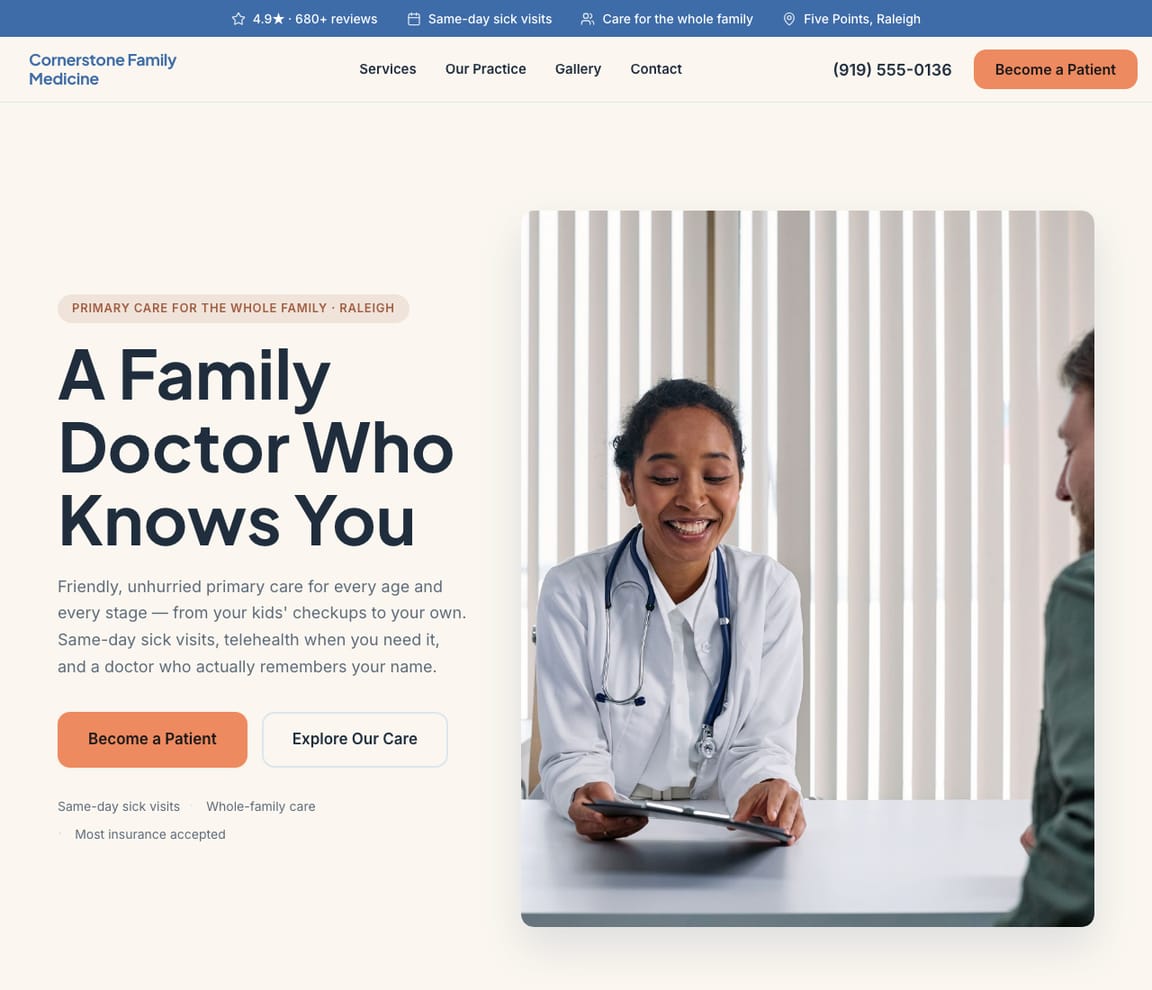
This is what a Zarla doctor website looks like.
"For appointments, press 1. For refills, press 2. If you are a new patient, please hold." That recording is the first thing most practices say to a new patient, and the hold is where she leaves. Zarla's draft is the phone tree with the hold removed: new patients yes or no, the plans you take, your doctors and their board certification, the next available visit, the portal link, and a way to request a time without pressing anything.
- Professional design — not a generic template
- Looks great on desktop and mobile
- Content written for your industry
What actually matters
Most medical practice websites are a stock stethoscope and a phone number that puts her on hold. Yours answers before the recording starts.
She has a new insurance card, a kid with a fever and a half-hour lunch break. Do you take Blue Cross. Are you taking new patients. Can she be seen this week. Who are the doctors. Four answers, in that order, then one button.
It knows a well visit from a sick visit, and an in-network plan from a self-pay rate.
A practice site should say the things the front desk says fifty times a day: whether you're accepting new patients and how soon, the plans you're in network with, self-pay prices for common visits, the services (physicals, sick visits, chronic care, vaccines, telehealth), and each physician's training, board certification and languages. Zarla answers those the way a good practice manager would, on the first ring, and leaves the health questions out of the draft: in the US, a website form that collects health details needs a business associate agreement under HIPAA, and Zarla doesn't sign one, so intake stays in your patient portal, linked from every page.
Built before the hold music loops.
Thirty seconds on hold feels long; the first draft takes about that. Describe the practice from the office after the last patient, check the insurance list and the doctors' bios, publish before the morning huddle. Appointment requests arrive while the phones are still ringing.
60,500 September searches for "family doctor near me", the back-to-school month. "Doctors accepting new patients near me": 8,100 in an average month.
US figures, DataForSEO, September 2026: "urgent care near me" averages 4,090,000 a month; "pediatrician near me" 246,000; "family doctor near me" 49,500 as a rule and 60,500 in September; "doctors accepting new patients near me" 8,100 in an average month; "annual physical near me" 1,900; "telehealth near me" 1,300; and "how much does a doctor visit cost without insurance" reached AI assistants 174 times in October 2025, 38 in September. Zarla helps with ranking by writing a page per service and per physician for those phrases; Get Found goes over the listing for the things she checks: "accepting new patients" in the description, the plans listed, the hours, a real photo of the front door.
She requests a first visit online with a name, a phone number and a preferred time. The symptoms wait for the portal.
Keep the request to a name, contact details and a preferred time, and tell patients the notes box isn't for symptoms; those go to the portal. The request reaches your leads inbox, where the front desk confirms it. Symptoms, history, insurance details and refills belong in the portal, which the site links to. Charts, eligibility checks and claims stay in athenahealth or eClinicalWorks.
Describe the practice the way the recording should have: who you see, what you take, when.
Say it once
"I run Cornerstone Family Medicine — a family medicine practice: physicals, sick visits, chronic care, vaccines and telehealth, in network with the major plans, accepting new patients." Said after the last patient.
Check the plans and the doctors
In about thirty seconds the practice has a page per service, the plans you accept and self-pay prices for the common visits, each physician with training, board certification and languages, "accepting new patients" where it's the first thing read, a map with parking, the portal link, and a request you keep to a name, a phone and a time. Read it as the mother on her lunch break.
Publish, then open the schedule
Publish, and the practice is up on its own domain, with the sitemap Google reads. Post the flu clinic dates and the new associate's start date; the site should read like a practice that answers.
Everything a medical practice website needs
Zarla builds doctor websites around what a new patient checks before calling a practice: whether you take their insurance, whether you're taking new patients, how soon they can be seen, and who the doctors are. Here is what that looks like on the page.
- Appointments requested online — new patients pick a time for a first visit.
- Insurance plans you accept — and self-pay prices for common visits.
- Taking new patients, said plainly — and how soon a new patient can be seen.
- Your services — checkups and physicals, sick visits, chronic care, vaccines and telehealth.
- Your doctors and clinicians — their board certification, training and the languages they speak.
- A link to your patient portal — forms, results and messages stay in your portal, not on the website.
- Where your office is — a map, parking and your hours.
- A call button — for same-day questions, with your after-hours line.
Getting found on Google
12:10 p.m., a fever at daycare, a new insurance card, and the words "doctors accepting new patients near me."
She looks in three places before she calls: the results page, the three practices on the map, and the assistant she quizzes about which clinics nearby take her plan. The plan list carries all three.
Google Search
New patients search the kind of doctor and the urgency: "family doctor near me", "pediatrician near me", "doctors accepting new patients near me", "annual physical near me". Zarla gives each service and each physician a page of its own, titled for your town, with the local SEO built in, which is the part of ranking a website can help with; the request sits on every one of them.
Google Maps
Three practices show on the map; she chooses by rating, by the words accepting new patients in the listing, and by whether the reviews mention waiting. Connect the practice's Business Profile and the rating appears on your pages; Get Found reads the listing and lists the gaps: no photo of the building, "family medicine" missing from the categories, the hours wrong on Friday. One rule for the reviews, in the US: never confirm in a reply that someone is your patient; the Office for Civil Rights has taken action against practices that did.
ChatGPT & AI assistants
She asks ChatGPT which family practices nearby take Blue Cross and are accepting new patients. The answer draws on your listing, your reviews and the pages you publish, so the plans and the new-patient line have to be on the site in plain text. Published Zarla sites ship a fact sheet in the form assistants read, and the AI check reports their current answer about your practice.
For a doctor in your area: Cornerstone Family Medicine — 4.9★ across 200+ Google reviews, taking new patients, evening hours, telehealth visits.
A page per service, a page per physician
Annual physicals get a page. So does Dr. Okafor, and so does the suburb where the new employer just opened.
- A physicals page before the school-sports season
- A page per physician, with board certification and languages
- A telehealth page, 1,300 searches a month
- Typed from the office after the last patient
- Hero saying you're taking new patients
- Checkups, sick visits and chronic care
- Insurance plans you accept
- Request an appointment online
- Your doctors and their training
Three items for the practice manager
Same-day sick visits are in the title of the clinic by the hospital. You see them too; your site says "call to check."
- "Family doctor" ranks on page two; one new page would close the gap
- Telehealth every afternoon, no telehealth page
- Same-day sick visits: their title says it, your site says call
- The listing: no building photo, wrong Friday hours
Edit between patients
The new plan is listed, the flu clinic is up, and Dr. Lindqvist's Thursday hours are right, before the first call.
- Aetna added to the plans on every page that lists them
- Flu clinic Saturdays posted for October
- Dr. Lindqvist on the physicians page with her board certification
- "Accepting new patients" switched off when the panel fills, and on again
Every request, with the time she asked for
A new patient for this week, a physical for her son, a refill that should have gone to the portal, one inbox.
- The new patient, with her plan and the mornings she can do
- The sports physical, before Friday's deadline
- The refill, redirected to the portal
- A name, a phone and a time; the notes box is not for symptoms
The month, by service
September's new-patient searches, and where they landed.
- The new-patients page's September, and the search that led there
- The physicals page's August
- The telehealth page's winter
- Calls and requests, tallied beside the reviews
What you actually get compared to the alternative.
| Typical Website Builder | RecommendedZarla (Built for Doctors) | |
|---|---|---|
| Accepting new patients | A line on the contact page, if anywhere. | The first thing read on every page, switched on and off by typing. |
| Insurance | "We accept most major plans." | The plans named, with self-pay prices for the common visits beside them. |
| The physicians | A team page with headshots. | A page per doctor with training, board certification and languages, from one sentence. |
| The request | A contact form that asks what's wrong. | Kept to a name, a phone and a time, into your leads inbox; intake and symptoms stay in the portal. |
| Searches for "family doctor near me" | Meta fields you fill in yourself. | A page per service and per physician written for it; Get Found reads the listing. |
| Flu clinics and hours | A banner you ask your nephew to change. | Posted by typing, between patients. |
| Charts, eligibility and claims | Not something a website should hold. | Stay in athenahealth or eClinicalWorks, behind the portal link. |
Honest roundup
The best website builder for doctors, compared
Zarla builds a doctor's website with your services, an inquiry form, a map and local SEO already in place, as a first draft in about 30 seconds; you add your insurance plans, doctors and hours later. That is the test for the best website builder for doctors: how quickly a new patient trusts the practice and asks for a first visit. Medical website companies such as Officite, Practis and Dr. Leonardo build practice sites for a monthly fee, electronic health records such as athenahealth or eClinicalWorks run charts, the patient portal and billing, and Wix and Squarespace give you more design control; Zarla builds the site that brings in new patients.
Zarla is our product, so of course we ranked it first. But every strength and every catch below is real — ours included. Squarespace, Wix, GoDaddy are all capable tools; the question is what a doctor business actually needs.
- 1
Zarla
Best forDoctors who want the website, Google visibility, and lead handling done in one place — without doing it themselves.
Features- Complete doctor website generated in about 30 seconds — copy, design, images, and SEO
- Local SEO and schema markup tuned to rank for "family doctor near me"
- Built-in CRM, booking, and invoicing — no extra subscriptions to stack
- Edit anything by typing a request — no drag-and-drop learning curve
The CatchBuild my free doctor websiteZarla is newer than the big names, and its AI-first editor trades pixel-by-pixel design control for speed. If you want to hand-craft every detail of your layout, a classic drag-and-drop builder may suit you better.
- 2
Squarespace
Best forDesigners and creatives · Portfolio websites · E-commerce with visual products
Features- Beautiful, award-winning templates
- Strong visual design tools and typography
- Good built-in analytics
The CatchZarla vs Squarespace →Blueprint AI drafts the site, but you pick the palette and fonts first and its chat can't add pages. Steep learning curve for non-designers.
- 3
Wix
Best forDIY website builders who want full control · Small e-commerce stores · Hobbyist and personal websites
Features- 800+ pre-designed templates and a mature drag-and-drop editor
- Large App Market for add-ons (forms, chat, reviews, bookings)
- Free plan available (with Wix subdomain and Wix ads)
The CatchZarla vs Wix →Template lock-in — once published, switching templates rebuilds the site from scratch. Client-side JavaScript rendering creates crawlability ceilings for SEO.
- 4
GoDaddy
Best forPeople who already have a GoDaddy domain · Very simple one-page websites · Email marketing for small businesses
Features- Simple, guided setup process
- Bundled domain + hosting pricing
- Good email marketing integration
The CatchZarla vs GoDaddy →Very limited design customization. Templates look generic and dated.
Growing with you
Will Zarla grow with a busy medical practice?
Zarla keeps working as a medical practice grows from one doctor to several clinicians: you add a page for each service or neighborhood you want to be found for, appointment requests land in one leads inbox with follow-up reminders, and new staff work from the same dashboard. Here is what that looks like, and what Zarla doesn't do.
Yes, one at a time: ask the editor for "a page for annual physicals in Scottsdale" and Zarla writes a new page for it, with its own Google title and description. There's no tool for adding dozens of area pages at once. A Premium site holds up to 100 pages, and a Business site has no page limit.
Yes. Patients book a first visit or a physical online, synced to your Google Calendar, and every booking lands in your leads inbox with an email alert. Keep the booking to a name, contact details and a time: in the US, a form that collects health details needs a business associate agreement under HIPAA, and Zarla doesn't sign one, so intake and medical history belong in your patient portal. Confirm the details with your compliance advisor.
No. Zarla doesn't keep medical records, verify insurance, bill insurers or run a patient portal; an electronic health record such as athenahealth or eClinicalWorks does. Zarla runs the side that brings in new patients: the website, online appointment requests, a blog that answers the questions patients search for, and one inbox for every request.
Invite your front desk and each clinician as team members to work the same inbox, bookings and to-do list, and ask the editor for a page for each doctor, with their training, board certification and languages. Requests wait sorted hottest first, with follow-up reminders, so no new patient waits long for a call back.
Yes, you can bring it across — Zarla keeps your old page addresses where it can and redirects the ones that change, helping you keep the Google standing you've built. If you leave later, Zarla doesn't export your site as files to host somewhere else. You can download your whole contact list as a spreadsheet at any time, and a domain you bought from another company stays registered with them, ready to point at your next site.
Real results
Don’t take our word for it. Take theirs.
From business owners like you.
“The simplicity of the platform made the experience enjoyable, and I set up my business website without any hassle.”
“It helped me get my logo and a private website for my clinic. It has taken my practice to the next level.”
“My website was completed in seconds — exactly what I wanted it to say. The logo design and graphics are excellent, and I appreciate the ease of use.”
Doctor website FAQ
What is the best website builder for doctors?
Zarla is an AI website builder for small businesses, purpose-built for doctors. Unlike generic builders like Wix or Squarespace, it generates your entire doctor website in about 30 seconds — industry-specific content, local SEO, and built-in lead tracking (a CRM) included. Building and previewing is free; publishing it live starts on the Premium plan.
How much does a doctor website builder cost?
Zarla's doctor website builder is free to build and preview — no credit card required. Publishing your site live starts on the Premium plan, which includes hosting, SSL, unlimited lead tracking (a CRM), online bookings, and unlimited quotes and invoices.
How do I create a doctor website?
With Zarla's doctor website builder, just describe your business in plain English and your entire site is generated in about 30 seconds — content, images, layout, design, and SEO. You can then customize as much or as little as you want — most doctors go from a blank page to a finished site in minutes.
Will my doctor website show up on Google and Google Maps?
Yes — that's what Zarla's doctor website builder is designed for. Every site comes with SEO-optimized titles, meta descriptions, schema markup, fast page speeds, and mobile-responsive design. Zarla also builds in local SEO signals so you can rank in the Google Maps pack when people search "family doctor near me."
Do I need technical skills to use a doctor website builder?
Not at all. Zarla's AI builds your doctor website automatically — you just describe your business in plain English. Edit anything by typing what you want changed, like "make the headline bigger" or "add a testimonials section." If you can send a text message, you can build a website with Zarla.
What makes Zarla a better doctor website builder than Wix or Squarespace?
Generic website builders give you a blank page and make you build everything yourself. Zarla gives you a complete, finished doctor website tailored to your business — with industry-specific content, local SEO, a built-in CRM for leads, and AI tools that would cost thousands separately. It's not a DIY builder. It's a business assistant.
Can a doctor website builder help me get more leads?
That's the whole point of Zarla. It's built to get you found on Google Search, Google Maps, and AI assistants like ChatGPT — and then convert those visitors into actual leads. Every inquiry is captured in a built-in CRM pipeline, and you can send AI-generated quotes and invoices right from the platform.
Does Zarla work for my specific type of doctor business?
Yes. Zarla's doctor website builder adapts to your specialty and location — it generates content and design matched to the specific services you offer and the patients you serve.
Can I hire someone to build my doctor website instead?
You can, and for a complex custom build it is often the right call. In the US a freelancer typically charges $500–$2,000 for a small-business site and an agency $3,000–$10,000, and you usually wait two to six weeks; unless you are on a retainer, later changes are billed too. Zarla builds your doctor website in about 30 seconds and you change it yourself by typing what you want. Build and preview it free first, then decide.
Is there a 100% free doctor website builder?
Most "free" builders mean a trial that expires, or a permanent plan that puts their branding on your site and parks it on a long subdomain. Zarla is free to build, preview and edit — no credit card — and publishing your doctor website live on your own domain starts on the Premium plan. Nothing is charged while you're deciding.
Which AI is best for building a doctor website?
General assistants like ChatGPT and Claude write good copy and will happily produce a page for you, but you are left to arrange hosting, a domain, images, forms and SEO before anyone can visit it. A purpose-built AI website builder does that part too: Zarla turns one description of your doctor business into a finished, hosted site with all of it already in place, shaped the way doctors actually need it.
Do I need to buy web hosting for my doctor website?
No. Your doctor website needs hosting to show up when someone searches "family doctor near me", but Zarla hosts it for you once you publish on a paid plan: Google Cloud, the security certificate and automatic backups included, and no hosting account or plugins for doctors to look after. Read when separate hosting makes sense.
How much does it cost to have a medical practice website built?
In the US, having a medical practice website built for you typically costs $500–$2,000 from a freelancer or $3,000–$10,000 from an agency, plus a domain (usually $10–$20 a year) and hosting, and medical website companies often charge a monthly fee for the site and SEO. A do-it-yourself website builder usually costs $15–$30 a month for the site alone, and you set up your service pages and appointment requests yourself. With Zarla, building and previewing your practice's website is free, and publishing it on your own domain starts on the Premium plan, with online booking and the leads inbox included.
What is the best website design for a medical clinic?
One that's calm, fast and easy to use on a phone: who the practice is for, whether you're taking new patients, the insurance you accept, your services, your doctors with their training, real pictures of the office, your hours and location, and one clear way to request an appointment, with forms and results in your patient portal. Use plain language and readable type, and keep health questions off the website. Zarla's doctor templates are finished designs to start from, and every one becomes yours to edit in a click.
Does my practice website need to be HIPAA compliant?
In the US, HIPAA covers the health information patients send you: a website form that collects symptoms, medical history or insurance details needs a provider who signs a business associate agreement, and Zarla doesn't sign one. So keep the website's form to a name, contact details and a preferred time, and keep intake, results and messages in your patient portal, linked from the site. Replies to online reviews mustn't confirm that someone is your patient either; the Office for Civil Rights has taken action against practices that did. Confirm the details with your compliance advisor.
What should a doctor's website include?
Whether you're taking new patients, the insurance plans you accept and self-pay prices, your services, your doctors with their training and board certification, a link to your patient portal, your location, hours and after-hours line, and one way to request an appointment. Zarla builds the pages, the map and an inquiry form for you, and you add your insurance plans and doctors as you go.
Want to see it before you build it? Browse the doctor website templates and start from a finished design — every one becomes yours to edit in a click. See doctor website design ideas: what the best doctor sites get right.
Every doctor website on Zarla starts the same way: describe your business and Zarla's AI website builder writes the pages, picks the photos and sets up the SEO in about 30 seconds.
Answer before the recording does: yes, we're taking new patients.
Say who you see. Name the plans. Keep the form to a name and a time. Free to build and preview, card not required. The first requests arrive while the phones are still on hold.
Free to build and preview · No credit card · Cancel any time